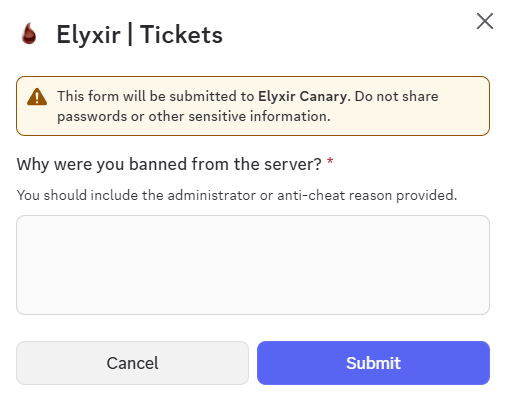
> For the complete documentation index, see [llms.txt](https://docs.elyxir.dev/llms.txt). Markdown versions of documentation pages are available by appending `.md` to page URLs; this page is available as [Markdown](https://docs.elyxir.dev/features/tickets/custom-forms.md).
# Custom Forms
This page details how to create a custom form for your ticket panel.
{% hint style="info" icon="sparkle" %}
New feature: Let us know your thoughts and share any bugs with us through our discord server!
{% endhint %}
### Creating a custom form
Firstly, use the `/panel config` command on the panel which you wish to create the form on. Then, navigate to the "Form Customisation" page using the controls at the bottom.
Next, change the panel to the "Custom Form" panel type.
You are now ready to create your custom form. When you create a new question, you need to firstly click "Edit Question" to configure the question label. There is a 45 character limit on question titles and 100 character limit on question descriptions.
You can now select the response type (see below for an example of each response type) and configure the form response depending on the type. You can also toggle whether the question is required using the "Required / Not Required" toggle button in the top right of the response controls.
#### Text Response
This is the typical form response type, and the default in our configurator. You can pick between a short and paragraph option to adjust the text box size.
#### File Upload
This allows users to upload files directly to Discord. Image and video files will be previewed directly in the ticket.
{% hint style="danger" %}
Files are uploaded directly by the ticket creator. Exercise caution and download any user-uploaded files at your own risk.
{% endhint %}
#### Coming Soon...
We will be adding **Checkboxes** and **Radio Buttons** to our form customisation shortly. Stay tuned in our Discord server to find out when they are released.