> This is part 1 of 2 of the full documentation (pages 1–100 of 153).
> The content is paginated: fetch every part to see all of it.
> Next part: https://docs.elyxir.dev/llms-full.txt/1
> Page index: https://docs.elyxir.dev/llms.txt

# Home

<figure><img src="https://3586591898-files.gitbook.io/~/files/v0/b/gitbook-x-prod.appspot.com/o/spaces%2FV42S9VMaNEibIOnrBXoN%2Fuploads%2FEHQPjsfECu7bqdk9jQ04%2Fpurp.png?alt=media&amp;token=ae49df1f-0ffb-4eaa-b2b2-259338201dfe" alt=""><figcaption><p>Deluxe Services • discord.gg/elyxir</p></figcaption></figure>

## &#x20;                         Managing a FiveM server; made simple.

Elyxir is the all-in-one solution to managing your FiveM Discord Server, aiming to make running a FiveM server significantly easier.&#x20;

Our documentation is a key staple in our service; by providing you as with much useful information as possible you can choose which of our features are best for your server!&#x20;

To learn more about our services, feel free to read our dedicated page on it, and feel free to contact our dedicated team in our discord server. [**discord.gg/elyxir**](https://discord.gg/elyxir)

{% content-ref url="/pages/7F8kRJkcobvjvL6JUFKa" %}
[Why Elyxir?](/intro/why-elyxir)
{% endcontent-ref %}

<figure><img src="https://3586591898-files.gitbook.io/~/files/v0/b/gitbook-x-prod.appspot.com/o/spaces%2FV42S9VMaNEibIOnrBXoN%2Fuploads%2FdzguiwH3bblgbDvRBVI1%2Fimage.png?alt=media&amp;token=b230da99-d737-4776-8722-a6188e56a27b" alt=""><figcaption><p><a href="https://zap-hosting.com/deluxe"><strong>Click here to be redirected to our affiliate link!</strong></a></p></figcaption></figure>


# Adding the bot

Managing a FiveM Server; Made Simple. Elyxir.

Managing a FiveM server. Made simple. Elyxir aims to remove the hard work of running a FiveM Discord Server, and our comprehensive documentation helps us reach our goal!

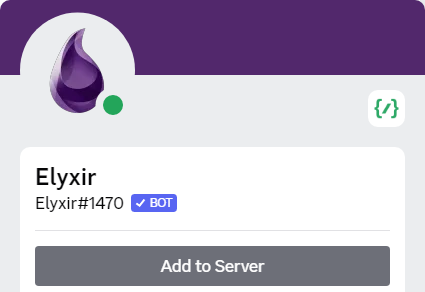
<figure><img src="https://3586591898-files.gitbook.io/~/files/v0/b/gitbook-x-prod.appspot.com/o/spaces%2FV42S9VMaNEibIOnrBXoN%2Fuploads%2FRdg1Sr2UZXpNjp33v9M9%2Fimage.png?alt=media&amp;token=099a87fc-5ca7-4c36-a7f8-4daf4c7f3837" alt=""><figcaption><p>The official Elyxir bot is Elyxir#1470. Any others are <strong>fake</strong> and shouldn't be added to your server!</p></figcaption></figure>

## Invite Link

Before you add the bot, please read the [**Service Terms**](https://elyxir.dev/terms). Once you do so, adding the bot to your server is easy! Simply click [**this link**](https://invite.elyxir.dev) to add the bot, and make sure to select the server you want to use the bot in.

Elyxir is a premium bot with no free tier. If you don't have an active licence, you can purchase one on our automated store: <https://elyxir.dev/> .

#### Next Steps...

Next, you'll need to decide on the features you wish to use. You can view the feature list at the page below.

{% content-ref url="/pages/AHyrK0L3f6kBrbbUSoUa" %}
[Features List](/features/features-list)
{% endcontent-ref %}

<figure><img src="https://3586591898-files.gitbook.io/~/files/v0/b/gitbook-x-prod.appspot.com/o/spaces%2FV42S9VMaNEibIOnrBXoN%2Fuploads%2FlmR9ijM42QwqO3daoSM4%2Fimage.png?alt=media&amp;token=8063dc08-d43c-496c-b804-717120a7f108" alt=""><figcaption><p><a href="https://zap-hosting.com/deluxe"><strong>Click here to be redirected to our affiliate link!</strong></a></p></figcaption></figure>


# About Elyxir

Managing a FiveM Server; Made Simple. Elyxir.

Managing a FiveM server. Made simple. Elyxir aims to remove the hard work of running a FiveM Discord Server, and our comprehensive documentation helps us reach our goal!

<figure><img src="https://3586591898-files.gitbook.io/~/files/v0/b/gitbook-x-prod.appspot.com/o/spaces%2FV42S9VMaNEibIOnrBXoN%2Fuploads%2FRdg1Sr2UZXpNjp33v9M9%2Fimage.png?alt=media&amp;token=099a87fc-5ca7-4c36-a7f8-4daf4c7f3837" alt=""><figcaption></figcaption></figure>

## About Elyxir

Elyxir is currently in a stage of development known as "**open beta"**. This means that users should anticipate bugs and errors with the service. We will do our best to remove them as quickly as we can after they are reported.&#x20;

You can view our Privacy Policy [**here** ](https://www.elyxir.dev/privacy)and our Terms of Service [**here**](https://www.elyxir.dev/terms).

## Frequently Asked Questions

#### **Why do we charge monthly?**

Charging for lifetime licences is unsustainable and stops us from reaching our visions for the project- we would eventually run out of money, halting development and forcing us to shut down. Therefore, our recurring payment system should be considered beneficial for your FiveM server as it allows us to keep the bot up to date and release new unique and interesting features!

#### How do I report bugs?

You can report bugs by creating a support ticket in our [**Discord Server**](https://discord.gg/elyxir).

#### How can I upgrade my licence from Premium to Deluxe?

Please create a billing ticket in our [**Discord Server**](https://discord.gg/elyxir), we will do our best to help you with this.

#### How should I use the documentation?

We recommend scrolling through the features, as well as the front page for each of the features which provides images of the features. Then, for features you wish to use, follow the setup instructions. You can view more information for any commands in the documentation by clicking on them.

#### How can I manage my recurring subscription?

Our [`/premium`](/commands/base/premium) command allows you to manage your recurring subscription. You can also create a billing ticket in [**our Discord Server**](https://discord.gg/elyxir) for assistance with your billing.

#### How can I suggest a feature?

We are very interested in customer feedback! If you have an idea for something we could add to the bot, please suggest it in our [**Discord Server**](https://discord.gg/elyxir) !

<figure><img src="https://3586591898-files.gitbook.io/~/files/v0/b/gitbook-x-prod.appspot.com/o/spaces%2FV42S9VMaNEibIOnrBXoN%2Fuploads%2F8IQguDIyBbTIjpbfHBOl%2Fimage.png?alt=media&amp;token=df1a719f-d543-4d13-85d8-91443ff9ecd1" alt=""><figcaption><p><a href="https://zap-hosting.com/deluxe"><strong>Click here to be redirected to our affiliate link!</strong></a></p></figcaption></figure>


# Why Elyxir?

Managing a FiveM Server; Made Simple. Elyxir.

Elyxir is a sophisticated Discord bot for FiveM servers with a wide variety of features designed to cater to our ever-expanding audience and, with our help, you can significantly improve the operations in your server. Our services are already used by many servers like MiGhetto, Mercury, and Vivid, but if you're still not convinced then this article is dedicated to showing you why you should choose to use our services.

## Unique Features

Our bot has a lot of unique features, but let's talk about some of our most well-known and popular ones!

#### Ticket System

Our ticket system has been made from the ground up with FiveM servers in mind. That's why our system integrates with FiveM, and Tebex to make a seamless experience.

Our FiveM ticket integration displays the in-game ID of players within tickets to allow for easy communication between staff and players. Our Tebex Integration displays transaction details for a specified tebex-id.&#x20;

We are also proud of our wide customisation options; you can customise most of the responses from the bot and if you wish to customise something which is not yet available then you can just ask and we will do our best to facilitate it.

If you are tired of waiting hours for your players to respond to tickets, then our ticket system is perfect for you! Our reminder system allows you to dispatch a reminder message to your users if they are inactive within a ticket, just by using the `/remind` command. Of course, you can customise the message they are sent too!

<div><figure><img src="https://3586591898-files.gitbook.io/~/files/v0/b/gitbook-x-prod.appspot.com/o/spaces%2FV42S9VMaNEibIOnrBXoN%2Fuploads%2FDBhXaj4cwwEklxuuX8c1%2Fimage.png?alt=media&amp;token=6dca7ddc-c2fb-41ff-a768-9c4ca6961e49" alt="" width="255"><figcaption></figcaption></figure> <figure><img src="https://3586591898-files.gitbook.io/~/files/v0/b/gitbook-x-prod.appspot.com/o/spaces%2FV42S9VMaNEibIOnrBXoN%2Fuploads%2FjANUjCBpni9T586W1l6v%2Fimage%20(7).png?alt=media&amp;token=71bd71b0-53f1-43b4-846c-275e06a536d4" alt="" width="256"><figcaption></figcaption></figure></div>

<div><figure><img src="https://3586591898-files.gitbook.io/~/files/v0/b/gitbook-x-prod.appspot.com/o/spaces%2FV42S9VMaNEibIOnrBXoN%2Fuploads%2FTTW7rCOlN7PlQ3qShgJ7%2Fimage.png?alt=media&amp;token=6a4427fd-a209-4306-97de-bd16976c204c" alt="" width="338"><figcaption></figcaption></figure> <figure><img src="https://3586591898-files.gitbook.io/~/files/v0/b/gitbook-x-prod.appspot.com/o/spaces%2FV42S9VMaNEibIOnrBXoN%2Fuploads%2FGUiB2O65GRwbcHwgmzRl%2Fimage.png?alt=media&amp;token=e472acbf-6ae1-4c48-ad87-c2f0d0695250" alt=""><figcaption></figcaption></figure></div>

#### Custom Branding

Many servers are proud of their branding, and I'm sure you're no exception. Well, don't despair because Elyxir allows you to use all of our great features in a custom instance with the Deluxe Tier.

<div><figure><img src="https://3586591898-files.gitbook.io/~/files/v0/b/gitbook-x-prod.appspot.com/o/spaces%2FV42S9VMaNEibIOnrBXoN%2Fuploads%2FmFLiQbdSxURYDM9bg6mH%2Fimage.png?alt=media&amp;token=0eeead66-1f6d-4e0d-9b3f-8d5ed8dc762e" alt=""><figcaption></figcaption></figure> <figure><img src="https://3586591898-files.gitbook.io/~/files/v0/b/gitbook-x-prod.appspot.com/o/spaces%2FV42S9VMaNEibIOnrBXoN%2Fuploads%2FUk19bwh3VAIEGxHBIEuU%2Fdeluxe-000002.png?alt=media&amp;token=9cda2353-7935-43ab-86ff-f78975174f87" alt=""><figcaption></figcaption></figure> <figure><img src="https://3586591898-files.gitbook.io/~/files/v0/b/gitbook-x-prod.appspot.com/o/spaces%2FV42S9VMaNEibIOnrBXoN%2Fuploads%2FK82b300o1IeOi8OfVn5D%2Fdeluxe-000742.png?alt=media&amp;token=4f2e4ad5-de10-46b5-8811-8a9fc86bae4b" alt=""><figcaption></figcaption></figure></div>

<div><figure><img src="https://3586591898-files.gitbook.io/~/files/v0/b/gitbook-x-prod.appspot.com/o/spaces%2FV42S9VMaNEibIOnrBXoN%2Fuploads%2FXjX5rcQtXTmYVT8edL4a%2Fimage.png?alt=media&amp;token=b5728d47-6c7c-4b7f-8ae8-da771f87130e" alt=""><figcaption></figcaption></figure> <figure><img src="https://3586591898-files.gitbook.io/~/files/v0/b/gitbook-x-prod.appspot.com/o/spaces%2FV42S9VMaNEibIOnrBXoN%2Fuploads%2FvLDaGJIbW9ffaolAoot9%2Fdeluxe-000744.png?alt=media&amp;token=1cba6cf1-1281-43da-b7e8-79cc6c34f927" alt=""><figcaption></figcaption></figure> <figure><img src="https://3586591898-files.gitbook.io/~/files/v0/b/gitbook-x-prod.appspot.com/o/spaces%2FV42S9VMaNEibIOnrBXoN%2Fuploads%2F6RKCo60RxYgvHDdEcltG%2Fdeluxe-000745.png?alt=media&amp;token=35b6758d-46fc-41d8-b89d-f278dcb46bd9" alt=""><figcaption></figcaption></figure></div>

#### Vanity Roles

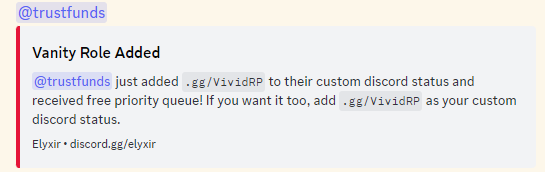
The pivotal feature which got this bot started was the Vanity Roles feature, which allows you to encourage your users to share your server by giving them rewards such as Vanity Priority or other in-game benefits. Essentially, anything linked to a role can be rewarded using this system.

<div><figure><img src="https://3586591898-files.gitbook.io/~/files/v0/b/gitbook-x-prod.appspot.com/o/spaces%2FV42S9VMaNEibIOnrBXoN%2Fuploads%2FAtEZRlxeAb1fElGwicc2%2Fimage.png?alt=media&amp;token=e3718cef-1130-46e1-9106-5111e53ddfa2" alt=""><figcaption></figcaption></figure> <figure><img src="https://3586591898-files.gitbook.io/~/files/v0/b/gitbook-x-prod.appspot.com/o/spaces%2FV42S9VMaNEibIOnrBXoN%2Fuploads%2FwYqcqC7JWtwctOJBz9Eh%2Fdeluxe-000746.png?alt=media&amp;token=9e3822c7-18e8-4ad7-8c6d-df47a6993374" alt=""><figcaption></figcaption></figure></div>

#### Applications

Our applications feature, unlike alternatives, offers the ability to create custom applications on Discord using forms. You can create unique applications, and set up functionalities such as a results channel and a role to be automatically applied to accepted users. Our sophisticated system will allow you to streamline your application process in a user-friendly manner.

<div><figure><img src="https://3586591898-files.gitbook.io/~/files/v0/b/gitbook-x-prod.appspot.com/o/spaces%2FV42S9VMaNEibIOnrBXoN%2Fuploads%2F1u3h6Qt1nhHEu077CpGn%2Fimage%20(9).png?alt=media&amp;token=cb20c46b-4e73-4dda-815d-ee2e6c627aa1" alt=""><figcaption></figcaption></figure> <figure><img src="https://3586591898-files.gitbook.io/~/files/v0/b/gitbook-x-prod.appspot.com/o/spaces%2FV42S9VMaNEibIOnrBXoN%2Fuploads%2FPvF4yOz4m24K5SXKigHF%2Fimage%20(8).png?alt=media&amp;token=d87fad61-8f42-465c-8f25-3421480b6748" alt="" width="467"><figcaption></figcaption></figure></div>

#### Many More!

Ultimately, an everlasting dry sales pitch is certainly something we could make, but the best way to fully understand the capabilities of the bot is by exploring its capabilities yourself. Start on the page below and select features which you are interested in, or use the navigation bar on the left-hand side to browse features.

{% content-ref url="/pages/AHyrK0L3f6kBrbbUSoUa" %}
[Features List](/features/features-list)
{% endcontent-ref %}

## Reputable

Deluxe Services has been operating within the FiveM community for upwards of 2 years, and now Elyxir's services are used by over 100 servers. Join these happy servers and embark on your very own journey with Elyxir.

<figure><img src="https://3586591898-files.gitbook.io/~/files/v0/b/gitbook-x-prod.appspot.com/o/spaces%2FV42S9VMaNEibIOnrBXoN%2Fuploads%2FkQoBFsTJcNIGAhSbYaHx%2Fimage.png?alt=media&amp;token=34dd6bb9-a7e6-4460-b5bc-602f0c71c4a5" alt=""><figcaption></figcaption></figure>


# Modules

Managing a FiveM Server; Made Simple. Elyxir.

Managing a FiveM server. Made simple. Elyxir aims to remove the hard work of running a FiveM Discord Server, and our comprehensive documentation helps us reach our goal!

## About Modules

Elyxir is a fully modular bot, which allows you to use the functionality you need, and ignore any you don't.&#x20;

## What are Modules?

Modules are the individual sub-functions of the bot. For example, we have a neat "Tags" module which allows you to create custom commands for your server.

## How do I enable Modules?

Enabling modules is easy! Simply use the [`/modules enable`](/commands/base/modules-enable) and [`/modules disable`](/commands/base/modules-disable) commands to enable and disable the Modules you do and don't need. Each command within the [commands](/commands/branding) section contains its module at the top of the page.

## How do I view my Modules?

You can view your modules using the [`/modules view`](/commands/base/modules-view) command, and this will also show any BETA/Restricted modules you have been given access to.

**Note:** You should not create a ticket to request to become a beta tester.

<figure><img src="https://3586591898-files.gitbook.io/~/files/v0/b/gitbook-x-prod.appspot.com/o/spaces%2FV42S9VMaNEibIOnrBXoN%2Fuploads%2F6NVcEbVUOUHYb3fFx4K5%2Fimage.png?alt=media&amp;token=95588764-e66b-43e4-9051-816ae9836b24" alt=""><figcaption><p><a href="https://zap-hosting.com/deluxe"><strong>Click here to be redirected to our affiliate link!</strong></a></p></figcaption></figure>


# FiveM Server Integration

Managing a FiveM Server; Made Simple. Elyxir.

A prerequisite for all of our FiveM integration features (such as **FiveM-Ingame Giveaway Requirements** and **Live Ingame ID in Tickets**) is to connect your server to our discord bot, a simple process taking less than 5 minutes.

If you need to connect the bot to the same FiveM server in multiple Discord servers, please contact us as we will need to configure this for you.

**STEPS**

1. [Remove sv\_requestParanoia Convar](#step-1-remove-sv_requestparanoia-convar)
2. [Run the Connection Command](#step-2-running-the-connection-command)
3. [Adding Security String ConVar](#step-3-adding-security-string-convar)

**Note:** If you use Vibegames, please [contact our team](https://discord.gg/elyxir) to configure the FiveM server integration.

### Step 1: Remove sv\_requestParanoia ConVar

First, ensure that the `sv_requestParanoia`  ConVar is not set anywhere in your cfg. This configuration variable blocks traffic routed to the endpoints of your server required for this functionality.

{% hint style="info" %}
Many older servers may remember using the `sv_requestParanoia` convar to block access to the required endpoints as it previously exposed all player identifiers to the public. However, in recent builds FiveM has recognised this potential vulnerability, and will now only include this data if the request is authenticated.
{% endhint %}

### Step 2: Running the Connection Command

Next, run the `/branding fivem` command and specify your server ip in the required argument. This is most likely the ip address which you use to remote connect to your server, and should look something like this: `81.45.132.23` .

If the bot responds saying that we were unable to reach your server, we would recommend contacting our support team to troubleshoot this together. There are a number of reasons which could cause this issue. [discord.gg/elyxir](https://discord.gg/elyxir)

### Step 3: Adding Security String ConVar

If the command has been run successfully, you should be provided with a key which you need to add to your ConVars. It will look something like this: `sv_playersToken afja9k3525302530l02` . This is required so that we can access the player identifiers (such as their discord id) to support features such as the ticket integration, without exposing this data for everyone to see.

<figure><img src="https://3586591898-files.gitbook.io/~/files/v0/b/gitbook-x-prod.appspot.com/o/spaces%2FV42S9VMaNEibIOnrBXoN%2Fuploads%2FTilBH19tmp49SMdui7Z6%2Fimage.png?alt=media&amp;token=f4c553bb-d16c-4187-9ddd-5d8cb88178a9" alt=""><figcaption></figcaption></figure>

{% hint style="warning" %}
You should not publicly share this token. It exposes your player identifiers. This will be reset each time the command is run for security reasons.
{% endhint %}

### Success (we hope!)

Once these steps have been followed, you should now have successfully connected your FiveM server to our bot. If you encounter an error, please reach out to our support team. We are happy to help. [discord.gg/elyxir](https://discord.gg/elyxir)


# Features List

This page shows the full list of features for the Elyxir bot!

<table data-view="cards"><thead><tr><th></th><th></th><th data-hidden data-card-cover data-type="files"></th><th data-hidden data-card-target data-type="content-ref"></th></tr></thead><tbody><tr><td><strong>Custom Instances</strong></td><td>Customise your bot's appearance to match your server</td><td></td><td><a href="/features/custom-branding">Custom Branding</a></td></tr><tr><td><strong>Ticket System</strong></td><td>Manage user enquiries and customer requests in discord ticket channels.</td><td></td><td><a href="/features/tickets">Ticket System</a></td></tr><tr><td><strong>Vanity Roles</strong></td><td>Reward your community for representing your server with your vanity url in their status.</td><td></td><td><a href="/features/vanity-roles">Vanity Roles</a></td></tr><tr><td><strong>Gang Priority Manager</strong></td><td>Give the power to your gang owners, allowing them to give gang roles out to their own members.</td><td></td><td><a href="/features/gangpriority">Gang Priority Manager</a></td></tr><tr><td><strong>Applications</strong></td><td>Tired of google forms for your applications? Manage the process from start to finish from your Discord server.</td><td></td><td><a href="/features/applications">Applications System</a></td></tr><tr><td><strong>Guild Tag Rewards</strong></td><td>Automatically give your members a reward when they use your Guild Tag.</td><td></td><td><a href="/features/guild-tag-rewards">Guild Tag Rewards</a></td></tr><tr><td><strong>FiveM Status Embed</strong></td><td>Display your server's ingame status as well as the CFX Runtime uptime, simplifying your user experience.</td><td></td><td><a href="/features/fivemstatus">FiveM Status Embed</a></td></tr><tr><td><strong>Sticky Messages</strong></td><td>Keep a message at the bottom of a channel for easy reading. All from the comfort of a command.</td><td></td><td><a href="/features/stickymessages">Sticky Messages</a></td></tr><tr><td><strong>Booster Responder</strong></td><td>Let your server boosters know the rewards they receive when they boost your server.</td><td></td><td><a href="/features/boost-responder">Booster Responder</a></td></tr><tr><td><strong>Managed Role Permissions</strong></td><td>Give roles limited access to grant roles (such as the LSPD Chief to grant LSPD roles), protecting your server from malicious users.</td><td></td><td><a href="/features/managed-role-permissions">Managed Role Permissions</a></td></tr><tr><td><strong>Gang Strikes Manager</strong></td><td>Keep track of gang strikes using our simple interface and tracking system.</td><td></td><td><a href="/features/gangstrikes">Gang Strikes Manager</a></td></tr><tr><td><strong>Auto Roles</strong></td><td>Automatically assign roles when members join your Discord server.</td><td></td><td><a href="/features/autoroles">Auto Roles</a></td></tr><tr><td><strong>Sits Tracker</strong></td><td>Monitor reactions to staff reports to track your staff activity</td><td></td><td><a href="/features/sitstracker">Sits Tracker</a></td></tr><tr><td><strong>Restarts Notifications</strong></td><td>Automatically ping a role when your server restarts.</td><td></td><td><a href="/features/restarts">Restarts Notifications</a></td></tr><tr><td><strong>Sticky Roles</strong></td><td>Automatically reassign certain roles when your community members leave  with that role. (e.g. Deal with Caution roles)</td><td></td><td><a href="/features/stickyroles">Sticky Roles</a></td></tr><tr><td><strong>Verification</strong></td><td>Verify your community members before they can access your server. Supports simple, emoji, and image captcha modes.</td><td></td><td><a href="/features/verification">Verification</a></td></tr><tr><td><strong>Keyword Response</strong></td><td>Automatically respond with a prescribed message when users include a keyword in their message.</td><td></td><td><a href="/features/custom-commands">Keyword Response</a></td></tr><tr><td><strong>Embed Creation</strong></td><td>Generate professional messages for your server from the comfort of discord commands. Now supporting links.</td><td></td><td><a href="/features/embeds">Embed Creation</a></td></tr><tr><td><strong>Welcome System</strong></td><td>Send a welcome message when members join your discord server.</td><td></td><td><a href="/features/welcome">Welcome System</a></td></tr><tr><td><strong>Mass Unbans</strong></td><td>Give your community members a second chance by unbanning everyone from your Discord server.</td><td></td><td><a href="/features/mass-unbans">Mass Unbans</a></td></tr><tr><td><strong>Community Polls</strong></td><td>Gauge server opinion on your plans with community polls.</td><td></td><td><a href="/features/polls">Community Polls</a></td></tr><tr><td><strong>Tebex Verification</strong></td><td>Keep track of tebex transactions and look them by transaction id.</td><td></td><td><a href="/features/tebex">Tebex Verification</a></td></tr><tr><td><strong>Staff Feedback</strong></td><td>Allow your community to provide feedback on staff members.</td><td></td><td><a href="/features/staff-feedback">Staff Feedback</a></td></tr><tr><td><strong>Status Blacklist</strong></td><td>Blacklist certain terms from your user statuses to foster a cleaner, healthier community.</td><td></td><td><a href="/features/status-blacklist">Status Blacklist</a></td></tr><tr><td><strong>Statistic Channels</strong></td><td>Display useful metrics for your users as a statistic channel; display player count, or data from one of our other modules.</td><td></td><td><a href="/features/statschannels">Statistic Channels</a></td></tr><tr><td><strong>Ban Evidence</strong></td><td>Allow your staff to attach evidence to ban logs, simplifying your appeals process.</td><td></td><td><a href="/features/ban-evidence">Ban Evidence</a></td></tr></tbody></table>


# Custom Branding

This feature is a base functionality which means that it cannot be disabled

Elyxir maintains full support for either Custom Instances or bot rebranding for customers who have an active **Deluxe Tier**.

#### OBJECTIVES

* [Rebrand the Elyxir bot (recommended)](#rebrand-the-elyxir-bot-to-your-server-branding)
* [Create a custom instance for Elyxir (alternative)](#creating-your-bot)
  * [Customise this custom instance to use your server's branding](#customising-your-bot)

<figure><img src="https://3586591898-files.gitbook.io/~/files/v0/b/gitbook-x-prod.appspot.com/o/spaces%2FV42S9VMaNEibIOnrBXoN%2Fuploads%2FP9bKosI262Iz4A1nymcx%2Fimage.png?alt=media&amp;token=02bcfbdf-fdf4-41ca-bf08-c6d7636e56b0" alt=""><figcaption><p>Your custom instance could look like this!</p></figcaption></figure>

#### **REQUIREMENTS**

Custom Instances are only available for servers with the **Deluxe Tier**. You can purchase it [**in our store**](https://store.elyxir.dev).

## Rebrand the Elyxir Bot to your Server Branding

We recommend rebranding the Elyxir bot rather than creating a custom instance because it is simpler and saves you the hassle of intents verification, a process which you must complete yourself.

To rebrand the bot, you can run the `/branding profile` command. Here, you can specify a name, about me, profile picture, and banner to display on the bot. You can then change the embeds and footer using the `/branding colour` and `/branding footer` commands.

<figure><img src="https://3586591898-files.gitbook.io/~/files/v0/b/gitbook-x-prod.appspot.com/o/spaces%2FV42S9VMaNEibIOnrBXoN%2Fuploads%2F9Uue6QU3r1nclD550RLa%2Fimage.png?alt=media&amp;token=7de98e91-4044-4fb5-b408-d3ec71e785b2" alt="" width="375"><figcaption></figcaption></figure>

## Creating a Custom Instance

We also support creating a custom instance of the bot. This means that you use your own Discord bot, which our servers connect to, rather than using the Elyxir#1470 bot. While this provides additional customisability, including bot status, you'll also need to apply for privileged intents once your Discord server exceeds 10,000 users.

{% hint style="info" %}
You do not need to complete the process of creatinga custom instance if you have already rebranded the Elyxir bot to your own server's branding.
{% endhint %}

In order to set your custom instance up, you'll first need to create the bot on the [**Discord Developer Portal**](https://discord.com/developers), where you'll need to log in and press the **New Application** button at the top.

<figure><img src="https://3586591898-files.gitbook.io/~/files/v0/b/gitbook-x-prod.appspot.com/o/spaces%2FV42S9VMaNEibIOnrBXoN%2Fuploads%2FFErvcDlher9FGTOTQCeS%2Fdeluxe-chrome_sOc7gsD8co.png?alt=media&amp;token=d49532ec-7c75-49d8-abb2-00e8ac61d143" alt=""><figcaption></figcaption></figure>

Next, name your bot and click **Create**.  Now, navigate to the **Bot** tab and scroll down to the **Privileged Gateway Intents** section. You need to enable all of these for Elyxir to be able to function properly.

<figure><img src="https://3586591898-files.gitbook.io/~/files/v0/b/gitbook-x-prod.appspot.com/o/spaces%2FV42S9VMaNEibIOnrBXoN%2Fuploads%2FpluUBFN3rqEMndJz20OE%2Fdeluxe-chrome_DXyXcxptdO.png?alt=media&amp;token=589d6925-2402-4278-afc5-fce6659716da" alt=""><figcaption></figcaption></figure>

Once you have enabled all of these intents, make sure to press **Save Changes** before continuing.

{% hint style="warning" %}
Elyxir cannot function without all of these intents enabled, these are prerequisites for many functions so the bot will refuse to start.
{% endhint %}

Now that all of the privileged intents have been enabled we can now focus on setting up Elyxir to work on this bot. To do this, with the main Elyxir#1470 bot in your Discord server [(invite it using this link if you haven't already)](https://invite.elyxir.dev), run the [`/branding setup`](/commands/branding/setup) command. This command will spawn a form, which you need to provide two pieces of information.

#### Client ID:

The first property is the Client ID which you can obtain in the **General Information** tab. In this tab it is listed as the Application ID.

<figure><img src="https://3586591898-files.gitbook.io/~/files/v0/b/gitbook-x-prod.appspot.com/o/spaces%2FV42S9VMaNEibIOnrBXoN%2Fuploads%2FAIfGKGTSBigS6OqXGqk8%2Fdeluxe-chrome_9K1NQ2S9BP.png?alt=media&amp;token=304aac29-1778-4c7a-b58e-c5b42c8f95fe" alt=""><figcaption></figcaption></figure>

#### Token

The second and final property is the token, which you can obtain in the **Bot** tab. Press the **Reset Token** button (if required enter your 2FA code) and then copy the token.

<figure><img src="https://3586591898-files.gitbook.io/~/files/v0/b/gitbook-x-prod.appspot.com/o/spaces%2FV42S9VMaNEibIOnrBXoN%2Fuploads%2FrQ945dl2TyZKVq3OApqJ%2Fdeluxe-chrome_6W6Bk0mQD0.png?alt=media&amp;token=29fc32cc-63f7-4980-a13a-581b513097c3" alt=""><figcaption></figcaption></figure>

{% hint style="danger" %}
Do not share this token with anyone, including our team! It has the potential to be extremely destructive to your server. The only bot which will ever ask for your token for our purposes is Elyxir#1470.

**If you are concerned that you may have been victim of social engineering,** [**reset your bot token**](https://support-dev.discord.com/hc/en-us/articles/6470840524311-Why-can-t-I-copy-my-bot-s-token#h_01G56XRFF5AN811CKKMQ9T2HQT)**!**
{% endhint %}

You're all set! In this section you have successfully setup a custom instance of Elyxir. We recommend kicking the main **Elyxir** bot to avoid conflicts.

{% hint style="danger" icon="light-emergency" %}
Do **not** attempt to use your custom instance in conjunction with other bots, especially not Mass DM bots. In the event that your bot is quarantined by discord for sending Mass DMs, it will automatically be paused by Elyxir to prevent repercussions to our infrastructure.
{% endhint %}

### Customising the Custom Instance

There are numerous aspects of customisation for the bot which will all help to improve the appearance of the bot in your server. You must run these commands on your **custom instance** (not @Elyxir#1470)

#### Embed Colour

To change the colour which is used by default in embeds, you should run the [`/branding colour`](/commands/branding/colour).  which accepts a hexadecimal colour as an argument, you can generate a color code online.

#### Embed Footer

You can also customise the default footer for embeds by running the [`/branding footer`](/commands/branding/footer) command.

#### Status

You can customise the bot's status using the [`/branding status`](/commands/branding/status) command. It supports parameters for more advanced behaviour, which will be periodically refreshed to show the up to date information.

```
{fivemPlayers}     *    - The number of active players on your FiveM Server
{fivemMax}         *    - The player count cap for your FiveM Server
{guildMembers}          - The number of members in your Discord Server.
{guildName}             - The name of your discord server
{gangCount}             - The number of registered gangs in your server
{ticketsOpen}           - The number of open tickets in your server
{ticketsCount}          - The total count of tickets made in your server
```

{% hint style="info" %}
Parameters marked with `*` require the [FiveM Integration](/fivem-integration) to be configured.
{% endhint %}

#### About Me

To customise the About Me for the bot, open the [**Discord Developer Portal**](https://discord.com/developers) and select the correct application. Then, select the **General Information** tab and in the **Description** field, enter the desired text for your About Me. Once you are finished, save your changes and your bot's biography will be updated!

<figure><img src="https://3586591898-files.gitbook.io/~/files/v0/b/gitbook-x-prod.appspot.com/o/spaces%2FV42S9VMaNEibIOnrBXoN%2Fuploads%2FTRSL2MH5sNZnfc6wZF3V%2Fdeluxe-DiscordCanary_Ul9R54Me1A.png?alt=media&amp;token=5fdf7ec3-b3ac-4c0d-98b1-493a1e39cd86" alt="" width="276"><figcaption></figcaption></figure>

<figure><img src="https://3586591898-files.gitbook.io/~/files/v0/b/gitbook-x-prod.appspot.com/o/spaces%2FV42S9VMaNEibIOnrBXoN%2Fuploads%2Fx5CGyxCVyWll6UJ44brz%2Fimage.png?alt=media&amp;token=f28f6c9f-0f8b-4d50-a4d7-f209ea02e577" alt=""><figcaption><p><a href="https://zap-hosting.com/deluxe"><strong>Click here to be redirected to our affiliate link!</strong></a></p></figcaption></figure>


# Ticket System

This feature is part of the Tickets Module.

Elyxir's comprehensive ticket system is enhanced for FiveM servers, and is suitable for all levels of experience with optional customisation available throughout the module. *This ticket module is not suitable for servers who generate more than 2,000 tickets per day due to channel creation limits.*

#### OBJECTIVES

* [Overview of Ticket System functionalities](#introducing-our-ticket-system)
* [**Setting up the Ticket System**](#setting-up-the-ticketing-system)
* [**Using the Ticket System**](#creating-a-panel)
* [Customising the Outputs of the Bot](/features/tickets/customisation)
* [View Activity Statistic Tracking](#ticket-activity-statistics)
* [Custom Forms](/features/tickets/custom-forms)

<figure><img src="https://3586591898-files.gitbook.io/~/files/v0/b/gitbook-x-prod.appspot.com/o/spaces%2FV42S9VMaNEibIOnrBXoN%2Fuploads%2FB35LBm6X7nTZ4AFQ1KnW%2Fimage.png?alt=media&amp;token=a1e96a50-d31f-4225-b704-e57f8c0ddeb0" alt="" width="383"><figcaption><p>Our <strong>FiveM Ticket Integration</strong> looks like this!</p></figcaption></figure>

**REQUIREMENTS**

**Premium Tier** and **Deluxe Tier** subscriptions have full functionality access to this feature.

## Introducing our Ticket System

The ticket system has been a core consideration within the development of our bot, here's some of the highlights worth sharing within this documentation:

### Transcripts

Our transcription system is proudly served in part by [Ticket Tool](https://tickettool.xyz). We use the latest version of their transcript system with permission from their developers, an example transcript message is displayed below, and features transcript previews.

<figure><img src="https://3586591898-files.gitbook.io/~/files/v0/b/gitbook-x-prod.appspot.com/o/spaces%2FV42S9VMaNEibIOnrBXoN%2Fuploads%2FdRLcNOYyPZOJmKoQFeCZ%2Fimage.png?alt=media&amp;token=f25bf82d-6702-4386-bcf6-da88f45c14e3" alt=""><figcaption></figcaption></figure>

### Retention Optimised

Our ticket system features reminders to reduce churn on purchases and swiftly resolve inquiries. To do this, run the `/remind` command and specify the user to remind. This user can be the owner of the ticket, or any user added to the ticket.

<figure><img src="https://3586591898-files.gitbook.io/~/files/v0/b/gitbook-x-prod.appspot.com/o/spaces%2FV42S9VMaNEibIOnrBXoN%2Fuploads%2FGUiB2O65GRwbcHwgmzRl%2Fimage.png?alt=media&amp;token=e472acbf-6ae1-4c48-ad87-c2f0d0695250" alt=""><figcaption><p>This is the default message sent to your users, but don't worry; you can customise this yourself. See the customisation section below for more details.</p></figcaption></figure>

### Customisation as Standard

Our ticket system can be tailored to your server's brand guidelines; throughout the setup process, you will be able to customise the responses of the bot.

{% hint style="info" %}
Interested in customising something which is not yet available? Contact our team on Discord, and let us know - we will try to facilitate it!
{% endhint %}

<figure><img src="https://3586591898-files.gitbook.io/~/files/v0/b/gitbook-x-prod.appspot.com/o/spaces%2FV42S9VMaNEibIOnrBXoN%2Fuploads%2FfoVXKb1P38icgs0CQG8K%2Fimage.png?alt=media&amp;token=85cc653d-e34d-4506-92bb-685f6d72a9af" alt=""><figcaption></figcaption></figure>

### FiveM Integration

Take the hassle out of arranging in-game availability to give users store-bought items. By supplying us with a few details about your FiveM server, we will automatically display the in-game status of users within their tickets.

<figure><img src="https://3586591898-files.gitbook.io/~/files/v0/b/gitbook-x-prod.appspot.com/o/spaces%2FV42S9VMaNEibIOnrBXoN%2Fuploads%2FyGL7kS2kTPJGfkqH0zwL%2Fimage.png?alt=media&amp;token=a0e005cf-0e9c-4ac2-ad3f-e293dfe9021e" alt="" width="383"><figcaption></figcaption></figure>

## Setting up the Ticket System

Once you've enabled the module using the [`/modules enable`](/commands/base/modules-enable) command, the first task is to setup the global configuration for the module.

Run the [`/tickets config`](/commands/tickets/config) command, setting up a transcript channel and adjusting the configuration for your server - for example, you might want to enable "Ticket Delete Reasons" which asks support team members for a reason when deleting tickets, which is optionally sent to the ticket owner.&#x20;

At this stage, you can also enable the **Ticket Inactivity** automation which automatically warns or closes tickets after a period of inactivity.

<figure><img src="https://3586591898-files.gitbook.io/~/files/v0/b/gitbook-x-prod.appspot.com/o/spaces%2FV42S9VMaNEibIOnrBXoN%2Fuploads%2FUlNV0qtWgkwj1CVsCBNq%2Fimage.png?alt=media&amp;token=920fc220-4626-4c35-8dbd-10c85f97f6d6" alt="" width="375"><figcaption></figcaption></figure>

At this stage, you can also configure the **FiveM Ticket Integration**. To do this, you will need to configure the [FiveM Server Integration](/features/tickets/integrations#fivem-integration). Don't worry; you can come back to this after setting up the ticket panels.

#### Creating a Panel

{% hint style="info" %}
If this is the first time setting up the ticket system in your server, you first need to run the [`/tickets config`](/commands/tickets/config) command. Read more in the section above.
{% endhint %}

We're now ready to create a ticket panel. These are the separate inquiry types (e.g. Billing, General Support, Ban Appeals) which will be available for your community.

Run the  [`/panel create`](/commands/tickets/panel-create) command and supply the necessary information. You may be interested in the panel types, which are displayed on the page below.

If you wish to create a custom ticket form, you can do this once the panel is created using the `/panel config` command. More information is given on our dedicated [**Custom Forms**](/features/tickets/custom-forms) page.

{% content-ref url="/pages/dCwvOHLACvpNQUUPZK38" %}
[Panel Types](/features/tickets/panel-types)
{% endcontent-ref %}

Once you run the command, you will be presented with a pop-up which will allow you to modify the styling of the panel embed.

#### Configuring the support team

Once you have created a panel, you will want to set the support team roles for this panel. These are the roles who are granted access in all tickets of this panel and may perform actions like reminders and claiming.

Just run the  [`/panel permissions`](/commands/tickets/panel-permissions) command for the desired panel, then select all of the roles which should have support team access to tickets created in that panel.

<figure><img src="https://3586591898-files.gitbook.io/~/files/v0/b/gitbook-x-prod.appspot.com/o/spaces%2FV42S9VMaNEibIOnrBXoN%2Fuploads%2FE6OntQiECwZvzyvXRNTl%2Fimage.png?alt=media&amp;token=4cfd0c35-c997-4604-b0ab-6c3730e0cd39" alt=""><figcaption></figcaption></figure>

#### Multi panels

Once you have created the panels you need for your server, you may want to display them all in a single message called a multi-panel.

Elyxir supports two variants of multi-panels: buttons and dropdown.

Run the [`/panel multi`](/commands/tickets/panel-multi) command and select the format of the multi-panel. You will need to select the panels to display in a multi-panel, and then you can customise the style of the message.&#x20;

<figure><img src="https://3586591898-files.gitbook.io/~/files/v0/b/gitbook-x-prod.appspot.com/o/spaces%2FV42S9VMaNEibIOnrBXoN%2Fuploads%2F4LcB6D7ka1SkYZVgVT7e%2Fimage.png?alt=media&amp;token=ecc962cb-4cb4-4a92-980c-30df77bd6337" alt=""><figcaption></figcaption></figure>

#### Additional Customisation

<figure><img src="https://3586591898-files.gitbook.io/~/files/v0/b/gitbook-x-prod.appspot.com/o/spaces%2FV42S9VMaNEibIOnrBXoN%2Fuploads%2FmIeuAsIvkD5d9fqJq1Bg%2Fimage.png?alt=media&amp;token=c97ebbe9-bb5c-4b97-8b3f-1c8e36190e8d" alt="" width="417"><figcaption></figcaption></figure>

The ticket system has much more customisation than that which has been displayed, which can be achieved by using the `/panel config` command. Run the command for yourself to customise several ticket panel features. Other types of customisation are also documented at the pages below.

<table data-card-size="large" data-view="cards"><thead><tr><th></th><th></th><th data-hidden data-card-cover data-type="image">Cover image</th><th data-hidden data-card-target data-type="content-ref"></th></tr></thead><tbody><tr><td><strong>Ticket Panel Customisation</strong></td><td>Customise the bots responses to your heart's content</td><td><a href="https://3586591898-files.gitbook.io/~/files/v0/b/gitbook-x-prod.appspot.com/o/spaces%2FV42S9VMaNEibIOnrBXoN%2Fuploads%2FgONFQf0JJeqvRYzFlYju%2FTickCustomisation.png?alt=media&amp;token=97ef18d0-4f58-450e-b417-23cbf2ea945a">TickCustomisation.png</a></td><td><a href="/features/tickets/customisation">Customisation</a></td></tr><tr><td><strong>Form Customisation</strong></td><td>Customise the contents of the ticket opening form.</td><td><a href="https://3586591898-files.gitbook.io/~/files/v0/b/gitbook-x-prod.appspot.com/o/spaces%2FV42S9VMaNEibIOnrBXoN%2Fuploads%2F5xOGdFukBmVZJ24yToa7%2FCustomForms.png?alt=media&amp;token=d1fd8f3e-5c9c-4646-8039-c68406a351a7">CustomForms.png</a></td><td></td></tr></tbody></table>

## Using the Ticket System

Once you have configured the the panels, your journey with the bot is not yet complete. The bot has several features to level up your server's management.

#### Reminder System

We recognise unresponsiveness as a risk for your community, slowing down ticket outcomes being reached and risking loss of interest from customers. This is where the  `/remind` command comes in.

This command, available for all support team members, can be used in a ticket to send a reminder to the ticket owner. This message can also be customised within the [ticket customisation configuration](/features/tickets/customisation).

<figure><img src="https://3586591898-files.gitbook.io/~/files/v0/b/gitbook-x-prod.appspot.com/o/spaces%2FV42S9VMaNEibIOnrBXoN%2Fuploads%2F2WYRS3r9HlMMlAPuxwVA%2Fimage.png?alt=media&amp;token=af75689e-7034-4e21-9006-1439d1aece38" alt=""><figcaption></figcaption></figure>

#### Support Team Activity Tracking

The bot also monitors support team activity in tickets to support promotions and management of your support team. You can view individual performance, collective team performance, and monitor key metrics such as average response time for tickets to monitor the experience of your members.

[You can learn more about the statistic tracking feature at the dedicated page.](/features/tickets/statistic-tracking)

<figure><img src="https://3586591898-files.gitbook.io/~/files/v0/b/gitbook-x-prod.appspot.com/o/spaces%2FV42S9VMaNEibIOnrBXoN%2Fuploads%2FWaakSY5ft2L326fLyIFp%2Fimage.png?alt=media&amp;token=f161e107-b348-4b49-80a8-22db12fee275" alt=""><figcaption></figcaption></figure>

#### Automated Inactivity Reminders

Inactive tickets create clutter and slow down the ability of staff and owners to respond to tickets. With our inactivity automation, inactive tickets are automatically marked as inactive and then closed using thresholds you set (depending on the size of your community). This helps to keep support requests flowing and save you time.&#x20;

Configure this feature using the `/tickets config` command.

<figure><img src="https://3586591898-files.gitbook.io/~/files/v0/b/gitbook-x-prod.appspot.com/o/spaces%2FV42S9VMaNEibIOnrBXoN%2Fuploads%2FDJQhPG0VGpEVY3RbP1HO%2Fimage.png?alt=media&amp;token=22f142a4-0b6f-46bf-8e7c-5c1d5fa7978c" alt="" width="563"><figcaption></figcaption></figure>

<figure><img src="https://3586591898-files.gitbook.io/~/files/v0/b/gitbook-x-prod.appspot.com/o/spaces%2FV42S9VMaNEibIOnrBXoN%2Fuploads%2Fx5CGyxCVyWll6UJ44brz%2Fimage.png?alt=media&amp;token=f28f6c9f-0f8b-4d50-a4d7-f209ea02e577" alt=""><figcaption><p><a href="https://zap-hosting.com/deluxe"><strong>Click here to be redirected to our affiliate link!</strong></a></p></figcaption></figure>


# Panel Types

This page details how each of the ticket panel types differ from one another.

**CONTENTS**

* [Standard](#standard-panel)
* [Enquiry](#enquiry-panel)
* [Tebex Donations ](#tebex-donations-panel)
* [Bug Reports](#bug-reports-panel)
* [Ban Appeals](#ban-appeals-panel)
* [Staff Reports](#staff-reports-panel)

{% hint style="info" %}
To create your own custom ticket panels with your own questions, create a [**custom ticket form**](/features/tickets/custom-forms) instead.
{% endhint %}

### Standard Panel

A simple panel without any additional forms. It performs as a regular ticket bot's panel would; the user presses a button and the ticket is created.

<figure><img src="https://3586591898-files.gitbook.io/~/files/v0/b/gitbook-x-prod.appspot.com/o/spaces%2FV42S9VMaNEibIOnrBXoN%2Fuploads%2FAy1X3s2xsvahXibm73BC%2Fimage.png?alt=media&amp;token=9b16a67e-65f6-4437-95dc-4a3652a1065f" alt=""><figcaption></figcaption></figure>

### Enquiry Panel

The enquiry panel works the same as the standard panel but with a form asking for the reason for their request. This is to help gather information and ensure that you can quickly respond to their enquiry.

<figure><img src="https://3586591898-files.gitbook.io/~/files/v0/b/gitbook-x-prod.appspot.com/o/spaces%2FV42S9VMaNEibIOnrBXoN%2Fuploads%2FCPXPpjBSMlHKrmJPjtDY%2Fimage.png?alt=media&amp;token=8a5be656-10eb-4787-8d41-f39d323fce2e" alt=""><figcaption></figcaption></figure>

<figure><img src="https://3586591898-files.gitbook.io/~/files/v0/b/gitbook-x-prod.appspot.com/o/spaces%2FV42S9VMaNEibIOnrBXoN%2Fuploads%2FuiflKic7KO9kpf78Eaam%2Fimage.png?alt=media&amp;token=254607b0-7c22-414c-9c8c-f16c3bd57a3d" alt=""><figcaption></figcaption></figure>

### Tebex Donations Panel

This panel integrates with the [**Tebex Verification feature**](/features/tebex)**,** and allows users to enter their Tebex Transaction ID to fetch their Transaction data.

<figure><img src="https://3586591898-files.gitbook.io/~/files/v0/b/gitbook-x-prod.appspot.com/o/spaces%2FV42S9VMaNEibIOnrBXoN%2Fuploads%2Fx3ur5ZBC4H2SCG8tHvbG%2Fimage.png?alt=media&amp;token=334bba79-6faa-417a-babc-c31cc58d61df" alt=""><figcaption></figcaption></figure>

### Bug Reports Panel

The Bug Reports panel asks the user questions about the bug they are reporting to make finding and fixing any bugs much easier for you and your development team!

<figure><img src="https://3586591898-files.gitbook.io/~/files/v0/b/gitbook-x-prod.appspot.com/o/spaces%2FV42S9VMaNEibIOnrBXoN%2Fuploads%2FdIA1aW5aT9v2Pg24s20p%2Fimage.png?alt=media&amp;token=29976982-a42f-4c74-a0fc-41e4d8b0784a" alt=""><figcaption></figcaption></figure>

### Ban Appeals Panel

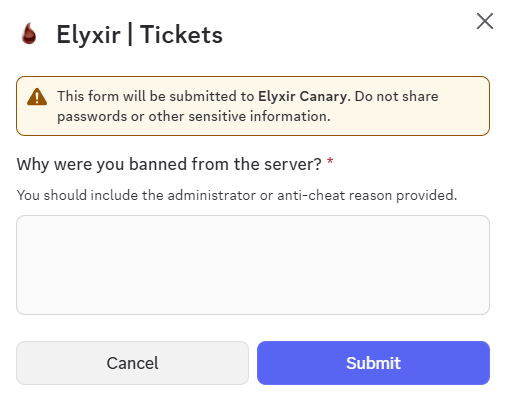
The ban appeals panel is designed to make the appeals process simple! By just collecting a few details, you can save time going back and forth with banned players and instead process the appeal immediately.

<figure><img src="https://3586591898-files.gitbook.io/~/files/v0/b/gitbook-x-prod.appspot.com/o/spaces%2FV42S9VMaNEibIOnrBXoN%2Fuploads%2FuzZ99EudSjvfAu6Nsib4%2Fimage.png?alt=media&amp;token=c01bab8a-e27b-4a10-8e48-687894d969a2" alt=""><figcaption></figcaption></figure>

### Staff Reports Panel

The Staff Reports panel allows users to easily provide information related to reporting a staff member. When a community member creates a ticket, it asks for information about the report using a form and then displays this information in the ticket.

<figure><img src="https://3586591898-files.gitbook.io/~/files/v0/b/gitbook-x-prod.appspot.com/o/spaces%2FV42S9VMaNEibIOnrBXoN%2Fuploads%2FI8enhPscgUXee2tpTqgv%2Fimage.png?alt=media&amp;token=48ed87dc-96b4-4fb6-8c2f-9dc309a689af" alt=""><figcaption></figcaption></figure>

<figure><img src="https://3586591898-files.gitbook.io/~/files/v0/b/gitbook-x-prod.appspot.com/o/spaces%2FV42S9VMaNEibIOnrBXoN%2Fuploads%2FD1Pv2bvmuyXZjpuXzFw2%2Fimage.png?alt=media&amp;token=1988c6ff-eef4-44a5-8ff3-3264871e0cac" alt=""><figcaption></figcaption></figure>


# Custom Forms

This page details how to create a custom form for your ticket panel.

{% hint style="info" icon="sparkle" %}
New feature: Let us know your thoughts and share any bugs with us through our discord server!
{% endhint %}

### Creating a custom form

Firstly, use the `/panel config` command on the panel which you wish to create the form on. Then, navigate to the "Form Customisation" page using the controls at the bottom.

Next, change the panel to the "Custom Form" panel type.

<figure><img src="https://3586591898-files.gitbook.io/~/files/v0/b/gitbook-x-prod.appspot.com/o/spaces%2FV42S9VMaNEibIOnrBXoN%2Fuploads%2FdeLJfJs6ZGRo9Ix4KV4d%2Fimage.png?alt=media&amp;token=81e2942d-a7bf-4b54-8b48-5249b10e7fd6" alt="" width="283"><figcaption></figcaption></figure>

You are now ready to create your custom form. When you create a new question, you need to firstly click "Edit Question" to configure the question label. There is a 45 character limit on question titles and 100 character limit on question descriptions.&#x20;

<figure><img src="https://3586591898-files.gitbook.io/~/files/v0/b/gitbook-x-prod.appspot.com/o/spaces%2FV42S9VMaNEibIOnrBXoN%2Fuploads%2FjNBIl1ts3etS7tUcaBdP%2Fimage.png?alt=media&amp;token=4081dd35-8afa-418b-86cd-498f3743c8b2" alt="" width="254"><figcaption></figcaption></figure>

You can now select the response type (see below for an example of each response type) and configure the form response depending on the type. You can also toggle whether the question is required using the "Required / Not Required" toggle button in the top right of the response controls.

<figure><img src="https://3586591898-files.gitbook.io/~/files/v0/b/gitbook-x-prod.appspot.com/o/spaces%2FV42S9VMaNEibIOnrBXoN%2Fuploads%2FYkBd0njrfW5eADFO2hez%2Fimage.png?alt=media&amp;token=0637bcca-d78e-4964-80d5-ad654a53d5cc" alt="" width="487"><figcaption></figcaption></figure>

#### Text Response

This is the typical form response type, and the default in our configurator. You can pick between a short and paragraph option to adjust the text box size.

<div><figure><img src="https://3586591898-files.gitbook.io/~/files/v0/b/gitbook-x-prod.appspot.com/o/spaces%2FV42S9VMaNEibIOnrBXoN%2Fuploads%2FdzQ2nGCy91MoNKNaHQRd%2Fimage.png?alt=media&amp;token=959ea99e-3a04-4822-82de-743e566128e6" alt=""><figcaption></figcaption></figure> <figure><img src="https://3586591898-files.gitbook.io/~/files/v0/b/gitbook-x-prod.appspot.com/o/spaces%2FV42S9VMaNEibIOnrBXoN%2Fuploads%2FWStBnNBefGb1tqzJj8W0%2Fimage.png?alt=media&amp;token=aca5618e-0791-4240-b8b2-1a3c02725ab6" alt=""><figcaption></figcaption></figure></div>

#### File Upload

This allows users to upload files directly to Discord. Image and video files will be previewed directly in the ticket.&#x20;

<div><figure><img src="https://3586591898-files.gitbook.io/~/files/v0/b/gitbook-x-prod.appspot.com/o/spaces%2FV42S9VMaNEibIOnrBXoN%2Fuploads%2FhrIUr1MHaNkJUMTWlAGF%2Fimage.png?alt=media&amp;token=96a23aa7-2059-47b4-a703-15d9af9594ca" alt="" width="375"><figcaption></figcaption></figure> <figure><img src="https://3586591898-files.gitbook.io/~/files/v0/b/gitbook-x-prod.appspot.com/o/spaces%2FV42S9VMaNEibIOnrBXoN%2Fuploads%2FeGBk6UAnSSdNcguyC01F%2Fimage.png?alt=media&amp;token=a7e314e0-b2f0-42c7-ac11-f1b117c788dc" alt="" width="380"><figcaption></figcaption></figure></div>

{% hint style="danger" %}
Files are uploaded directly by the ticket creator. Exercise caution and download any user-uploaded files at your own risk.
{% endhint %}

#### Coming Soon...

We will be adding **Checkboxes** and **Radio Buttons** to our form customisation shortly. Stay tuned in our Discord server to find out when they are released.


# Customisation

This page addresses the ability to customise the responses of the bot within the ticket system

**CONTENTS**

* [How to Customise](#how-to-customise)
* [Supported Parameters](#parameters)

## How to Customise

Customisation is at the forefront of our ticket system, we strive to offer as much customisation as possible for this system as we know it matters to our customers. Customised responses can be achieved in one of two ways depending on the type of customisation.

{% hint style="info" %}
Wish you could customise something which isn't yet supported? No problem, simply contact our team in our Discord server and we will see what we can do!
{% endhint %}

### Panel Message Customisation

To customise how a panel message looks (this is specifically the message which invites users to "Press here to make a ticket"), you need to run the [`/panel generate`](/commands/tickets/panel-generate) (for one panel) or [`/panel multi`](/commands/tickets/panel-multi) (for multiple panels) command. When you do so, a pop-up will be displayed which allows you to specify the response of the bot.

<figure><img src="https://3586591898-files.gitbook.io/~/files/v0/b/gitbook-x-prod.appspot.com/o/spaces%2FV42S9VMaNEibIOnrBXoN%2Fuploads%2FUc1pDQ0KrZmFlyzAh2Ka%2Fimage.png?alt=media&amp;token=c01dc942-b1e9-4ebb-9a61-8474ef46a2ab" alt=""><figcaption></figcaption></figure>

### Ticket-Based Customisation

There are a variety of customisable aspects which fall into this category:

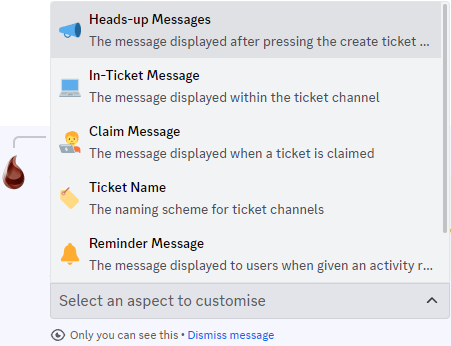
* Heads-up Message;
* In-Ticket Message;
* Claim Message;
* Ticket Name;
* Reminder Message;
* Creation Direct-Message;
* Close Request Message;

To customise one, or more, of these options, run the `/tickets customise` command and specify the customisation you wish to apply. Having done so, you will then be able to modify the response for the bot. Your changes will be applied immediately.

<div><figure><img src="https://3586591898-files.gitbook.io/~/files/v0/b/gitbook-x-prod.appspot.com/o/spaces%2FV42S9VMaNEibIOnrBXoN%2Fuploads%2F9c5EWwGiYDoSNW7YrLsp%2Fimage.png?alt=media&amp;token=3687ea79-2dcc-4580-803a-4121de4db46d" alt=""><figcaption></figcaption></figure> <figure><img src="https://3586591898-files.gitbook.io/~/files/v0/b/gitbook-x-prod.appspot.com/o/spaces%2FV42S9VMaNEibIOnrBXoN%2Fuploads%2FKfKwK4tZkfIHSy5DBf7b%2Fimage.png?alt=media&amp;token=92cb8286-634e-47c3-a4bc-52dca142fdb7" alt="" width="319"><figcaption></figcaption></figure></div>

## Supported Parameters

When customising, you will more than likely want to access some details about the user to form a response, so we have introduced some parameters. You can view them below:

<pre data-line-numbers><code><strong>{counter} - The ticket number (ticket name customisation only)
</strong>{guild.name} - The name of the server
{member.username} - The username of the relevant user
{member.id} - The id of the relevant user
{member.mention} - Mentions the relevant user
{panel.name} - The name of the ticket panel which this ticket is related to
{supportTeam.mention} - Mentions all of the support team roles
{ticket.mention} - Mentions the ticket (#ticket-name)
{ticket.name} - The name of the ticket
{creator.id} - The ID of the creator of the ticket (closerequest only)
{creator.mention} - Mentions the creator of the ticket (closerequest only)
</code></pre>

{% hint style="info" %}
Need another parameter? Not a problem, simply contact our team in our discord server and we will try to facilitate your request.
{% endhint %}


# Integrations

This page explains how to setup the unique integrations with our ticket system

## Tebex Integration

When users create a donation ticket, it is very desirable to see the details of their purchase without the complication of asking for their transaction id and then searching through the logs. Fortunately,  this feature allows you to automatically ask for their transaction id and then display their transaction details.

This integration is very easy to setup! Simply setup the [**Tebex Verification**](/features/tebex) module, and then create a **Tebex Donations** panel when you use the `/panel create` command.

Once you create a ticket and enter a valid transaction ID, it should look like this.

<figure><img src="https://3586591898-files.gitbook.io/~/files/v0/b/gitbook-x-prod.appspot.com/o/spaces%2FV42S9VMaNEibIOnrBXoN%2Fuploads%2F1l997irQXRzSqlkRqj17%2Fimage.png?alt=media&amp;token=881a338f-fb6a-499e-8a12-e49a4d21e098" alt=""><figcaption></figcaption></figure>

{% hint style="info" %}
**Important:** It will not work for transaction IDs made before the tebex verification module was setup.
{% endhint %}

### FiveM Integration

When users create a ticket, their in-game status will be automatically shown in the ticket and updated in the ticket if they have their discord linked to their FiveM (which is a fairly standard requirement for most servers).

To setup this feature, you must firstly follow the steps to setup the [FiveM Server Integration](/fivem-integration). Then, run the [`/tickets config`](/commands/tickets/config)  command, setting the fivem integration as enabled.

<figure><img src="https://3586591898-files.gitbook.io/~/files/v0/b/gitbook-x-prod.appspot.com/o/spaces%2FV42S9VMaNEibIOnrBXoN%2Fuploads%2FUXEmhoq8PLih7S7vtU35%2Fimage.png?alt=media&amp;token=893dd41d-9d34-45e0-be66-deaaeee1be2d" alt=""><figcaption></figcaption></figure>


# Statistic Tracking

This page explains the statistic tracking available with our ticket system

**CONTENTS**

* [Ticket Creation Statistics](#ticket-creation-statistics)
* [Staff Responsiveness Statistics](#ticket-responsiveness-statistics)
* [Staff Activity Statistics](#staff-activity-statistics)

#### Ticket Creation Statistics

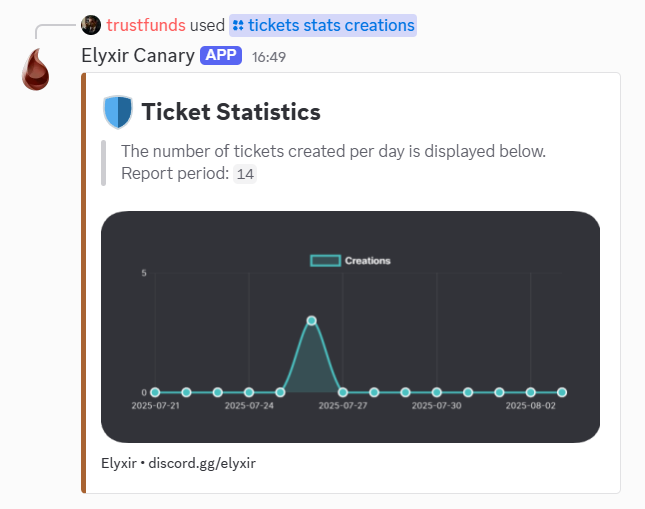
Our bot allows you to easily track how much your ticket system is being utilised on a daily basis allowing you to discover trends based on your server activities. You can filter by panel and specify a report length to provide stats for by using the optional parameters.

<figure><img src="https://3586591898-files.gitbook.io/~/files/v0/b/gitbook-x-prod.appspot.com/o/spaces%2FV42S9VMaNEibIOnrBXoN%2Fuploads%2FzBqveRoF4ErApmK6Far2%2Fimage.png?alt=media&amp;token=72d76182-79e3-424d-ba3a-73ea27c5853c" alt=""><figcaption></figcaption></figure>

#### Ticket Responsiveness Statistics

Ticket responsiveness is an ideal metric for user experience in tickets. By minimising response speed, you can help to reduce user abandonment to maximise your sales. To recognise where your pitfalls are, our statistics are of use!

<figure><img src="https://3586591898-files.gitbook.io/~/files/v0/b/gitbook-x-prod.appspot.com/o/spaces%2FV42S9VMaNEibIOnrBXoN%2Fuploads%2Fqqgwk3xXptmD0GqKJ2sG%2Fimage.png?alt=media&amp;token=c3c4829b-3ae7-488c-ba37-23c158b7f5d5" alt=""><figcaption></figcaption></figure>

#### Staff Activity Statistics

You are able to view stats for your support team on a per-user or per-panel basis, as well as a leaderboard for your entire support team.

You can use the `/tickets stats user` command to view stats on an individual basis, or use the `/ticket stats all` to see leaderboards for your staff performance to identify underperforming staff and high achievers.

<div><figure><img src="https://3586591898-files.gitbook.io/~/files/v0/b/gitbook-x-prod.appspot.com/o/spaces%2FV42S9VMaNEibIOnrBXoN%2Fuploads%2FecCsavXcLUCYTR5aornl%2Fimage.png?alt=media&amp;token=eb228491-4fb8-4b6f-a312-c94e2e096a75" alt=""><figcaption></figcaption></figure> <figure><img src="https://i.imgur.com/dJ5KYo6.png" alt=""><figcaption></figcaption></figure></div>

{% hint style="info" %}
Want to be able to track more statistics with our ticket system? Contact our team in our support server, we are open to ideas!
{% endhint %}


# Vanity Roles

This feature is part of the Vanity Roles Module.

Elyxir has a fully customisable Vanity Roles feature which promotes your server to a new audience while providing loyalty rewards to your members!

#### OBJECTIVES

* [Configure the Vanity Roles Module](#setup)
* [Customise the embeds to suit your server](#notification-mesage)

<figure><img src="https://3586591898-files.gitbook.io/~/files/v0/b/gitbook-x-prod.appspot.com/o/spaces%2FV42S9VMaNEibIOnrBXoN%2Fuploads%2FmcgFzIA07L01BlNAIDgj%2Fimage.png?alt=media&amp;token=367cbbf3-10d5-4983-a12f-188392bb4fab" alt=""><figcaption></figcaption></figure>

#### REQUIREMENTS

**Premium Tier** and **Deluxe Tier** subscriptions have full functionality access to this feature.

## Setup&#x20;

To set up this feature, you need to run the [`/vanityroles setup`](/commands/vanityroles/setup) command. You need to provide all of the parameters

{% hint style="success" %}
You can change the configuration for this module at any time using the [`/vanityroles`](/features/vanity-roles) subcommands.
{% endhint %}

## Customisation

We now have custom configuration commands which allows you to change individual settings without changing all of them, which all have the [`/vanityroles`](/commands/vanityroles) parent command.

#### Notification Text

You can change the notification messages by using the [`/vanityroles embed`](/commands/vanityroles/embed) command, which allows you to change the content (for example to stop the bot mentioning users) as well as other embed properties. You can use any of the parameters listed below in the fields.

<figure><img src="https://3586591898-files.gitbook.io/~/files/v0/b/gitbook-x-prod.appspot.com/o/spaces%2FV42S9VMaNEibIOnrBXoN%2Fuploads%2FilzHlnhKhKTw7MO7nfU4%2Fimage.png?alt=media&amp;token=dd6c0abc-3c3e-43cf-9469-448c1c5c8fe6" alt=""><figcaption></figcaption></figure>

{% code lineNumbers="true" %}

```
{member.mention} - Mention the user who changed their status
{member.tag}     - The username of the member in format User#0000
{member.id}      - The user id who changed their status
{guild.name}     - The server name where the event was triggered
{guild.id}       - The server id where the event was triggered
{vanityURL}      - The vanity URL for your server
```

{% endcode %}

#### Notification Type

You can also choose where to send the message. This is called the `Notification Type`  and can be changed using the [`/vanityroles notification`](/commands/vanityroles/notification) .

#### Vanity URL

Changing the VanityURL for your server is easy! Simply use the [`/vanityroles url`](/commands/vanityroles/url) command and type your vanity URL.&#x20;

{% hint style="success" %}
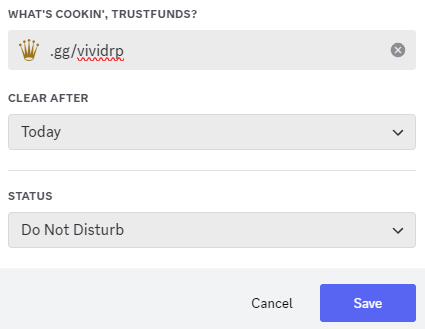
The URL command modifies your URL automatically to ensure that common aliases are allowed for in statuses, for example *.gg/elyxir* *is accepted when the URL is discord.gg/elyxir*
{% endhint %}

#### Embed Colour

The embed colour is determined by the branding colour, so it is only possible to change this if you use a [**Custom Bot** ](/features/custom-branding)which requires the **Deluxe Tier.** You can change this using the [`/branding colour`](/commands/branding/colour) command.

#### Vanity Channel

To change the Notification Channel, which will only be used if your notification type is set to `Log Channel`, just run the [`/vanityroles channel`](/commands/vanityroles/channel) command and select the correct channel.

#### Vanity Role

To change the role applied to vanity supporters, the [`/vanityroles role`](/commands/vanityroles/role) command will allow you to select a new role.

<figure><img src="https://3586591898-files.gitbook.io/~/files/v0/b/gitbook-x-prod.appspot.com/o/spaces%2FV42S9VMaNEibIOnrBXoN%2Fuploads%2FbpRfj0KA9HgXOkP1YBE3%2Fimage.png?alt=media&amp;token=3870f2ba-ae03-44ea-b5fe-98006c1e1a45" alt=""><figcaption><p><a href="https://zap-hosting.com/deluxe"><strong>Click here to be redirected to our affiliate link!</strong></a></p></figcaption></figure>


# Gang Priority Manager

This feature is part of the Gang Priority Module.

Elyxir allows you to create gangs in your Discord, so that gang owners can give away priority to their members without asking you to do it for them!

#### OBJECTIVES

* [Configure the gang priority system](#configure-the-gang-priority-system)
* [Creating and upgrading gangs](#creating-and-upgrading-gangs)
* [Understand the commands for gang owners](#commands-for-gang-owners)

<figure><img src="https://3586591898-files.gitbook.io/~/files/v0/b/gitbook-x-prod.appspot.com/o/spaces%2FV42S9VMaNEibIOnrBXoN%2Fuploads%2FRVLLL8SEi4y8r6L4q51x%2Fimage.png?alt=media&amp;token=1a67ac88-b677-40da-854a-54fa4e9395b3" alt=""><figcaption></figcaption></figure>

#### REQUIREMENTS

**Premium Tier** and **Deluxe Tier** subscriptions have full functionality access to this feature.

This feature also requires you to use a **Discord-based queue system** such as `v-queue` and `badger-discordqueue`.&#x20;

## Configure the gang priority system&#x20;

In order to set up the gang priority system, all you need to do is run the [`/gangpriority setup`](/commands/gangpriority/setup) command, specifying the manager role and the logs channel. You can change this at any time by re-running the command.

{% hint style="info" %}
The manager role will be able to create gangs at will and give as many people them as they want, so make sure they are trusted!
{% endhint %}

## Creating and upgrading gangs

To create a gang, all you need to do is run the [`/gang create`](/commands/gangpriority/remove-1) command.&#x20;

{% hint style="warning" %}
**It is important to note that the `tier` parameter refers to the role the bot should give (the priority role).**
{% endhint %}

The gang owner will automatically be sent a direct message congratulating them on their purchase and explaining how to give priority out - if they have direct messages in your server enabled.&#x20;

<figure><img src="https://3586591898-files.gitbook.io/~/files/v0/b/gitbook-x-prod.appspot.com/o/spaces%2FV42S9VMaNEibIOnrBXoN%2Fuploads%2FylFcN5E7TvkimEEenbry%2Fimage.png?alt=media&amp;token=71878aef-03fd-4b2e-a004-df1cf01c2a48" alt=""><figcaption></figcaption></figure>

#### Upgrading Gangs

In order to update the `tier` or `slots` parameters, you need to use the [`/gang upgrade`](/commands/gangpriority/remove-2) command. However, you cannot lower the amount of slots! If you upgrade their tier, it will automatically remove the old tier from all of the members and add the new one!

#### Looking up gangs

In some cases, you may need to check the amount of slots a gang currently has, the current members of the gang, or even the owner of a gang. In this case, you can run the `/gang lookup` command in order to view this information

<figure><img src="https://3586591898-files.gitbook.io/~/files/v0/b/gitbook-x-prod.appspot.com/o/spaces%2FV42S9VMaNEibIOnrBXoN%2Fuploads%2FOaTiQekn8EM9UvUQkUit%2Fimage.png?alt=media&amp;token=432fe98a-fd01-4293-9301-7866f68a4d13" alt=""><figcaption><p>The <code>/gang lookup</code> command provides an in-depth view into the specified gang</p></figcaption></figure>

#### Listing Gangs

In order to check the amount of registered gangs, or to find a specific gang if you have forgotten their name, you can run the [`/gang list`](/commands/gangpriority/list) command. This will allow you to easily view information for all of the gangs in your server.

## Commands for gang owners

{% content-ref url="/pages/OsC9cvIFdNpU9zvLFOXb" %}
[/prio add](/commands/gangpriority/add)
{% endcontent-ref %}

{% content-ref url="/pages/eVZqZOq2ZpTwkKm0lFsQ" %}
[/prio remove](/commands/gangpriority/remove)
{% endcontent-ref %}

<figure><img src="https://3586591898-files.gitbook.io/~/files/v0/b/gitbook-x-prod.appspot.com/o/spaces%2FV42S9VMaNEibIOnrBXoN%2Fuploads%2FHOaTTtAuU3iEfbq7zHJj%2Fimage.png?alt=media&amp;token=626e7d3a-6efd-4ab0-bf35-01fad19bfe79" alt=""><figcaption><p><a href="https://zap-hosting.com/deluxe"><strong>Click here to be redirected to our affiliate link!</strong></a></p></figcaption></figure>


# Giveaways

This feature is part of the Giveaways Module.

Our giveaway module stands out from typical bots in the level of customisation you can apply to your giveaways. From user entry requirements to variable reward types, our system allows you to tailor your giveaways to reward your players however you wish!

#### OBJECTIVES

* Run a Giveaway
* Integrate with your FiveM server to host in-game only giveaways

<figure><img src="https://3586591898-files.gitbook.io/~/files/v0/b/gitbook-x-prod.appspot.com/o/spaces%2FV42S9VMaNEibIOnrBXoN%2Fuploads%2F3ziQTP1TutO8aHmIikIC%2Fimage.png?alt=media&amp;token=54d6bb7e-7b0c-4b5c-bad5-b3d17107d5aa" alt="" width="563"><figcaption></figcaption></figure>

#### REQUIREMENTS

**Premium Tier** and **Deluxe Tier** subscriptions have full functionality access to this feature.

## Run a Giveaway

There are two commands to start a giveaway: `/giveaway create simple` and `/giveaway create advanced`. The simple option will feel more similar to other giveaway systems, whereas the advanced option allows for **multiple prizes** including **code prizes** (which are automatically distributed to winners), and **entry requirements**.

<figure><img src="https://3586591898-files.gitbook.io/~/files/v0/b/gitbook-x-prod.appspot.com/o/spaces%2FV42S9VMaNEibIOnrBXoN%2Fuploads%2FZYvzcOJAbTqcfcHCE61Q%2Fimage.png?alt=media&amp;token=e68f84f1-6352-4270-8605-1005974e79f6" alt="" width="563"><figcaption></figcaption></figure>

#### FiveM Ingame Requirements

This feature requires you to use the FiveM&#x20;


# Applications System

This feature is part of the Applications Module.

Tired of using Google Forms for applications? Consider our game-changing alternative; Elyxir's Application system allows you to bring back control and offer applications without leaving Discord! Whether you'd like to use one of our preset applications, or make your own, this feature will do it all!

#### OBJECTIVES

* [Create an Application Panel](#create-an-application-panel)
* [View Responses to your Applications](#view-responses-to-your-applications)
* [Delete an Application Panel](#delete-an-application-panel)
* [Generate a multi-panel](#generate-a-multipanel)

<figure><img src="https://3586591898-files.gitbook.io/~/files/v0/b/gitbook-x-prod.appspot.com/o/spaces%2FV42S9VMaNEibIOnrBXoN%2Fuploads%2FbugJ6eT1wfLFJVZ0E8nt%2Fimage.png?alt=media&amp;token=37cf0bf1-40e0-4617-a530-e615a436edef" alt=""><figcaption></figcaption></figure>

#### REQUIREMENTS

**Premium Tier** and **Deluxe Tier** subscriptions have full functionality access to this feature.

## Create an Application Panel

Our applications system allows you to create applications based on our presets or make your own if our presets don't meet your needs. You can read more about application types on the page below.

{% content-ref url="/pages/uXeLEIEyx5q2AUzfuHzn" %}
[Application Types](/features/applications/application-types)
{% endcontent-ref %}

To create a panel, run the [`/applications create`](/commands/applications/create) command and specify the required details. Optionally, you can specify a role to be added to users who are accepted, and a results channel where users who are accepted / denied will be displayed.

{% hint style="info" %}
For custom application panels, please see the additional guide [**here**](/features/applications/application-types#custom-applications).
{% endhint %}

<figure><img src="https://3586591898-files.gitbook.io/~/files/v0/b/gitbook-x-prod.appspot.com/o/spaces%2FV42S9VMaNEibIOnrBXoN%2Fuploads%2FjXvK7E2UA19H6MyMqkZ1%2Fimage.png?alt=media&amp;token=8027fa29-4593-4f15-ac3c-c81686849708" alt=""><figcaption></figcaption></figure>

## View Responses to your Applications

To view and respond to applications, navigate to the logs channel which you specified during the setup process. Here, you can view any application submissions you have received with details such as their inputs and other respondent statistics.

<figure><img src="https://3586591898-files.gitbook.io/~/files/v0/b/gitbook-x-prod.appspot.com/o/spaces%2FV42S9VMaNEibIOnrBXoN%2Fuploads%2F0kwjOJN2BGyziGWjurJE%2Fimage.png?alt=media&amp;token=f7f17144-44c0-453d-af5a-f49a8b322951" alt=""><figcaption></figcaption></figure>

To view their responses in their application, use the `View Application Response` button.

If you wish to accept or deny their application, press the corresponding button and write a reason.

<figure><img src="https://3586591898-files.gitbook.io/~/files/v0/b/gitbook-x-prod.appspot.com/o/spaces%2FV42S9VMaNEibIOnrBXoN%2Fuploads%2FDF219WcWqXwbT0DMYjpN%2Fimage.png?alt=media&amp;token=9fc35c83-1b0c-4b99-b84f-a0f8c904001c" alt=""><figcaption><p>An example of the reason you could provide for accepting an application.</p></figcaption></figure>

{% hint style="info" %}
The reason you provide is **front-facing**; the applicant will see the reason you specify, so be courteous!
{% endhint %}

## Delete an Application Panel

To delete an application, run the [`/applications delete`](/commands/applications/delete) command and specify the panel name.&#x20;

## Generate a Multi-panel

To create a panel displaying multiple applications, you should run the `/applications multi` command and select the panels which you want to display in the multi-panel.

<figure><img src="https://3586591898-files.gitbook.io/~/files/v0/b/gitbook-x-prod.appspot.com/o/spaces%2FV42S9VMaNEibIOnrBXoN%2Fuploads%2FkrAOSmhzBMd4nsVJQyu1%2Fimage.png?alt=media&amp;token=cb63a649-fd6c-4e31-a121-b18fa1ff5157" alt=""><figcaption></figcaption></figure>

Once you have run this command, the resulting panel may look something like this:

<figure><img src="https://3586591898-files.gitbook.io/~/files/v0/b/gitbook-x-prod.appspot.com/o/spaces%2FV42S9VMaNEibIOnrBXoN%2Fuploads%2FYrkYkI9uBEIgk3zrhMMd%2Fimage.png?alt=media&amp;token=d3b2adee-3fda-4ac9-a3b2-797b5a0d552b" alt=""><figcaption></figcaption></figure>

<figure><img src="https://3586591898-files.gitbook.io/~/files/v0/b/gitbook-x-prod.appspot.com/o/spaces%2FV42S9VMaNEibIOnrBXoN%2Fuploads%2FHOaTTtAuU3iEfbq7zHJj%2Fimage.png?alt=media&amp;token=626e7d3a-6efd-4ab0-bf35-01fad19bfe79" alt=""><figcaption><p><a href="https://zap-hosting.com/deluxe"><strong>Click here to be redirected to our affiliate link!</strong></a></p></figcaption></figure>


# Application Types

This page showcases the different preset application types, and how to make your own

**CONTENTS**

* [Preset Applications](#preset-applications)
* [⭐ Custom Applications ⭐](#custom-applications)

### Preset Applications

#### Staff Application

The first preset application type mentioned within this guide is our staff application.

You can create a staff application by setting the type parameter of the [`/applications create`](/commands/applications/create) command to the staff type (see below).

<figure><img src="https://3586591898-files.gitbook.io/~/files/v0/b/gitbook-x-prod.appspot.com/o/spaces%2FV42S9VMaNEibIOnrBXoN%2Fuploads%2FzBPRwsgLiNhEPvChvcZb%2Fimage.png?alt=media&amp;token=f62caea4-c737-446f-86bb-a8d728ac6066" alt=""><figcaption></figcaption></figure>

The questions displayed in this type are below:

1. What is the link to your steam profile?
2. How old are you?
3. What is your timezone?
4. How many hours have you spent on the server?
5. Tell us about yourself.
6. How many hours will you be active per week?
7. Why do you want to be staff?
8. Why should we pick you over other candidates?
9. What experience do you have as a moderator
10. What IRL obligations do you have?
11. Have you read all of the server rules?

#### EMS Application

The next preset application type mentioned within this guide is the EMS application.

You can create a EMS application by setting the type parameter of the [`/applications create` ](/commands/applications/create)command to the EMS type(see below).

<figure><img src="https://3586591898-files.gitbook.io/~/files/v0/b/gitbook-x-prod.appspot.com/o/spaces%2FV42S9VMaNEibIOnrBXoN%2Fuploads%2FZq74B9XCV43O6hBkDQrG%2Fimage.png?alt=media&amp;token=ed445973-707f-4406-b4c2-07880b0e61a5" alt=""><figcaption></figcaption></figure>

The questions displayed in this type are below:

1. What is the link to your steam profile?
2. How old are you?
3. What is your Timezone?
4. How many hours have you spent on the server?
5. What previous experience do you have as EMS?
6. What would you bring to the EMS Department?
7. Why should you be part of EMS?
8. Have you been kicked or banned before?
9. Do you want to be full time / part time?
10. Will you follow EMS guidelines?

#### Police Application

The police application will allow you to expand your in-game police force without the complexity of other sites. You can create a police application by setting the type parameter of the [`/applications create` ](/commands/applications/create)command to the police type (see below).

<figure><img src="https://3586591898-files.gitbook.io/~/files/v0/b/gitbook-x-prod.appspot.com/o/spaces%2FV42S9VMaNEibIOnrBXoN%2Fuploads%2FQhUPdsP67ez0bzDRDdQP%2Fimage.png?alt=media&amp;token=c1b86d6b-9cf4-43e0-8a2f-9a1eadf9df5e" alt=""><figcaption></figcaption></figure>

The questions displayed in this type are below:

1. What is the link to your steam profile?
2. How old are you?
3. What is your timezone?
4. How many hours have you spent on the server?
5. What previous experience do you have as PD?
6. Why should we choose you over other people?
7. Why do you want to be a Police Officer?
8. What are your biggest strengths & weaknesses?
9. Do you want to be full time / part time?
10. How many hours will you be active per week?
11. In what situation must you use lethal force?
12. Have you been kicked or banned before?
13. Do you agree to obey higherups?
14. Will you follow PD guidelines?

#### Mechanic

The final preset application currently available on the Elyxir bot is for mechanics. You can create a mechanic application by setting the type parameter of the [`/applications create` ](/commands/applications/create)command to the mechanic type (see below).

<figure><img src="https://3586591898-files.gitbook.io/~/files/v0/b/gitbook-x-prod.appspot.com/o/spaces%2FV42S9VMaNEibIOnrBXoN%2Fuploads%2FZJUlqxMvPtJHPL38Pozi%2Fimage.png?alt=media&amp;token=320410a6-24ef-4271-9e24-9095188edd97" alt=""><figcaption></figcaption></figure>

The questions displayed in this type are below:

1. What is the link to your steam profile?
2. How old are you?
3. What is your timezone?
4. How many hours have you spent on the server?
5. What experience do you have as a mechanic?
6. How many hours will you be active per day?
7. Why do you want to be a Mechanic?
8. Why should we pick you over other candidates?
9. Do you want to be full time / part time?
10. Do you agree to follow Mechanic guidelines?

{% hint style="info" %}
If you have an idea for another application panel, you can utilise the customer-only suggestions channel in our Discord server.
{% endhint %}

### Custom Applications

Our latest in our applications lineup, custom application types are now available. To create one, you need to use the `/application type-builder` command. Just run the command, specifying the name and type of the emoji, then use the builder to make the type.

<figure><img src="https://3586591898-files.gitbook.io/~/files/v0/b/gitbook-x-prod.appspot.com/o/spaces%2FV42S9VMaNEibIOnrBXoN%2Fuploads%2Fc5S1RCaxunHWSjFXO6Nh%2Fimage.png?alt=media&amp;token=7d6d9d3b-bdc5-4e08-987b-b02d9bf0296e" alt=""><figcaption></figcaption></figure>

Once you have created the type, you can now select it within the [`/application create`](/commands/applications/create) command.


# FiveM Status Embed

This feature is part of the FiveM Status Module.

The FiveM Statistics feature allows you to create an embed which tracks your server's status, and automatically updates every 60 seconds.

#### OBJECTIVES

* [Setup a statistics embed](#setup)

<figure><img src="https://3586591898-files.gitbook.io/~/files/v0/b/gitbook-x-prod.appspot.com/o/spaces%2FV42S9VMaNEibIOnrBXoN%2Fuploads%2Fx3xEZKBhSHQFNoRL8wNq%2Fimage.png?alt=media&amp;token=7f21aa89-4ca3-47d2-906c-bf0556695e25" alt=""><figcaption></figcaption></figure>

#### REQUIREMENTS

**Premium Tier** and **Deluxe Tier** subscriptions have full functionality access to this feature.

## Setup

To use this functionality, firstly follow the steps to setup the [FiveM Server Integration](/fivem-integration). Once you have successfully configured this, run the [`/fivemstatus setup`](/commands/fivemstatus/setup) command then supply the relevant information. The optional `cfx-code` parameter will be optionally used to display a Connect Link button at the bottom of the panel.

{% hint style="info" %}
To modify the configuration, you can simply re-run the [`/fivemstatus setup`](/commands/fivemstatus/setup) command and use the new information you desire!
{% endhint %}

#### **Colour**

The embed colour is determined by the branding colour, so it is only possible to change this if you use a [Custom Bot ](/features/custom-branding)which requires the **Deluxe Tier.** You can change this using the [`/branding colour`](/commands/branding/colour) command.

#### **Banner**

The image in the embed is by default your Discord Server Banner. However, if your server does not have a banner, we will derive it instead from the server profile.

<figure><img src="https://3586591898-files.gitbook.io/~/files/v0/b/gitbook-x-prod.appspot.com/o/spaces%2FV42S9VMaNEibIOnrBXoN%2Fuploads%2F79jTv0nIDrOXG1sGFOrp%2Fimage.png?alt=media&amp;token=0750187f-c724-4bb8-ba03-abb1327c3ab4" alt=""><figcaption><p><a href="https://zap-hosting.com/deluxe"><strong>Click here to be redirected to our affiliate link!</strong></a></p></figcaption></figure>


# Guild Tag Rewards

This feature is part of the Guild Tag Rewards Module.

With the advent of Guild Tags, those shiny badges next to Discord names, we bring the opportunity to give rewards to those who use your server's guild tag. This allows you to provide benefits (such as priority) to those who represent your server, in exchange for helping to promote your server through Discord.

#### OBJECTIVES

* [Setup the Guild Tag Rewards system](/features/guild-tag-rewards)

<figure><img src="https://3586591898-files.gitbook.io/~/files/v0/b/gitbook-x-prod.appspot.com/o/spaces%2FV42S9VMaNEibIOnrBXoN%2Fuploads%2FN9UV7fLbYtAVyjKgRbNl%2Fimage.png?alt=media&amp;token=7310ca6b-639a-4697-bd84-9570667803ca" alt=""><figcaption></figcaption></figure>

<figure><img src="https://3586591898-files.gitbook.io/~/files/v0/b/gitbook-x-prod.appspot.com/o/spaces%2FV42S9VMaNEibIOnrBXoN%2Fuploads%2F7wnEWwzF0gPVzBzYV8AW%2Fimage.png?alt=media&amp;token=9ae470f5-7337-47bc-947b-4edc3e9184ee" alt=""><figcaption></figcaption></figure>

#### REQUIREMENTS

**Premium Tier** and **Deluxe Tier** subscriptions have full functionality access to this feature. You should have the "Guild Tags" boosting feature unlocked to use this feature.

## Setup the Guild Tag Rewards system&#x20;

{% hint style="info" icon="sparkle" %}
New feature: Let us know your thoughts and share any bugs with us through our discord server!
{% endhint %}

Once you have enabled the module, run the `/guildtagrewards config` command to get started. You will firstly be prompted to enter a reward role - this is the role which will be given to those who use your Guild Tag.

You can then configure the rest of the module, including the "log channel". These messages serve as encouragement for other users to add your tag as well, so make them generous and make it clear how to get the rewards. As such, this "log channel" should be a public read-only channel in your Discord server.

If you have multiple discord servers and want to allow them to use any of your guild tags, skip here. Otherwise, continue reading to learn how to customise the outputs.&#x20;

<figure><img src="https://3586591898-files.gitbook.io/~/files/v0/b/gitbook-x-prod.appspot.com/o/spaces%2FV42S9VMaNEibIOnrBXoN%2Fuploads%2FvoDeFJZWya0mYkNSpiqE%2Fimage.png?alt=media&amp;token=b0ed03ff-a75b-4505-8bb9-839631be55f4" alt="" width="452"><figcaption></figcaption></figure>

### Customisation

The bot allows you to customise the log messages sent to people when they add and remove your guild tag. Use the "Guild Tag Added Embed" and "Guild Tag Removed Embed" button to configure each log message respectively. You can also use several parameters within these embeds, listed below.

{% code lineNumbers="true" %}

```
{member.mention}  - Mention the user who changed their status
{member.username} - The username of the member who changed their status
{member.id}       - The user id who changed their status
{guild.name}      - The server name where the event was triggered
{guild.id}        - The server id where the event was triggered
{guildTag}        - The guild tag which you are using
```

{% endcode %}

<figure><img src="https://3586591898-files.gitbook.io/~/files/v0/b/gitbook-x-prod.appspot.com/o/spaces%2FV42S9VMaNEibIOnrBXoN%2Fuploads%2FYI6tX80fw3aqQME4fO2V%2Fimage.png?alt=media&amp;token=d4980835-0e76-4104-a180-8dedc03ef7b0" alt=""><figcaption></figcaption></figure>

### Multi-guild configurations

The bot also allows you to give rewards to those who are using a guild tag of a different server. This allows multi-server networks to give rewards for representing any of their servers.

To configure this, use the `/guildtagrewards config` command and use the **Guild Tag Selection** section. Press "Add Guild", then enter the Discord Server ID of the server whose guild tag should be allowed. These guild ids will be treated the same as if the user was using this server's own guild tag.

There is currently a limit of 10 linked servers. If you need higher limits, please contact our support team. If you need any assistance with multi-guild configurations, we are happy to help!

<figure><img src="https://3586591898-files.gitbook.io/~/files/v0/b/gitbook-x-prod.appspot.com/o/spaces%2FV42S9VMaNEibIOnrBXoN%2Fuploads%2FZ4DUQZA16AfT78KedKIJ%2Fimage.png?alt=media&amp;token=3ece3c74-45a5-4341-a116-f46c25a1a405" alt=""><figcaption></figcaption></figure>

<figure><img src="https://3586591898-files.gitbook.io/~/files/v0/b/gitbook-x-prod.appspot.com/o/spaces%2FV42S9VMaNEibIOnrBXoN%2Fuploads%2FbpRfj0KA9HgXOkP1YBE3%2Fimage.png?alt=media&amp;token=3870f2ba-ae03-44ea-b5fe-98006c1e1a45" alt=""><figcaption><p><a href="https://zap-hosting.com/deluxe"><strong>Click here to be redirected to our affiliate link!</strong></a></p></figcaption></figure>


# Sticky Messages

This feature is part of the Sticky Messages Module.

This system allows you to send customisable sticky messages, all within the comfort of slash commands. Our advanced algorithm mitigates the risk of duplicate sticky messages, to ensure a positive experience for everyone!

#### OBJECTIVES

* [Create a new Sticky Message](#create-a-sticky-message)
* [Delete an existing Sticky Message](#delete-a-sticky-message)
* [Manage the status of a Sticky Message](#managing-the-status-of-a-sticky-message)

<figure><img src="https://3586591898-files.gitbook.io/~/files/v0/b/gitbook-x-prod.appspot.com/o/spaces%2FV42S9VMaNEibIOnrBXoN%2Fuploads%2FVRsF2AhjkesIdWkd3L7j%2Fimage.png?alt=media&amp;token=f8075280-910a-469c-941c-884a718fb4e9" alt=""><figcaption><p>You can <strong>configure</strong> the message you wish to display as a sticky message</p></figcaption></figure>

#### REQUIREMENTS

**Premium Tier** and **Deluxe Tier** subscriptions have full functionality access to this feature.

***

## Create a Sticky Message

To create a new sticky message, use the [`/stickymessage create`](/commands/stickymessages/create) command and select the channel you want the sticky message to be displayed in. Once you have done so, your sticky message will be immediately displayed in the channel and updated when new messages are sent.

{% hint style="info" %}
You can only have up to one sticky message active in each channel for your Discord server, to prevent conflicts.
{% endhint %}

## Delete a Sticky Message

Deleting an existing sticky message is also really simple and can be achieved by running the [`/stickymessage delete`](/commands/stickymessages/delete) command, and selecting the intended sticky message in the process. It will be referenced by the sticky message's title or content and the name of the channel it is configured in.

<figure><img src="https://3586591898-files.gitbook.io/~/files/v0/b/gitbook-x-prod.appspot.com/o/spaces%2FV42S9VMaNEibIOnrBXoN%2Fuploads%2FTwpW9vH9l2mvrAc47mdR%2Fimage.png?alt=media&amp;token=5c18534b-f238-4a5d-902d-56719471376f" alt=""><figcaption></figcaption></figure>

## Managing the status of a Sticky Message

A unique functionality for our bot is the ability to individually pause and resume the activity of each sticky message. You can do this by running the [`/stickymessage status`](/commands/stickymessages/status) command

{% hint style="info" %}
You can have multiple sticky messages configured for a single channel, as long as only one of them is active at a time.
{% endhint %}

<figure><img src="https://3586591898-files.gitbook.io/~/files/v0/b/gitbook-x-prod.appspot.com/o/spaces%2FV42S9VMaNEibIOnrBXoN%2Fuploads%2F79jTv0nIDrOXG1sGFOrp%2Fimage.png?alt=media&amp;token=0750187f-c724-4bb8-ba03-abb1327c3ab4" alt=""><figcaption><p><a href="https://zap-hosting.com/deluxe"><strong>Click here to be redirected to our affiliate link!</strong></a></p></figcaption></figure>


# Booster Responder

This feature is part of the Miscellaneous Module.

Elyxir has a booster autoresponder feature which allows you to automatically mention your members when they boost your Discord server.

#### OBJECTIVES

* [Configure the Booster Responder](#setup)

<figure><img src="https://3586591898-files.gitbook.io/~/files/v0/b/gitbook-x-prod.appspot.com/o/spaces%2FV42S9VMaNEibIOnrBXoN%2Fuploads%2F7N5pKCq8xh69r5MB6ZHy%2Fimage.png?alt=media&amp;token=2d6beb26-15ba-46bc-aa24-724f9c38176a" alt=""><figcaption><p>Elyxir will automatically mention anyone who boosts your server!</p></figcaption></figure>

#### REQUIREMENTS

**Premium Tier** and **Deluxe Tier** subscriptions have full functionality access to this feature.

## Setup&#x20;

In order for this function to work, you need to enable the `Send a message when someone boosts this server` option in the Discord Server Settings.

<figure><img src="https://3586591898-files.gitbook.io/~/files/v0/b/gitbook-x-prod.appspot.com/o/spaces%2FV42S9VMaNEibIOnrBXoN%2Fuploads%2F4AJBWuDJClAxGiGXxZ39%2Fimage.png?alt=media&amp;token=5a6234fb-ad92-4460-8edc-7fa591965305" alt=""><figcaption></figcaption></figure>

Then, just use the [`/booster`](/commands/miscellaneous/booster) command and then it's configured!

{% hint style="info" %}
**The default `Message` parameter is:**

`Thank you for boosting the server, {member.mention}`
{% endhint %}

## Parameters

Our custom parameters make it easy to customise your notification embed!

{% code lineNumbers="true" %}

```
{member.mention} - Mention the user who boosted the server
{member.tag}     - The username of the member in format User#0000
{member.id}      - The user id who changed their status
{guild.name}     - The server name where the event was triggered
{guild.id}       - The server id where the event was triggered
{member.username}- The username of the member who boosted the server
```

{% endcode %}

To suggest additional parameters, contact us in our [**discord server**](https://discord.gg/elyxir).

<figure><img src="https://3586591898-files.gitbook.io/~/files/v0/b/gitbook-x-prod.appspot.com/o/spaces%2FV42S9VMaNEibIOnrBXoN%2Fuploads%2FHOaTTtAuU3iEfbq7zHJj%2Fimage.png?alt=media&amp;token=626e7d3a-6efd-4ab0-bf35-01fad19bfe79" alt=""><figcaption><p><a href="https://zap-hosting.com/deluxe"><strong>Click here to be redirected to our affiliate link!</strong></a></p></figcaption></figure>


# Managed Role Permissions

This feature is part of the Managed Roles Module.

If you've ever wanted to grant access for a role to give only specific roles, this module is for you. Alternatively, if you wish you could grant access to give any roles but without the ability to delete roles, this module is also perfect for your needs.

#### OBJECTIVES

* [Configure Managed Role Permissions](#configure-managed-role-permissions)
* [Give or Remove Roles using Managed Role Permissions](#give-or-remove-roles-using-managed-role-permissions)
* [Review Existing Managed Role Permissions](#review-existing-managed-role-permissions)

<figure><img src="https://3586591898-files.gitbook.io/~/files/v0/b/gitbook-x-prod.appspot.com/o/spaces%2FV42S9VMaNEibIOnrBXoN%2Fuploads%2FKMGcbLJWgXrYsaUa4Tt6%2Fimage.png?alt=media&amp;token=98271f25-80c2-45eb-81d7-47abb9086c87" alt=""><figcaption></figcaption></figure>

#### REQUIREMENTS

**Premium Tier** and **Deluxe Tier** subscriptions have full functionality access to this feature.

***

## Configure Managed Role Permissions

This feature allows you to enable certain roles to access the `/role add` and `/role remove` commands, either to give all roles below their highest role, or to only roles which you specify.

To give a role permissions, use the `/rolemanager modify` command, specifying the role you wish to give permissions to as an argument. Then, you can either select to give them full permissions (simulated Manage Roles access) or permission to grant only specified roles.

<figure><img src="https://3586591898-files.gitbook.io/~/files/v0/b/gitbook-x-prod.appspot.com/o/spaces%2FV42S9VMaNEibIOnrBXoN%2Fuploads%2FJqk6Zg1wkonFQr05np2y%2Fimage.png?alt=media&amp;token=bb48cca4-b278-4ece-ac31-31c891ce2945" alt=""><figcaption></figcaption></figure>

There are some restrictions on roles which can be assigned:

* The user running the command cannot grant roles with Manage Roles or Administrator unless the user running the command already has one of these permissions.
* The user running the command cannot grant roles unless they have a role higher than the role they are intending to give
* The user running the command must have either Administrator, Manage Roles, or a role which grants them access to give that role. &#x20;

{% hint style="info" %}
**Disclaimer:** As stated in our terms of service, we do not provide any warranty of any kind for our product. We advise you to do your own research and only use this feature if you are confident that it is compatible with your existing Discord server security solutions.
{% endhint %}

## Give or Remove Roles using Managed Role Permissions

To give or remove roles using managed role permissions, your users can use the `/role add` and `/role remove` commands respectively. The autocompleted role field will allow them to select any role which they have permission to grant.

<figure><img src="https://3586591898-files.gitbook.io/~/files/v0/b/gitbook-x-prod.appspot.com/o/spaces%2FV42S9VMaNEibIOnrBXoN%2Fuploads%2FcQG1HrdUwQQQQVakyokR%2Fdeluxe-DiscordCanary_Mv9roYkt0v.png?alt=media&amp;token=9bd899a9-2d01-404a-a53c-7e108200301a" alt=""><figcaption><p>The format for the <code>/role remove</code> command is similarly intuitive</p></figcaption></figure>

## Review Existing Managed Role Permissions

As this system gives you an alternative to Discord native permissions, it is important that you remain aware of who has what permissions. It is possible for any user with Administrator permissions in your Discord server to modify the permission for a role.&#x20;

Our `/rolemanager list` command allows you to view all of the roles with permissions on our bot, and the admin responsible for giving them their permissions.

<figure><img src="https://3586591898-files.gitbook.io/~/files/v0/b/gitbook-x-prod.appspot.com/o/spaces%2FV42S9VMaNEibIOnrBXoN%2Fuploads%2FDweWgvN3M2yCz5giLVsj%2Fdeluxe-DiscordCanary_o8XmguL6zW.png?alt=media&amp;token=0134b67c-2ae2-48bf-a157-4f93f0ad16f1" alt=""><figcaption></figcaption></figure>

Role updates made by users using the `/role` command will have explanatory notes available in the Discord Audit Logs for your server, so you can still get to the bottom of why someone has been given the Muted role for the third time this week.

<figure><img src="https://3586591898-files.gitbook.io/~/files/v0/b/gitbook-x-prod.appspot.com/o/spaces%2FV42S9VMaNEibIOnrBXoN%2Fuploads%2FVvYErkQzPQfO2F8efLu5%2Fimage.png?alt=media&amp;token=de385ab7-904e-4a03-9d96-be1ca54ee6f8" alt=""><figcaption></figcaption></figure>

<figure><img src="https://3586591898-files.gitbook.io/~/files/v0/b/gitbook-x-prod.appspot.com/o/spaces%2FV42S9VMaNEibIOnrBXoN%2Fuploads%2FHOaTTtAuU3iEfbq7zHJj%2Fimage.png?alt=media&amp;token=626e7d3a-6efd-4ab0-bf35-01fad19bfe79" alt=""><figcaption><p><a href="https://zap-hosting.com/deluxe"><strong>Click here to be redirected to our affiliate link!</strong></a></p></figcaption></figure>


# Gang Strikes Manager

This feature is part of the Gang Strikes Module.

Elyxir allows you to create gangs with the 'Gang Priority Manager' system, and one of the essential functions of gangs is to give them strikes if they misbehave in your server. So, this feature integrates with gangs in Gang Priority Manager to handle strikes.

#### OBJECTIVES

* [Configure the Strikes System](#configure-the-strikes-system)
* [Add, Remove, and View Strikes](#add-remove-and-view-strikes)

<figure><img src="https://3586591898-files.gitbook.io/~/files/v0/b/gitbook-x-prod.appspot.com/o/spaces%2FV42S9VMaNEibIOnrBXoN%2Fuploads%2FXjkbb1OXfjzzLtmBVGy8%2Fimage.png?alt=media&amp;token=de477aaf-4417-4f46-b3af-9b711d5cab00" alt=""><figcaption><p>All of the members of the gang will receive this message when you add a strike to their gang.</p></figcaption></figure>

#### REQUIREMENTS

**Premium Tier** and **Deluxe Tier** subscriptions have full functionality access to this feature.

This feature is an add-on for the Gang Priority Manager, so you must use that to use this feature.

## Configure the Strikes System

This system is very easy to configure. Simply enable the module using [`/module enable`](/commands/base/modules-enable) and then the bot will sort out the rest!&#x20;

## Add, Remove, and View Strikes

Each of these methods have easy-to-use commands which will allow you to perform the expected behaviour.

#### Adding Strikes

To add a strike, simply use the [`/strike add`](/commands/gangstrikes/setup) command, noting that the reason will be sent to all of the gang members.

<figure><img src="https://3586591898-files.gitbook.io/~/files/v0/b/gitbook-x-prod.appspot.com/o/spaces%2FV42S9VMaNEibIOnrBXoN%2Fuploads%2Fa4jGqmt9UK3neSLEEaZT%2Fimage.png?alt=media&amp;token=01b2893d-7213-4329-b8b2-5ce09cdbf7fe" alt=""><figcaption><p>All of the members of the gang will receive this message when you add a strike to their gang.</p></figcaption></figure>

#### Removing Strikes

To remove a strike, use the [`/strike remove`](/commands/gangstrikes/setup-1) command, and select the strike you wish to remove.  The strike will be automatically removed from the database.

<figure><img src="https://3586591898-files.gitbook.io/~/files/v0/b/gitbook-x-prod.appspot.com/o/spaces%2FV42S9VMaNEibIOnrBXoN%2Fuploads%2FmeBT4B3clz5inyGOi7HR%2Fimage.png?alt=media&amp;token=05fd48ee-1cbf-47e3-aa8e-b5955e84d719" alt=""><figcaption></figcaption></figure>

#### View Strikes

In some cases, you may need to view all active strikes against a gang. To do this, you should use the `/strike view` command, specifying the gang you wish to view.

<figure><img src="https://3586591898-files.gitbook.io/~/files/v0/b/gitbook-x-prod.appspot.com/o/spaces%2FV42S9VMaNEibIOnrBXoN%2Fuploads%2FkTn1LwtpAIbsEhSkhofh%2Fimage.png?alt=media&amp;token=d9852309-06cb-4dda-8e6a-5cd4c5cb6d54" alt=""><figcaption></figcaption></figure>

<figure><img src="https://3586591898-files.gitbook.io/~/files/v0/b/gitbook-x-prod.appspot.com/o/spaces%2FV42S9VMaNEibIOnrBXoN%2Fuploads%2FHOaTTtAuU3iEfbq7zHJj%2Fimage.png?alt=media&amp;token=626e7d3a-6efd-4ab0-bf35-01fad19bfe79" alt=""><figcaption><p><a href="https://zap-hosting.com/deluxe"><strong>Click here to be redirected to our affiliate link!</strong></a></p></figcaption></figure>


# Auto Roles

This feature is part of the Auto Roles Module.

This feature allows you to automatically give specified roles to your members when they join your Discord server.

#### OBJECTIVES

* [Setup a new Auto Role](#create-an-auto-role)
* [View all of the Auto Roles](#view-all-of-the-auto-roles)
* [Delete an Auto Role](#delete-an-auto-role)

<figure><img src="https://3586591898-files.gitbook.io/~/files/v0/b/gitbook-x-prod.appspot.com/o/spaces%2FV42S9VMaNEibIOnrBXoN%2Fuploads%2Fk5K9vVE9OJKUUbwugXYd%2Fimage.png?alt=media&amp;token=9d2f9c5f-c1c8-413d-a785-ccc1d2d9b4b0" alt=""><figcaption></figcaption></figure>

#### REQUIREMENTS

**Premium Tier** and **Deluxe Tier** subscriptions have full functionality access to this feature.

## Create an Auto Role

To setup a role as an auto role, simply run the [`/autoroles create`](/commands/autoroles/create) command, supplying the role. Once you do this, the role will now be given to anyone who joins the server. It won't be retroactively added - i.e. it won't give the role to everyone who is already in your server.

<figure><img src="https://3586591898-files.gitbook.io/~/files/v0/b/gitbook-x-prod.appspot.com/o/spaces%2FV42S9VMaNEibIOnrBXoN%2Fuploads%2FCE57Rn6T8uuID6pkMgSb%2Fimage.png?alt=media&amp;token=b66b4067-b79a-4562-b894-35dcd978ae98" alt=""><figcaption></figcaption></figure>

{% hint style="success" %}
This system supports multiple roles, so you can set up as many roles as you need just by running the command again.
{% endhint %}

## View all of the Auto Roles

To view all of the roles which are set in our system, you can run the [`/autoroles list`](/commands/autoroles/list). The bot will then neatly display all the roles currently being automatically given every time someone joins the server.

<figure><img src="https://3586591898-files.gitbook.io/~/files/v0/b/gitbook-x-prod.appspot.com/o/spaces%2FV42S9VMaNEibIOnrBXoN%2Fuploads%2FkfcfItMub9Q8jbweJIUH%2Fimage.png?alt=media&amp;token=8c241e81-175d-4681-9f90-6b8a45955968" alt=""><figcaption></figcaption></figure>

## Delete an Auto Role

To delete an auto role, run the [`/autoroles delete`](/commands/autoroles/delete) command and specify the role which you no longer want us to monitor.

<figure><img src="https://3586591898-files.gitbook.io/~/files/v0/b/gitbook-x-prod.appspot.com/o/spaces%2FV42S9VMaNEibIOnrBXoN%2Fuploads%2FeAAsRVVPRj9FzdwJl6q6%2Fimage.png?alt=media&amp;token=a0d60d6b-eb6b-4eb8-b225-bf8d8d7cf644" alt=""><figcaption></figcaption></figure>

<figure><img src="https://3586591898-files.gitbook.io/~/files/v0/b/gitbook-x-prod.appspot.com/o/spaces%2FV42S9VMaNEibIOnrBXoN%2Fuploads%2F79jTv0nIDrOXG1sGFOrp%2Fimage.png?alt=media&amp;token=0750187f-c724-4bb8-ba03-abb1327c3ab4" alt=""><figcaption><p><a href="https://zap-hosting.com/deluxe"><strong>Click here to be redirected to our affiliate link!</strong></a></p></figcaption></figure>


# Sits Tracker

This feature is part of the Sits Tracking Module.

The Sits Tracking feature allows you to monitor staff activity for your FiveM server by monitoring reactions in the EasyAdmin webhook channel.

#### OBJECTIVES

* [Setup the Sits Tracking System](#setup)
* [Understand the measures of validity which take place](#input-sanitation)
* [Understand the commands which the staff of your server should use](#commands)

<figure><img src="https://3586591898-files.gitbook.io/~/files/v0/b/gitbook-x-prod.appspot.com/o/spaces%2FV42S9VMaNEibIOnrBXoN%2Fuploads%2FWurtq72xK97E4HNfAO8b%2Fimage.png?alt=media&amp;token=18c6c26d-6cd3-42ff-a87d-0bd3d3cffc07" alt=""><figcaption></figcaption></figure>

#### REQUIREMENTS

**Premium Tier** and **Deluxe Tier** subscriptions have full functionality access to this feature.

## Setup

To set first run the [`/sitstracker setup`](/commands/sitstracker/setup) command, making sure that you supply all of the arguments. "*What do they mean?"* you might ask. Well, you can read below for the roles and what each of them can do.

### Static Permissions <a href="#permissions" id="permissions"></a>

This module has a separate permissions system.&#x20;

<table><thead><tr><th width="242">Permissions</th><th data-type="checkbox">Regular Member</th><th data-type="checkbox">Staff Role</th><th data-type="checkbox">Manager Role</th></tr></thead><tbody><tr><td>Access their own sits</td><td>false</td><td>true</td><td>true</td></tr><tr><td>Access other staff's sits</td><td>false</td><td>false</td><td>true</td></tr><tr><td>Export all of the sits recorded in the database</td><td>false</td><td>false</td><td>true</td></tr><tr><td>Wipe the sits database</td><td>false</td><td>false</td><td>true</td></tr></tbody></table>

Members with the **administrator** permission bypass all of these restrictions.

### Input Sanitation

In order to avoid staff exploiting the system, we have a strict set of conditions before a reaction is counted as a sit mark.

* **\[BUILT-IN]** Only one reaction per report-message is counted
* **\[BUILT-IN]** Only one emoji per report-message is counted
* **\[BUILT-IN]** The report-message must be under 1 hour old
* **\[BUILT-IN]** Reactions must be in the report-logs channel
* **\[OPTIONAL]** Owners can configure the webhook ID to avoid people reacting to their own messages.

We highly recommend the last option. Configuring it is also easy! First, go to your EasyAdmin report logs channel. Then, copy the webhook URL of the correct webhook.

<figure><img src="https://3586591898-files.gitbook.io/~/files/v0/b/gitbook-x-prod.appspot.com/o/spaces%2FV42S9VMaNEibIOnrBXoN%2Fuploads%2FNYml7aocrIM4tc9L9XQ0%2Fimage.png?alt=media&amp;token=cd238172-0dd6-4f66-8d8b-d1b603dd8e2d" alt=""><figcaption><p>You can easily copy the Webhook URL using the native button.</p></figcaption></figure>

Then, when you run the [`/sitstracker setup`](/commands/sitstracker/setup) command, supply the optional [`webhook-url`](/commands/sitstracker/setup#parameters) parameter.

## Commands

The commands used by your staff for this module are all covered in the Sits Tracking commands section. They are also listed below.

{% content-ref url="/pages/pCtC4R5aVNTlBnlDseFs" %}
[/checksits](/commands/sitstracker/checksits)
{% endcontent-ref %}

{% content-ref url="/pages/FI8WxwKNz3Pr24O3djQo" %}
[/checkall](/commands/sitstracker/checkall)
{% endcontent-ref %}

{% content-ref url="/pages/RfcTCPqa5UfVyL2cjyqM" %}
[/wipesits](/commands/sitstracker/wipesits)
{% endcontent-ref %}

<figure><img src="https://3586591898-files.gitbook.io/~/files/v0/b/gitbook-x-prod.appspot.com/o/spaces%2FV42S9VMaNEibIOnrBXoN%2Fuploads%2FihZHDuSkgRlX0sz4MbJ3%2Fimage.png?alt=media&amp;token=2a265a5d-a1df-4519-9f89-e12543d89fdd" alt=""><figcaption><p><a href="https://zap-hosting.com/deluxe"><strong>Click here to be redirected to our affiliate link!</strong></a></p></figcaption></figure>


# Restarts Notifications

This feature is part of the Restarts Module.

The Restarts feature automatically sends a message once your server restarts, with optional configuration.

#### OBJECTIVES

* [Setup the Restarts Module](#setup)
* [Modify the Restarts Embed to suit your server](#modifying-the-embed)

<figure><img src="https://3586591898-files.gitbook.io/~/files/v0/b/gitbook-x-prod.appspot.com/o/spaces%2FV42S9VMaNEibIOnrBXoN%2Fuploads%2FQipYIwxCC2CrQ1SJJUoV%2Fimage.png?alt=media&amp;token=c7270be3-08a9-45b3-a602-69e6b7a5e431" alt=""><figcaption></figcaption></figure>

#### REQUIREMENTS

**Premium Tier** and **Deluxe Tier** subscriptions have access to this feature, however **Deluxe Tier** provides more customisation options.

You need to use **TXAdmin** **Announcement Notifications** to use this functionality.

## Setup

Run the [`/restarts setup`](/commands/restarts/setup) command, then supply the relevant information. You can give the connect link, or just the IP of the server. The bot will automatically correct this. Once you have configured the module, it will automatically respond to the webhook!

### Modifying the Embed

If you are unhappy with the default look for the embed, you can change it yourself. Users with the **Deluxe Tier** have more customisation for this section.&#x20;

To modify the embed, you can use the [`/restarts embed`](/commands/restarts/embed) command. A form will pop-up on your screen, and you can change the configuration yourself. To change the colour, you will need to use hex values.&#x20;

{% hint style="info" %}
You can find a hex colour using [**this link**](https://www.google.com/search?q=hex+colour+picker).
{% endhint %}

<figure><img src="https://3586591898-files.gitbook.io/~/files/v0/b/gitbook-x-prod.appspot.com/o/spaces%2FV42S9VMaNEibIOnrBXoN%2Fuploads%2FT6chomxidDcBAOqA8Bld%2Fimage.png?alt=media&amp;token=9aef19bb-98ee-48d2-a199-7b84984aa810" alt=""><figcaption><p><a href="https://zap-hosting.com/deluxe"><strong>Click here to be redirected to our affiliate link!</strong></a></p></figcaption></figure>


# Sticky Roles

This feature is part of the Sticky Roles Module.

This feature 'sticks' roles to users, so that if they leave the server and rejoin then the role will be reapplied to them. This is especially useful for roles such as 'Wager Blacklist' roles.

#### OBJECTIVES

* [Create a Sticky Role](#create-a-sticky-role)
* [View the existing sticky roles in your Discord server](#view-existing-sticky-roles)
* [Delete a Sticky Role](#delete-sticky-roles)

<figure><img src="https://3586591898-files.gitbook.io/~/files/v0/b/gitbook-x-prod.appspot.com/o/spaces%2FV42S9VMaNEibIOnrBXoN%2Fuploads%2FjD6vNxq7zFJawl1qESUd%2Fimage.png?alt=media&amp;token=8301751b-e295-4ab7-a1fd-faae452d91c9" alt=""><figcaption></figcaption></figure>

#### REQUIREMENTS

**Premium Tier** and **Deluxe Tier** subscriptions have full functionality access to this feature.&#x20;

## Create a Sticky Role&#x20;

Enabling our sticky-roles system for a role is really easy! Once you have enabled the module, you can simply run [`/stickyroles create`](/commands/stickyroles/create) and then select the role. Make sure the bot is above the role, so it can give the role it's intended to give.

{% hint style="warning" %}
The bot is at risk of being quarantined by security bots if you have restrictive verification systems setup (such as Wick's captcha verification).
{% endhint %}

## View existing Sticky Roles

To view all of the existing sticky roles in the Discord Server, run the [`/stickyroles list`](/commands/stickyroles/list) command. A list of all of the sticky roles in the Discord server will be sent in response.

{% hint style="info" %}
The `Cached Users` field for the role shows the number of users who have left the server with the role and will be re-given the role if they rejoin the server.
{% endhint %}

## Delete Sticky Roles

To delete a sticky role, run the [`/stickyroles delete`](/commands/stickyroles/delete) command. This means that the role will no longer be re-added to members who joined and previously had the role.

{% hint style="danger" %}
**This action is irreversible. Make sure to select the intended role, as our support cannot recover deleted Sticky Roles!**
{% endhint %}

<figure><img src="https://3586591898-files.gitbook.io/~/files/v0/b/gitbook-x-prod.appspot.com/o/spaces%2FV42S9VMaNEibIOnrBXoN%2Fuploads%2FHOaTTtAuU3iEfbq7zHJj%2Fimage.png?alt=media&amp;token=626e7d3a-6efd-4ab0-bf35-01fad19bfe79" alt=""><figcaption><p><a href="https://zap-hosting.com/deluxe"><strong>Click here to be redirected to our affiliate link!</strong></a></p></figcaption></figure>


# Verification

This feature is part of the Verification Module.

The verification feature supports several types of verification panel: standard verification, WL Channel Verification, and Vouch Channel Verification.

#### OBJECTIVES

* [Create a Verification Panel](#create-a-verification-embed)

<figure><img src="https://3586591898-files.gitbook.io/~/files/v0/b/gitbook-x-prod.appspot.com/o/spaces%2FV42S9VMaNEibIOnrBXoN%2Fuploads%2FNb9gRIf4Snp3wIkzdvzs%2Fimage.png?alt=media&amp;token=87eeac96-4a98-49e1-aeb4-c523a718186e" alt=""><figcaption><p>An intuitive and uninvasive emoji captcha challenge</p></figcaption></figure>

#### REQUIREMENTS

**Premium Tier** and **Deluxe Tier** subscriptions have full functionality access to this feature.

## Create a Verification Panel

To create a verification panel, you need to firstly decide which type of verification panel is right for you.

#### Verification Types

There are currently three types of verification panel (if you have a new idea, please reach out in [discord.gg/elyxir](https://discord.gg/elyxir))!

**Standard Verification Panel**

This is the most common type of verification - users press a button in a verification channel to gain access to the server. This also allows you to optionally serve them with a captcha challenge: Emoji Captcha, Image Captcha, or None.

<figure><img src="https://3586591898-files.gitbook.io/~/files/v0/b/gitbook-x-prod.appspot.com/o/spaces%2FV42S9VMaNEibIOnrBXoN%2Fuploads%2F8iii2yL7EgBoN719AYE5%2Fimage.png?alt=media&amp;token=21de5602-1016-4078-89fe-aed065bb75ea" alt="" width="323"><figcaption></figcaption></figure>

**Whitelist Channel Verification**

Another common type of verification is WL channel verification. This allows users to verify themselves by typing "wl" in the verification channel.

<figure><img src="https://3586591898-files.gitbook.io/~/files/v0/b/gitbook-x-prod.appspot.com/o/spaces%2FV42S9VMaNEibIOnrBXoN%2Fuploads%2F9mdpeI7Fx1jobZcx3kBj%2Fimage.png?alt=media&amp;token=7909c4e8-9cb5-440b-84db-2b4cf3f38593" alt="" width="377"><figcaption></figcaption></figure>

**Vouch Channel Verification**

The vouch channel verification system allows verified users to vouch for other people to be verified. Anyone who has permission to send messages in the vouch channel can mention a user to give them the specified verification role(s).

<figure><img src="https://3586591898-files.gitbook.io/~/files/v0/b/gitbook-x-prod.appspot.com/o/spaces%2FV42S9VMaNEibIOnrBXoN%2Fuploads%2FzOrC8M1sJ9kUiL6ek1W3%2Fimage.png?alt=media&amp;token=5b6497a3-a5c9-4be4-89d9-01a36bb98404" alt="" width="403"><figcaption></figcaption></figure>

#### Configuring the Bot

Once you have decided on your verification style, run the [`/verification setup`](/commands/verification/setup) command, specifying the channel, role, and verification type. Each of the types have their own configuration options.

Make sure to click save after creating the panel in order to keep your verification panel. You can edit the configuration again later using the  [`/verification configure`](#configuring-the-bot) command.

{% hint style="info" %}
Some of the verification panel types have preset sticky messages which can be enabled and configured. These can only be configured after the panel has been saved.
{% endhint %}

<figure><img src="https://3586591898-files.gitbook.io/~/files/v0/b/gitbook-x-prod.appspot.com/o/spaces%2FV42S9VMaNEibIOnrBXoN%2Fuploads%2FYNVhaR481xLxuuiwTmzI%2Fimage.png?alt=media&amp;token=0c7eda68-6c9f-4ba0-b640-e702d8abcea6" alt=""><figcaption></figcaption></figure>

<figure><img src="https://3586591898-files.gitbook.io/~/files/v0/b/gitbook-x-prod.appspot.com/o/spaces%2FV42S9VMaNEibIOnrBXoN%2Fuploads%2FwLhRgLVX2LgfXtvFgYvD%2Fimage.png?alt=media&amp;token=c0f98354-cb29-4ea1-b7fe-b7fd748973f1" alt=""><figcaption><p><a href="https://zap-hosting.com/deluxe"><strong>Click here to be redirected to our affiliate link!</strong></a></p></figcaption></figure>


# Keyword Response

This feature is part of the Keyword Response Module.

This feature allows you to create keyword responses for your server! This can be great for making informational responses, presets, and more!

#### OBJECTIVES

* [Create a Keyword Handler](#creating-a-keyword-handler)
* [Delete a Keyword Handler](#deleting-a-keyword-handler)
* [Listing all of the Managed Keywords](#viewing-all-of-the-keywords)

<figure><img src="https://3586591898-files.gitbook.io/~/files/v0/b/gitbook-x-prod.appspot.com/o/spaces%2FV42S9VMaNEibIOnrBXoN%2Fuploads%2F1XVYeyCr091XjeuQzMU7%2Fimage.png?alt=media&amp;token=18395c03-7847-4463-bdb2-aaf85d3c7c03" alt=""><figcaption></figcaption></figure>

#### REQUIREMENTS

**Premium Tier** and **Deluxe Tier** subscriptions have access to this feature, however **Deluxe Tier** provides more customisation options.

## Creating a Keyword Handler

*The name field represents the keyword. It is important to understand what each field means when creating a tag to ensure the outcome is expected. Make sure to read this and follow along, it is highly likely that you will create unintended side-effects if you don't follow correctly.*

First, run the [`/keyword create`](/commands/tags/create) command. A form will pop up onto your screen. Then, you will be able to enter the name and description for the tag. **The name represents the keyword you need to run in order to use it.** For example, if you want to setup `help` as a keyword, then the name should be `help` . The description represents the body of the embed, as showcased below.

{% hint style="warning" %}
Some embed parameters are only available for users with the **Deluxe Tier**.
{% endhint %}

## Deleting a Keyword Handler

To delete a command, you can simply run the [`/keyword delete`](/commands/tags/delete)  command and include the name of the tag you wish to delete.

<figure><img src="https://3586591898-files.gitbook.io/~/files/v0/b/gitbook-x-prod.appspot.com/o/spaces%2FV42S9VMaNEibIOnrBXoN%2Fuploads%2FeOYhIvefxFITqev6pkAb%2Fimage.png?alt=media&amp;token=e3ab9749-4cf6-40a2-9a30-aa8cc9a6d07e" alt=""><figcaption><p>This was ran during the development phase of Elyxir, prior to the module's function being updated to keywords.</p></figcaption></figure>

## Viewing all of the Keywords

You can view all of the tags in the server using the [`/keyword list`](/commands/tags/list) command!

<figure><img src="https://3586591898-files.gitbook.io/~/files/v0/b/gitbook-x-prod.appspot.com/o/spaces%2FV42S9VMaNEibIOnrBXoN%2Fuploads%2FdDU9XLKtKY7Gz3NIs1MQ%2Fimage.png?alt=media&amp;token=2c5fc083-8f94-4c78-9491-d653448d1151" alt=""><figcaption><p><a href="https://zap-hosting.com/deluxe"><strong>Click here to be redirected to our affiliate link!</strong></a></p></figcaption></figure>


# Embed Creation

This feature is a base functionality which means that it cannot be disabled

A particularly useful feature, embed creation allows you to generate a simple embed through Discord. A single command can allow you to generate an embed!

#### OBJECTIVES

* [Generate an Embed](/features/embeds#generating-an-embed)
* [Edit an Embed](#editing-an-embed)

<figure><img src="https://3586591898-files.gitbook.io/~/files/v0/b/gitbook-x-prod.appspot.com/o/spaces%2FV42S9VMaNEibIOnrBXoN%2Fuploads%2FcJ1cnLNNrUl6rHW35447%2Fdeluxe-DiscordCanary_paE0Z89c14.png?alt=media&amp;token=17d6d0de-99b6-42de-bbe6-b5fc6eee71d0" alt=""><figcaption><p>Customise the message with emojis and buttons to your heart's content!</p></figcaption></figure>

## Generating an Embed

To get started, run the [`/embed generate`](/commands/branding/embed) command. Once you do so, a form will pop up on your screen. Simply enter as much or as little as you wish, ensuring that you submit data in at least one of the fields.

<figure><img src="https://3586591898-files.gitbook.io/~/files/v0/b/gitbook-x-prod.appspot.com/o/spaces%2FV42S9VMaNEibIOnrBXoN%2Fuploads%2FJTGRuaT3GzSLedkjsU4Q%2Fdeluxe-DiscordCanary_iuXQE1jWzX.png?alt=media&amp;token=79b00b5a-a2a2-4072-8704-6b5f690f1d92" alt="" width="396"><figcaption></figcaption></figure>

{% hint style="info" %}
You can find a hex colour using [**this link**](https://www.google.com/search?q=hex+colour+picker).
{% endhint %}

Once you have run this command, a preview of the embed will be displayed with the option to add buttons to it. If you wish to add buttons, press the "Add Link" button to do so. Once you are done, press the "Send Embed" button to dispatch it to the channel.

<figure><img src="https://3586591898-files.gitbook.io/~/files/v0/b/gitbook-x-prod.appspot.com/o/spaces%2FV42S9VMaNEibIOnrBXoN%2Fuploads%2Fl01l2bTrMiAqW8quGHV0%2Fdeluxe-DiscordCanary_J59SIYruog.png?alt=media&amp;token=46df0e31-3950-43c8-9d43-432efb1081b2" alt="" width="488"><figcaption></figcaption></figure>

{% hint style="info" %}
When specifying the optional emoji parameter for the button, you can either enter a unicode emoji or an emoji ID if it is a custom emoji.
{% endhint %}

## Editing an Embed

Editing an existing embed is very simple. Simply run the `/embed edit` command, supplying the message id of the embed.&#x20;

You can obtain the message ID by right-clicking the message and selecting "Copy ID". The existing content of that embed will be automatically added to the popup so you can continue from what's already in the embed.

<figure><img src="https://3586591898-files.gitbook.io/~/files/v0/b/gitbook-x-prod.appspot.com/o/spaces%2FV42S9VMaNEibIOnrBXoN%2Fuploads%2FzWo7EgRpd2Ue4zJtL6KK%2Fimage.png?alt=media&amp;token=fc41d20c-75d1-44e6-bda1-56e5b391bc6e" alt=""><figcaption></figcaption></figure>

<figure><img src="https://3586591898-files.gitbook.io/~/files/v0/b/gitbook-x-prod.appspot.com/o/spaces%2FV42S9VMaNEibIOnrBXoN%2Fuploads%2F90YeLXje4eL5SmML7rgU%2Fimage.png?alt=media&amp;token=87f31a01-1832-45db-b4c0-0691cfc53f6b" alt=""><figcaption><p><a href="https://zap-hosting.com/deluxe"><strong>Click here to be redirected to our affiliate link!</strong></a></p></figcaption></figure>


# Welcome System

This feature is part of the Welcome Module.

The welcome feature allows you to welcome new members to your server in a welcome channel and through direct-messages, allowing you to funnel users to your storefront or other servers.

#### OBJECTIVES

* [Setup Welcome Channel](#setup-the-welcome-system)
* [Setup Welcome Direct-Messages](#setup-welcome-direct-messages)

<figure><img src="https://3586591898-files.gitbook.io/~/files/v0/b/gitbook-x-prod.appspot.com/o/spaces%2FV42S9VMaNEibIOnrBXoN%2Fuploads%2FUishtsTzl9knZrwtCrBM%2Fimage.png?alt=media&amp;token=e1ac46e4-9ef8-42f9-9fd8-3ffbae20c79f" alt=""><figcaption></figcaption></figure>

## Setup Welcome Channel

You don't need to send welcome DMs to send welcome channel messages. To configure welcome channel messages, run the [`/welcome channel`](/) command. You can then use the interactive menu to configure the feature to your liking.

You can use several parameters within the welcome embeds configuration.

{% code lineNumbers="true" %}

```
{member.mention} - Mention the user who joined the server
{member.username}- The username of the member in format @username
{member.id}      - The user id who changed their status
{guild.name}     - The server name where the event was triggered
{guild.id}       - The server id where the event was triggered
{generateImage}  - A flag for the image generation to be displayed
{memberCount}    - Displays the membercount of the server
```

{% endcode %}

{% hint style="info" %}
The `{generateImage}` parameter can only be used in the embed image field or in the message content.
{% endhint %}

You can also use some parameters in the image text:

```
{guild.name}     - The name of the server
{guild.vanity}   - The server's vanity URL (e.g. discord.gg/elyxir)
{count}          - The membercount after this user joined
{member.name}    - The username of the member who joined
```

<figure><img src="https://3586591898-files.gitbook.io/~/files/v0/b/gitbook-x-prod.appspot.com/o/spaces%2FV42S9VMaNEibIOnrBXoN%2Fuploads%2Fa68aT0M0h8UaIufBBEeT%2Fimage.png?alt=media&amp;token=04cacf7e-558f-44eb-b76c-70e16027a5d4" alt=""><figcaption></figcaption></figure>

If you have further suggestions for customisation or parameters, we'd love to hear! Contact us in [discord.gg/elyxir](https://discord.gg/elyxir)!

## Setup Welcome Direct-Messages

You don't need to send welcome channel messages to send welcome DMs. To configure welcome direct-messages, run the [`/welcome dm`](/) command. You can then use the interactive menu to configure the feature to your liking.

You can use several parameters within the welcome embeds configuration

{% code lineNumbers="true" %}

```
{member.mention} - Mention the user who joined the server
{member.username}- The username of the member in format @username
{member.id}      - The user id who changed their status
{guild.name}     - The server name where the event was triggered
{guild.id}       - The server id where the event was triggered
{generateImage}  - A flag for the image generation to be displayed
{memberCount}    - Displays the membercount of the server
```

{% endcode %}

{% hint style="info" %}
The `{generateImage}` parameter can only be used in the embed image field or in the message content.
{% endhint %}

You can also use some parameters in the image text:

```
{guild.name}     - The name of the server
{guild.vanity}   - The server's vanity URL (e.g. discord.gg/elyxir)
{count}          - The membercount after this user joined
{member.name}    - The username of the member who joined
```

<figure><img src="https://3586591898-files.gitbook.io/~/files/v0/b/gitbook-x-prod.appspot.com/o/spaces%2FV42S9VMaNEibIOnrBXoN%2Fuploads%2FfbtRYiZck976PW11o9IW%2Fimage.png?alt=media&amp;token=0c355748-7d73-4e20-8b01-22bd66a34ca2" alt=""><figcaption></figcaption></figure>

If you have further suggestions for customisation or parameters, we'd love to hear! Contact us in [discord.gg/elyxir](https://discord.gg/elyxir)!

<figure><img src="https://3586591898-files.gitbook.io/~/files/v0/b/gitbook-x-prod.appspot.com/o/spaces%2FV42S9VMaNEibIOnrBXoN%2Fuploads%2F90YeLXje4eL5SmML7rgU%2Fimage.png?alt=media&amp;token=87f31a01-1832-45db-b4c0-0691cfc53f6b" alt=""><figcaption><p><a href="https://zap-hosting.com/deluxe"><strong>Click here to be redirected to our affiliate link!</strong></a></p></figcaption></figure>


# Mass Unbans

This feature is part of the Miscellaneous Module.

Elyxir allows you to unban all of the members in your server, giving your community a second chance and helping to boost activity in large servers which often have hundreds or even thousands of banned players.

#### OBJECTIVES

* [Unban all of the members from your server](#mass-unban)

<figure><img src="https://3586591898-files.gitbook.io/~/files/v0/b/gitbook-x-prod.appspot.com/o/spaces%2FV42S9VMaNEibIOnrBXoN%2Fuploads%2FAuiQw0HrnBZM2honiVvo%2Fimage.png?alt=media&amp;token=f7fb124e-11e7-44da-8237-371c231dd1e3" alt=""><figcaption></figcaption></figure>

#### REQUIREMENTS

**Premium Tier** and **Deluxe Tier** subscriptions have full functionality access to this feature.

## Mass Unban

To unban all of the members from your server, you need to run the [`/mass-unban`](/commands/miscellaneous/mass-unban) command. You will need the **ADMINISTRATOR** permission in order to execute this command. It may take a while to complete this task, but the embed will automatically update when everyone has been unbanned.

<figure><img src="https://3586591898-files.gitbook.io/~/files/v0/b/gitbook-x-prod.appspot.com/o/spaces%2FV42S9VMaNEibIOnrBXoN%2Fuploads%2FuWUdkjPf5jiNsZuFz37q%2Fimage.png?alt=media&amp;token=707b8250-237e-449a-ba32-56db7043d34d" alt=""><figcaption></figcaption></figure>

You may also need to whitelist **Elyxir#1470** on any Server Protections bots (such as Wick and Security) or the bot may be automatically removed from your server by those bots.

{% hint style="danger" %}
**This action cannot be undone. Use it with caution!**
{% endhint %}

<figure><img src="https://3586591898-files.gitbook.io/~/files/v0/b/gitbook-x-prod.appspot.com/o/spaces%2FV42S9VMaNEibIOnrBXoN%2Fuploads%2FReGtbSzyBJmLumrfA2Dg%2Fimage.png?alt=media&amp;token=23ef992b-a2db-438d-8042-86e2e739d023" alt=""><figcaption><p><a href="https://zap-hosting.com/deluxe"><strong>Click here to be redirected to our affiliate link!</strong></a></p></figcaption></figure>


# Community Polls

This feature is part of the Miscellaneous Module.

The Polls feature allows you to create polls to generate opinions from your server!

#### OBJECTIVES

* [Create a New Poll](#creating-a-new-poll)
* [End an Existing Poll](#end-a-poll)

<figure><img src="https://3586591898-files.gitbook.io/~/files/v0/b/gitbook-x-prod.appspot.com/o/spaces%2FV42S9VMaNEibIOnrBXoN%2Fuploads%2FLmV30s3C6ce7dHje2JOl%2Fimage.png?alt=media&amp;token=8cb67096-e750-44bd-b84c-701127fbe416" alt=""><figcaption><p>Your polls might look something like this!</p></figcaption></figure>

#### REQUIREMENTS

**Premium Tier** and **Deluxe Tier** subscriptions have full functionality access to this feature.

## Creating a new Poll

To create a new poll, simply run the [`/poll start`](/commands/miscellaneous/poll-start) command and state the question the poll should ask.

<figure><img src="https://3586591898-files.gitbook.io/~/files/v0/b/gitbook-x-prod.appspot.com/o/spaces%2FV42S9VMaNEibIOnrBXoN%2Fuploads%2F9OP336hDUDbV1Pf8IwoB%2Fimage.png?alt=media&amp;token=9d48f54b-4b62-4bee-926c-a680319f9630" alt=""><figcaption></figcaption></figure>

## &#x20;Ending an existing Poll <a href="#end-a-poll" id="end-a-poll"></a>

Sometimes, you no longer want to collect more responses. In this case, you'll need to run the [`/poll end`](/commands/miscellaneous/poll-end) command, supplying the message ID of the poll, to end it. You can find out how to get a message-id [**here**](https://www.followchain.org/copy-message-id-discord/#1).

<figure><img src="https://3586591898-files.gitbook.io/~/files/v0/b/gitbook-x-prod.appspot.com/o/spaces%2FV42S9VMaNEibIOnrBXoN%2Fuploads%2FaMwFDjCn1ZUXksw3hbDa%2Fimage.png?alt=media&amp;token=be7fbd05-219b-4511-86dd-d0e345631d07" alt=""><figcaption></figcaption></figure>

{% hint style="info" %}
**If polls are ended with no upvotes & no downvotes, they will be deleted.**
{% endhint %}

<figure><img src="https://3586591898-files.gitbook.io/~/files/v0/b/gitbook-x-prod.appspot.com/o/spaces%2FV42S9VMaNEibIOnrBXoN%2Fuploads%2FezVs5Kw2hAzwdgczEPD6%2Fimage.png?alt=media&amp;token=5512cf8a-67d3-4e6e-965e-e29e20a6c2b2" alt=""><figcaption><p><a href="https://zap-hosting.com/deluxe"><strong>Click here to be redirected to our affiliate link!</strong></a></p></figcaption></figure>


# Tebex Verification

This feature is part of the Tebex Verification Module.

Elyxir has a Tebex Verification feature which allows you to lookup transactions, verify transactions and more!

#### OBJECTIVES

* [Configure the Tebex Verification System](#setup)
* [Understand the commands which your staff can use to view Tebex data](/features/tebex#commands)

<figure><img src="https://3586591898-files.gitbook.io/~/files/v0/b/gitbook-x-prod.appspot.com/o/spaces%2FV42S9VMaNEibIOnrBXoN%2Fuploads%2F1Bs4SwbCouo1v6eIGe3C%2Fimage.png?alt=media&amp;token=130e68cc-9128-4664-b0e0-3a5f0aa6b2d9" alt=""><figcaption><p>Your Tebex Discord Logs will look something like this!</p></figcaption></figure>

#### REQUIREMENTS

**Premium Tier** and **Deluxe Tier** subscriptions have full functionality access to this feature.

## Setup

To set up this module, you'll need to run the [`/tebex setup`](/commands/tebex/setup) command and fill all of the required parameters. The [`certified`](/commands/tebex/setup#parameters) parameter optionally allows you to determine a Tebex Certified Role.

Next, you need to head to the [**Tebex Dashboard** ](https://server.tebex.io/dashboard)and navigate to the Webstore => [Notifications](https://server.tebex.io/notifications) tab. Then, select Discord and then for each payment event, press "Customise this Event Message" and use the following templates. (You can copy and paste these)

#### Payment Received

{% code overflow="wrap" %}

```
{webstore} has received a payment ╽ From: {username} ╽ Price: {price} ╽ Package: {packagename} ╽ Transaction ID: {transactionid} ╽ Email: {EMAIL}
```

{% endcode %}

#### Payment Chargeback

{% code overflow="wrap" %}

```
{webstore} has received a chargeback ╽ From: {username} ╽ Price: {price} ╽ Package: {packagename} ╽ Transaction ID: {transactionid} ╽ Email: {EMAIL}
```

{% endcode %}

{% hint style="info" %}
**LEGAL: We do not process any identifying details to avoid legal concerns. We store non-identifiable details (Tebex Transaction IDs, Product Name, and Payment Amount) for use within the** [`/lookup`](/commands/tebex/lookup) **command.**
{% endhint %}

## Commands

The commands used by your staff for this module are all covered in the [**Tebex Commands**](/commands/tebex) section. They are also listed below.

{% content-ref url="/pages/FFY37Md6RbvtTu4ekjkH" %}
[/lookup](/commands/tebex/lookup)
{% endcontent-ref %}

{% content-ref url="/pages/arcUuKjMLYWK5VLDbgge" %}
[/verify](/commands/tebex/verify)
{% endcontent-ref %}

<figure><img src="https://3586591898-files.gitbook.io/~/files/v0/b/gitbook-x-prod.appspot.com/o/spaces%2FV42S9VMaNEibIOnrBXoN%2Fuploads%2FR2KWizLqs1WxZKH8dKLT%2Fimage.png?alt=media&amp;token=681b0a28-ff45-416d-8616-97689cf0fa68" alt=""><figcaption><p><a href="https://zap-hosting.com/deluxe"><strong>Click here to be redirected to our affiliate link!</strong></a></p></figcaption></figure>


# Staff Feedback

This feature is part of the Staff Feedback Module.

Elyxir allows you to publicly display the ratings for each of your staff members, in what we have named the "Feedback Wall".

#### OBJECTIVES

* [Setup the Staff Feedback System](#setup)
* [Understand the commands your community can use](#commands)

<figure><img src="https://3586591898-files.gitbook.io/~/files/v0/b/gitbook-x-prod.appspot.com/o/spaces%2FV42S9VMaNEibIOnrBXoN%2Fuploads%2FL4NfErHFR69rvUWN81is%2Fimage.png?alt=media&amp;token=8aabefb9-0732-4860-8945-6cef25964279" alt=""><figcaption></figcaption></figure>

#### REQUIREMENTS

**Premium Tier** and **Deluxe Tier** subscriptions have full functionality access to this feature.

## Setup&#x20;

To set up this feature, you need to run the [`/feedback setup`](/commands/staff-feedback/setup) command.

<figure><img src="https://3586591898-files.gitbook.io/~/files/v0/b/gitbook-x-prod.appspot.com/o/spaces%2FV42S9VMaNEibIOnrBXoN%2Fuploads%2FHsYaPc7iqwY4dEreO2t2%2Fimage.png?alt=media&amp;token=1cf73d24-d371-4d16-8f0e-b713479af803" alt=""><figcaption></figcaption></figure>

{% hint style="info" %}
The **Feedback Log** is an optional argument for this command which allows you to view feedback submissions in a separate log showing reasons
{% endhint %}

## Commands

The commands used by your staff for this module are all covered in the [**Staff Feedback**](/features/staff-feedback) section. They are also listed below.

{% content-ref url="/pages/XLqocV5VahVIzk5TB172" %}
[/staff upvote](/commands/staff-feedback/upvote)
{% endcontent-ref %}

{% content-ref url="/pages/Zd6AvyZpexvtdRrCM9lQ" %}
[/staff downvote](/commands/staff-feedback/downvote)
{% endcontent-ref %}

<figure><img src="https://3586591898-files.gitbook.io/~/files/v0/b/gitbook-x-prod.appspot.com/o/spaces%2FV42S9VMaNEibIOnrBXoN%2Fuploads%2FbpRfj0KA9HgXOkP1YBE3%2Fimage.png?alt=media&amp;token=3870f2ba-ae03-44ea-b5fe-98006c1e1a45" alt=""><figcaption><p><a href="https://zap-hosting.com/deluxe"><strong>Click here to be redirected to our affiliate link!</strong></a></p></figcaption></figure>


# Status Blacklist

This feature is part of the Status Blacklist Module.

Elyxir has a dynamic Status Blacklist feature which automatically performs an action to your members if their status contains a blacklisted keyword.

#### OBJECTIVES

* [Configure the Status Blacklist](#setup)
* [Remove blacklists from previously blacklisted keywords.](#removing-a-url-from-the-blacklist)

<figure><img src="https://3586591898-files.gitbook.io/~/files/v0/b/gitbook-x-prod.appspot.com/o/spaces%2FV42S9VMaNEibIOnrBXoN%2Fuploads%2FjuBERRYtXO7AMBQBZ1BT%2Fimage.png?alt=media&amp;token=dfc99e4a-b023-4834-a513-6ebbed6be4a1" alt=""><figcaption></figcaption></figure>

#### **REQUIREMENTS**

**Premium Tier** and **Deluxe Tier** subscriptions have full functionality access to this feature.

## Setup

Once you have enabled the module, you just need to run the `/status_blacklist add` command, then use the required parameters to quickly and easily blacklist a keyword from statuses.

<figure><img src="https://3586591898-files.gitbook.io/~/files/v0/b/gitbook-x-prod.appspot.com/o/spaces%2FV42S9VMaNEibIOnrBXoN%2Fuploads%2F0WCcC2b9mqYdaR1dAesa%2Fimage.png?alt=media&amp;token=4875d7ab-717f-451f-bff5-9d6a311d321a" alt=""><figcaption></figcaption></figure>

{% hint style="info" %}
Our bot automatically recognises common reiterations. If a status includes `.gg/elyxir`, but the blacklisted vanity is `discord.gg/elyxir`, it will be detected anyway.
{% endhint %}

#### Removing a URL from the Blacklist

If you decide that people should no longer be banned for representing another server, you can remove the blacklist. To remove the blacklist, run the `/status_blacklist del` command with its required parameter. **Important: This will not unban the users who were already banned for using a blacklisted term in their status**

<figure><img src="https://3586591898-files.gitbook.io/~/files/v0/b/gitbook-x-prod.appspot.com/o/spaces%2FV42S9VMaNEibIOnrBXoN%2Fuploads%2FD99rlW7dfqP8szcG1AvM%2Fimage.png?alt=media&amp;token=baa4a121-e69f-4949-8ab8-47f16ac74892" alt=""><figcaption></figcaption></figure>

<figure><img src="https://3586591898-files.gitbook.io/~/files/v0/b/gitbook-x-prod.appspot.com/o/spaces%2FV42S9VMaNEibIOnrBXoN%2Fuploads%2F20PsGxDwoNMoJbvzqcLs%2Fimage.png?alt=media&amp;token=5c758cc5-d09f-4982-ae55-dc3b6caf5947" alt=""><figcaption><p><a href="https://zap-hosting.com/deluxe"><strong>Click here to be redirected to our affiliate link!</strong></a></p></figcaption></figure>


# Translation

This feature is part of the Translation Module.

Elyxir has a Translation system which automatically translates messages whenever you react with a flag to communicate with your community in whatever language they prefer, making it easier to provide support to your customers!

#### OBJECTIVES

* [Setup the Translation system](#setup)

<figure><img src="https://3586591898-files.gitbook.io/~/files/v0/b/gitbook-x-prod.appspot.com/o/spaces%2FV42S9VMaNEibIOnrBXoN%2Fuploads%2FhJF25MO8JOYhtWD9QhL2%2Fimage.png?alt=media&amp;token=3459d1ba-d94e-4409-82cd-4a5a1be0b8a8" alt=""><figcaption></figcaption></figure>

## Setup

To use the translation system, all you need to do is run the [`/modules enable Translation`](/commands/base/modules-enable) command to enable the module.

To translate a message, simply react with the flag of a country that speaks the language you want the message translated to. In short, if you want a message translated to English you could react with the British or American flag.&#x20;

{% hint style="info" %}
Currently, the bot supports **48 Languages** and we plan to continue to support more!
{% endhint %}

<figure><img src="https://3586591898-files.gitbook.io/~/files/v0/b/gitbook-x-prod.appspot.com/o/spaces%2FV42S9VMaNEibIOnrBXoN%2Fuploads%2FIMjYsxabvOoKIAs56zEZ%2Fimage.png?alt=media&amp;token=f153a14c-0fba-4007-aed8-01abf5126935" alt=""><figcaption><p><a href="https://zap-hosting.com/deluxe"><strong>Click here to be redirected to our affiliate link!</strong></a></p></figcaption></figure>


# Statistic Channels

This feature is part of the Statistic Channels Module.

This feature allows you to display statistics in Discord using dedicated statistics channels. These statistics include integrations with other features, FiveM status integration, and Discord integration.

#### OBJECTIVES

* [Create a Statistic Channel](#creating-statistics-channels)
* [Edit a Statistic Channel](#editing-statistics-channels)
* [Delete a Statistic Channel](#deleting-statistics-channels)

<figure><img src="https://3586591898-files.gitbook.io/~/files/v0/b/gitbook-x-prod.appspot.com/o/spaces%2FV42S9VMaNEibIOnrBXoN%2Fuploads%2FUIqY4RLD3a5eV6FD4jRU%2Fdeluxe-DiscordCanary_q0l5IiLEmq.png?alt=media&amp;token=97871438-20da-4187-a620-000a71e31d3b" alt=""><figcaption><p>A snapshot of potential behaviour achievable with our stats channels</p></figcaption></figure>

## Creating Statistics Channels

To create a new statistic channel, after enabling the module you need to run the [`/statschannel create` ](/commands/statschannel/create)command. When specifying the [`text` ](/commands/statschannel/create#parameters)parameter, in other words the channel name, you can use the following parameters:

<figure><img src="https://3586591898-files.gitbook.io/~/files/v0/b/gitbook-x-prod.appspot.com/o/spaces%2FV42S9VMaNEibIOnrBXoN%2Fuploads%2FcQTAJfJeOw6Y6805dMaL%2Fdeluxe-DiscordCanary_VZBy6WCyCj.png?alt=media&amp;token=6f9acd8f-fbef-4077-9383-a4845d9ee77b" alt=""><figcaption><p>You are fully in control of the channel name and formatting, the possibilities are limitless!</p></figcaption></figure>

{% code fullWidth="false" %}

```
{guild.name}               - The name of the discord server
{onlineMembers}            - The number of online members within the Discord server 
{memberCount}              - The total number of members within the Discord server
{withRole:role_id}         - The number of people with a specified role
{onlineRole:role_id}       - The number of online member with a specified role
{fivemPlayers}        *    - Number of active players in the specified FiveM server
{fivemMax}            *    - Player cap for the specified FiveM server
{statusIndicator}     *    - An emoji for the status of the specified FiveM server
{ticketsOpen}              - The number of tickets currently open
{ticketsCount}             - The total number of created tickets in this server
{gangCount}                - The number of gangs within the FiveM server
```

{% endcode %}

{% hint style="info" %}
Parameters marked with `*`  require the [FiveM Integration](/fivem-integration) to be configured.
{% endhint %}

## Editing Statistics Channels

You can edit existing statistics channel formats using the [`/statschannel edit`](/commands/statschannel/edit)  command. When specifying the [`text` ](/commands/statschannel/edit#parameters) parameter, you can use the same parameters as listed above.

## Deleting Statistics Channels

To remove a statistics channel, simply run the [`/statschannel delete`](/commands/statschannel/delete) command, specifying the statistics channel you wish to delete.

<figure><img src="https://3586591898-files.gitbook.io/~/files/v0/b/gitbook-x-prod.appspot.com/o/spaces%2FV42S9VMaNEibIOnrBXoN%2Fuploads%2FIMjYsxabvOoKIAs56zEZ%2Fimage.png?alt=media&amp;token=f153a14c-0fba-4007-aed8-01abf5126935" alt=""><figcaption><p><a href="https://zap-hosting.com/deluxe"><strong>Click here to be redirected to our affiliate link!</strong></a></p></figcaption></figure>


# Ban Evidence

This feature is part of the Ban Evidence Module.

The ban evidence module allows your staff to attach evidence to ban logs, making it easier to handle appeals and ensure that your staff are being proper to their duties.

#### OBJECTIVES

* [Setup the Ban Evidence Feature](/features/ban-evidence#setup-the-ban-evidence-feature)

<figure><img src="https://3586591898-files.gitbook.io/~/files/v0/b/gitbook-x-prod.appspot.com/o/spaces%2FV42S9VMaNEibIOnrBXoN%2Fuploads%2FWdGySiLY83P94b0sWJrx%2Fimage.png?alt=media&amp;token=fd167ff2-2fbc-46e3-a550-05768abb2bdb" alt=""><figcaption></figcaption></figure>

## Setup the Ban Evidence Feature

The Ban Evidence feature by default is configured to support any generic logs matching a certain pattern including ban and offline bans. However, our team are on hand to support integration with other admin systems. The only requirement is that logs are sent whenever players are banned in game.

To setup the system, you should run the `/banevidence setup` command. The only required parameter is the `ban-logs` which refers to the channel where ban logs are posted by your admin system. The other optional parameter allows you to optionally send evidence logs in another channel as well as being displayed within the ban logs.

<figure><img src="https://3586591898-files.gitbook.io/~/files/v0/b/gitbook-x-prod.appspot.com/o/spaces%2FV42S9VMaNEibIOnrBXoN%2Fuploads%2FQWPo3qTky7LoeH2pl5wO%2Fdeluxe-DiscordCanary_yE0YCR13c5.png?alt=media&amp;token=8d8bd2aa-ac29-4960-990d-a0f4982d9f65" alt=""><figcaption></figcaption></figure>

<figure><img src="https://3586591898-files.gitbook.io/~/files/v0/b/gitbook-x-prod.appspot.com/o/spaces%2FV42S9VMaNEibIOnrBXoN%2Fuploads%2FIMjYsxabvOoKIAs56zEZ%2Fimage.png?alt=media&amp;token=f153a14c-0fba-4007-aed8-01abf5126935" alt=""><figcaption><p><a href="https://zap-hosting.com/deluxe"><strong>Click here to be redirected to our affiliate link!</strong></a></p></figcaption></figure>


# Branding Commands

These commands are base commands which means that they cannot be disabled

{% content-ref url="/pages/VxENxXuvAnILmRt3G9pc" %}
[/branding colour](/commands/branding/colour)
{% endcontent-ref %}

{% content-ref url="/pages/uHbM4tMT5L5SZq5x2y6o" %}
[/branding setup](/commands/branding/setup)
{% endcontent-ref %}

{% content-ref url="/pages/UNNChChaYnICoJLnS1cP" %}
[/branding status](/commands/branding/status)
{% endcontent-ref %}

{% content-ref url="/pages/l0Kt53fkeewiqSOYwcDZ" %}
[/embed generate](/commands/branding/embed)
{% endcontent-ref %}


# /branding setup

This command is a base command which means that it cannot be disabled

### Description

This command will allow you to use a custom bot if you own the Deluxe Tier which is available on our shop

### Cheat Sheet

{% hint style="info" %}
`/branding setup`

<mark style="color:red;">**Note:**</mark>**&#x20;Any parameter prefixed with&#x20;**<mark style="color:red;">**!**</mark>**&#x20;is required, the others are optional.**
{% endhint %}

**Permissions**

* Administrator

### Parameters

Parameters are the options you can pass if you want extra input or custom behaviour.

*This command has no parameters since it directly calls a form*


# /branding status

This command is a base command which means that it cannot be disabled

### Description

This command will allow you to modify the custom bot's status if you own the Deluxe Tier which is available on our shop.

### Cheat Sheet

{% hint style="info" %}
`/branding status !type: !status:`

<mark style="color:red;">**Note:**</mark>**&#x20;Any parameter prefixed with&#x20;**<mark style="color:red;">**!**</mark>**&#x20;is required, the others are optional.**
{% endhint %}

**Permissions**

* Administrator

### Parameters

Parameters are the options you can pass if you want extra input or custom behaviour.

<table data-view="cards"><thead><tr><th>Parameter</th><th>Purpose</th><th>Options</th><th></th></tr></thead><tbody><tr><td><mark style="color:green;background-color:green;"><code>Type</code></mark></td><td>The type of status which the bot should use</td><td><code>WATCHING</code>, <code>LISTENING</code>, <code>STREAMING</code>, <code>COMPETING</code>,<code>PLAYING</code></td><td></td></tr><tr><td><mark style="color:green;background-color:green;"><code>Status</code></mark></td><td>The body of the status which the bot should us</td><td><code>&#x3C;any></code></td><td></td></tr></tbody></table>


# /branding colour

This command is a base command which means that it cannot be disabled

### Description

This command will allow you to modify the colour of embed responses if you own the Deluxe Tier which is available on our shop.

### Cheat Sheet

{% hint style="info" %}
`/branding colour !colour:`

<mark style="color:red;">**Note:**</mark>**&#x20;Any parameter prefixed with&#x20;**<mark style="color:red;">**!**</mark>**&#x20;is required, the others are optional.**
{% endhint %}

**Permissions**

* Administrator

### Parameters

Parameters are the options you can pass if you want extra input or custom behaviour.

<table data-view="cards"><thead><tr><th>Parameter</th><th>Purpose</th><th>Options</th></tr></thead><tbody><tr><td><mark style="color:green;background-color:green;"><code>Colour</code></mark></td><td>The hex code of the colour to use</td><td><code>&#x3C;any></code></td></tr></tbody></table>


# /branding footer

This command is a base command which means that it cannot be disabled

### Description

This command will allow you to modify the footer of embed responses if you own the Deluxe Tier which is available on our shop.

### Cheat Sheet

{% hint style="info" %}
`/branding footer`

<mark style="color:red;">**Note:**</mark>**&#x20;Any parameter prefixed with&#x20;**<mark style="color:red;">**!**</mark>**&#x20;is required, the others are optional.**
{% endhint %}

**Permissions**

* Administrator

### Parameters

Parameters are the options you can pass if you want extra input or custom behaviour.

*This command has no parameters since it directly calls a form*


# /embed generate

This command is part of the Embed Module.

### Description

This command allows you to redeem your licence key and activate access to the bot

## Cheat Sheet

{% hint style="info" %}
`/embed generate`&#x20;

<mark style="color:red;">**Note:**</mark>**&#x20;Any parameter prefixed with&#x20;**<mark style="color:red;">**!**</mark>**&#x20;is required, the others are optional.**
{% endhint %}

**Permissions**

* Administrator

### Parameters

Parameters are the options you can pass if you want extra input or custom behaviour.

*This command has no parameters since it directly calls a form*


# Sticky Roles Commands

These commands are part of the Sticky Roles Module

{% content-ref url="/pages/SjRFcoBPzbKgZN3TSrl2" %}
[/stickyroles create](/commands/stickyroles/create)
{% endcontent-ref %}

{% content-ref url="/pages/cpzg6ERUVAWVFjsCVlyP" %}
[/stickyroles delete](/commands/stickyroles/delete)
{% endcontent-ref %}

{% content-ref url="/pages/f4gJJSAWVvecFmMY6O7a" %}
[/stickyroles list](/commands/stickyroles/list)
{% endcontent-ref %}


# /stickyroles create

These commands are part of the Sticky Roles Module

### Description

This command will allow you to use the sticky roles system to automatically re-distribute roles when people leave and rejoin a Discord server.

### Cheat Sheet

{% hint style="info" %}
`/stickyroles create !role:`

<mark style="color:red;">**Note:**</mark>**&#x20;Any parameter prefixed with&#x20;**<mark style="color:red;">**!**</mark>**&#x20;is required, the others are optional.**
{% endhint %}

**Permissions**

* Administrator

### Parameters

Parameters are the options you can pass if you want extra input or custom behaviour.

<table data-view="cards"><thead><tr><th>Parameter</th><th>Purpose</th><th>Options</th><th></th></tr></thead><tbody><tr><td><mark style="color:green;background-color:green;"><code>Role</code></mark></td><td>The role which the system should monitor. </td><td><code>&#x3C;any></code></td><td></td></tr></tbody></table>


# /stickyroles delete

These commands are part of the Sticky Roles Module

### Description

This command will allow you to use the sticky roles system to automatically re-distribute roles when people leave and rejoin a Discord server.

### Cheat Sheet

{% hint style="info" %}
`/stickyroles delete !role:`

<mark style="color:red;">**Note:**</mark>**&#x20;Any parameter prefixed with&#x20;**<mark style="color:red;">**!**</mark>**&#x20;is required, the others are optional.**
{% endhint %}

**Permissions**

* Administrator

### Parameters

Parameters are the options you can pass if you want extra input or custom behaviour.

<table data-view="cards"><thead><tr><th>Parameter</th><th>Purpose</th><th>Options</th><th></th></tr></thead><tbody><tr><td><mark style="color:green;background-color:green;"><code>Role</code></mark></td><td>The role which the system should stop monitoring </td><td><code>&#x3C;any></code></td><td></td></tr></tbody></table>


# /stickyroles list

These commands are part of the Sticky Roles Module

### Description

This command will allow you to use the sticky roles system to automatically re-distribute roles when people leave and rejoin a Discord server.

### Cheat Sheet

{% hint style="info" %}
`/stickyroles list`

<mark style="color:red;">**Note:**</mark>**&#x20;Any parameter prefixed with&#x20;**<mark style="color:red;">**!**</mark>**&#x20;is required, the others are optional.**
{% endhint %}

**Permissions**

* Administrator

### Parameters

Parameters are the options you can pass if you want extra input or custom behaviour.

*This command has no parameters*


# Auto Roles Commands

These commands are part of the Auto Roles Module

{% content-ref url="/pages/SjRFcoBPzbKgZN3TSrl2" %}
[/stickyroles create](/commands/stickyroles/create)
{% endcontent-ref %}

{% content-ref url="/pages/cpzg6ERUVAWVFjsCVlyP" %}
[/stickyroles delete](/commands/stickyroles/delete)
{% endcontent-ref %}

{% content-ref url="/pages/f4gJJSAWVvecFmMY6O7a" %}
[/stickyroles list](/commands/stickyroles/list)
{% endcontent-ref %}


# /autoroles create

These commands are part of the Auto Roles Module

### Description

This command will allow you to use the auto roles system to automatically apply members roles when they join your server.

### Cheat Sheet

{% hint style="info" %}
`/autoroles create !role:`

<mark style="color:red;">**Note:**</mark>**&#x20;Any parameter prefixed with&#x20;**<mark style="color:red;">**!**</mark>**&#x20;is required, the others are optional.**
{% endhint %}

**Permissions**

* Administrator

### Parameters

Parameters are the options you can pass if you want extra input or custom behaviour.

<table data-view="cards"><thead><tr><th>Parameter</th><th>Purpose</th><th>Options</th><th></th></tr></thead><tbody><tr><td><mark style="color:green;background-color:green;"><code>Role</code></mark></td><td>The role which the system should use. </td><td><code>&#x3C;any></code></td><td></td></tr></tbody></table>


# /autoroles delete

These commands are part of the Auto Roles Module

### Description

This command will allow you to use the auto roles system to automatically apply members roles when they join your server.

### Cheat Sheet

{% hint style="info" %}
`/autoroles delete !role:`

<mark style="color:red;">**Note:**</mark>**&#x20;Any parameter prefixed with&#x20;**<mark style="color:red;">**!**</mark>**&#x20;is required, the others are optional.**
{% endhint %}

**Permissions**

* Administrator

### Parameters

Parameters are the options you can pass if you want extra input or custom behaviour.

<table data-view="cards"><thead><tr><th>Parameter</th><th>Purpose</th><th>Options</th><th></th></tr></thead><tbody><tr><td><mark style="color:green;background-color:green;"><code>Role</code></mark></td><td>The role which the system should stop monitoring </td><td><code>&#x3C;any></code></td><td></td></tr></tbody></table>


# /autoroles list

These commands are part of the Auto Roles Module

### Description

This command will allow you to use the auto roles system to automatically apply members roles when they join your server.

### Cheat Sheet

{% hint style="info" %}
`/autoroles list`

<mark style="color:red;">**Note:**</mark>**&#x20;Any parameter prefixed with&#x20;**<mark style="color:red;">**!**</mark>**&#x20;is required, the others are optional.**
{% endhint %}

**Permissions**

* Administrator

### Parameters

Parameters are the options you can pass if you want extra input or custom behaviour.

*This command has no parameters*


# Applications Commands

These commands are part of the Sticky Roles Module

{% content-ref url="/pages/SjRFcoBPzbKgZN3TSrl2" %}
[/stickyroles create](/commands/stickyroles/create)
{% endcontent-ref %}

{% content-ref url="/pages/cpzg6ERUVAWVFjsCVlyP" %}
[/stickyroles delete](/commands/stickyroles/delete)
{% endcontent-ref %}

{% content-ref url="/pages/f4gJJSAWVvecFmMY6O7a" %}
[/stickyroles list](/commands/stickyroles/list)
{% endcontent-ref %}


# /applications create

These commands are part of the Applications Module

### Description

This command will allow you to create a new applications panel in order to accept responses from your members!

### Cheat Sheet

{% hint style="info" %}
`/applications create !name: !type: !channel: !logs:`

<mark style="color:red;">**Note:**</mark>**&#x20;Any parameter prefixed with&#x20;**<mark style="color:red;">**!**</mark>**&#x20;is required, the others are optional.**
{% endhint %}

**Permissions**

* Administrator

### Parameters

Parameters are the options you can pass if you want extra input or custom behaviour.

<table data-view="cards"><thead><tr><th>Parameter</th><th>Purpose</th><th>Options</th><th></th></tr></thead><tbody><tr><td><mark style="color:green;background-color:green;"><code>Name</code></mark></td><td>The name of the applications panel to create</td><td><code>&#x3C;any></code></td><td></td></tr><tr><td><mark style="color:green;background-color:green;"><code>Type</code></mark></td><td>The type of application panel dictates the questions which will be asked.</td><td><code>STAFF</code> , <code>POLICE</code> , <code>MECHANIC</code> , <code>EMS</code></td><td></td></tr><tr><td><mark style="color:green;background-color:green;"><code>Channel</code></mark></td><td>The channel to display the panel in.</td><td><code>&#x3C;any></code></td><td></td></tr><tr><td><mark style="color:green;background-color:green;"><code>Logs</code></mark></td><td>The channel to post logs of applications in.</td><td><code>&#x3C;any></code></td><td></td></tr></tbody></table>


# /applications delete

These commands are part of the Applications Module

### Description

This command will allow you to create a new applications panel in order to accept responses from your members!

### Cheat Sheet

{% hint style="info" %}
`/applications delete !name:`&#x20;

<mark style="color:red;">**Note:**</mark>**&#x20;Any parameter prefixed with&#x20;**<mark style="color:red;">**!**</mark>**&#x20;is required, the others are optional.**
{% endhint %}

**Permissions**

* Administrator

### Parameters

Parameters are the options you can pass if you want extra input or custom behaviour.

<table data-view="cards"><thead><tr><th>Parameter</th><th>Purpose</th><th>Options</th><th></th></tr></thead><tbody><tr><td><mark style="color:green;background-color:green;"><code>Name</code></mark></td><td>The name of the applications panel to delete</td><td><code>&#x3C;any></code></td><td></td></tr></tbody></table>


# /applications list

These commands are part of the Applications Module

### Description

This command will allow you to create a new applications panel in order to accept responses from your members!

### Cheat Sheet

{% hint style="info" %}
`/applications list`

<mark style="color:red;">**Note:**</mark>**&#x20;Any parameter prefixed with&#x20;**<mark style="color:red;">**!**</mark>**&#x20;is required, the others are optional.**
{% endhint %}

**Permissions**

* Administrator

### Parameters

Parameters are the options you can pass if you want extra input or custom behaviour.

*This command has no parameters*


# FiveM Status Commands

These commands are part of the FiveM Statistics Module

{% content-ref url="/pages/jPORJK5OE8olqsL0uEAS" %}
[/fivemstatus setup](/commands/fivemstatus/setup)
{% endcontent-ref %}


# /fivemstatus setup

This command is part of the FiveM Statistics Module

### Description

This command will allow you to easily setup the [FiveM Statistics](/features/fivemstatus) Embed which displays information about your FiveM Server!

### Cheat Sheet

{% hint style="info" %}
`/fivemstatus setup !channel: cfx-code:`

<mark style="color:red;">**Note:**</mark>**&#x20;Any parameter prefixed with&#x20;**<mark style="color:red;">**!**</mark>**&#x20;is required, the others are optional.**
{% endhint %}

**Permissions**

* Administrator

### Parameters

Parameters are the options you can pass if you want extra input or custom behaviour.

<table data-view="cards"><thead><tr><th>Parameter</th><th>Purpose</th><th>Options</th></tr></thead><tbody><tr><td><mark style="color:green;background-color:green;"><code>Channel</code></mark></td><td>The channel to immediately display your new embed in!</td><td><code>&#x3C;any></code></td></tr><tr><td><mark style="color:green;background-color:green;"><code>Cfx-Code</code></mark></td><td>The cfx code to optionally display a "connect" button for at the bottom of the embed.</td><td><code>&#x3C;any></code></td></tr></tbody></table>


# Welcome Commands

These commands are part of the Welcome Module

{% content-ref url="/pages/jPORJK5OE8olqsL0uEAS" %}
[/fivemstatus setup](/commands/fivemstatus/setup)
{% endcontent-ref %}


# /welcome setup

This command is part of the Welcome Module

### Description

This command will allow you to configure the [welcome system](/features/welcome).

### Cheat Sheet

{% hint style="info" %}
`/welcome setup !channel:`

<mark style="color:red;">**Note:**</mark>**&#x20;Any parameter prefixed with&#x20;**<mark style="color:red;">**!**</mark>**&#x20;is required, the others are optional.**
{% endhint %}

**Permissions**

* Administrator

### Parameters

Parameters are the options you can pass if you want extra input or custom behaviour.

<table data-view="cards"><thead><tr><th>Parameter</th><th>Purpose</th><th>Options</th></tr></thead><tbody><tr><td><mark style="color:green;background-color:green;"><code>Channel</code></mark></td><td>The channel to send welcome messages in</td><td><code>&#x3C;any></code></td></tr></tbody></table>


# Sticky Messages Commands

These commands are part of the Welcome Module

{% content-ref url="/pages/jPORJK5OE8olqsL0uEAS" %}
[/fivemstatus setup](/commands/fivemstatus/setup)
{% endcontent-ref %}


# /stickymessage create

This command is part of the Sticky Messages Module

### Description

This command will allow you to create a sticky message.

### Cheat Sheet

{% hint style="info" %}
`/stickymessage create !channel:`

<mark style="color:red;">**Note:**</mark>**&#x20;Any parameter prefixed with&#x20;**<mark style="color:red;">**!**</mark>**&#x20;is required, the others are optional.**
{% endhint %}

**Permissions**

* Administrator

### Parameters

Parameters are the options you can pass if you want extra input or custom behaviour.

<table data-view="cards"><thead><tr><th>Parameter</th><th>Purpose</th><th>Options</th></tr></thead><tbody><tr><td><mark style="color:green;background-color:green;"><code>Channel</code></mark></td><td>The channel to show the sticky message in.</td><td><code>&#x3C;any></code></td></tr></tbody></table>


# /stickymessage delete

This command is part of the Sticky Messages Module

### Description

This command will allow you to delete an existing sticky message.

### Cheat Sheet

{% hint style="info" %}
`/stickymessage delete !sticky-name:`

<mark style="color:red;">**Note:**</mark>**&#x20;Any parameter prefixed with&#x20;**<mark style="color:red;">**!**</mark>**&#x20;is required, the others are optional.**
{% endhint %}

**Permissions**

* Administrator

### Parameters

Parameters are the options you can pass if you want extra input or custom behaviour.

<table data-view="cards"><thead><tr><th>Parameter</th><th>Purpose</th><th>Options</th></tr></thead><tbody><tr><td><mark style="color:green;background-color:green;"><code>Sticky Name</code></mark></td><td>The sticky message to delete.</td><td><code>&#x3C;any></code></td></tr></tbody></table>


# /stickymessage status

This command is part of the Sticky Messages Module

### Description

This command will allow you to manage the status of a sticky message.

### Cheat Sheet

{% hint style="info" %}
`/stickymessage delete !sticky-name: !status:`

<mark style="color:red;">**Note:**</mark>**&#x20;Any parameter prefixed with&#x20;**<mark style="color:red;">**!**</mark>**&#x20;is required, the others are optional.**
{% endhint %}

**Permissions**

* Administrator

### Parameters

Parameters are the options you can pass if you want extra input or custom behaviour.

<table data-view="cards"><thead><tr><th>Parameter</th><th>Purpose</th><th>Options</th></tr></thead><tbody><tr><td><mark style="color:green;background-color:green;"><code>Sticky Name</code></mark></td><td>The sticky message to manage.</td><td><code>&#x3C;any></code></td></tr><tr><td><mark style="color:green;background-color:green;">Status</mark></td><td>The status to set for this sticky message.</td><td><code>ENABLED</code>,<code>DISABLED</code></td></tr></tbody></table>


# Gang Priority Commands

These commands are part of the Gang Priority Manager Module

{% content-ref url="/pages/Tk7MGYAiKw29vH913w0B" %}
[/gangpriority setup](/commands/gangpriority/setup)
{% endcontent-ref %}

{% content-ref url="/pages/OsC9cvIFdNpU9zvLFOXb" %}
[/prio add](/commands/gangpriority/add)
{% endcontent-ref %}

{% content-ref url="/pages/eVZqZOq2ZpTwkKm0lFsQ" %}
[/prio remove](/commands/gangpriority/remove)
{% endcontent-ref %}

{% content-ref url="/pages/ZdJR4ulXod2rHWmyyTNh" %}
[/gang create](/commands/gangpriority/remove-1)
{% endcontent-ref %}

{% content-ref url="/pages/JmqDS9TmcWHWLLgLj0XK" %}
[/gang lookup](/commands/gangpriority/lookup)
{% endcontent-ref %}

{% content-ref url="/pages/Frx8PpLYTjST1ISKjIJd" %}
[/gang list](/commands/gangpriority/list)
{% endcontent-ref %}

{% content-ref url="/pages/wLMlPB2ABhByYs6T58fp" %}
[/gang upgrade](/commands/gangpriority/remove-2)
{% endcontent-ref %}

{% content-ref url="/pages/7lvneFu9kC9YsC7fZWgz" %}
[/gang delete](/commands/gangpriority/remove-3)
{% endcontent-ref %}


# /gangpriority setup

This command is part of the Gang Priority Module

### Description

This command will setup the Gang Priority Manager which allows your gang owners to give priority to the members of their gang

### Cheat Sheet

{% hint style="info" %}
`/gangpriority setup !manager-role: !log-channel:`

<mark style="color:red;">**Note:**</mark>**&#x20;Any parameter prefixed with&#x20;**<mark style="color:red;">**!**</mark>**&#x20;is required, the others are optional.**
{% endhint %}

**Permissions**

* Administrator

### Parameters

Parameters are the options you can pass if you want extra input or custom behaviour.

<table data-view="cards"><thead><tr><th>Parameter</th><th>Purpose</th><th>Options</th></tr></thead><tbody><tr><td><mark style="color:green;background-color:green;"><code>Manager Role</code></mark></td><td>The role which is allowed to create new gangs, and delete existing ones.</td><td><code>&#x3C;any></code></td></tr><tr><td><mark style="color:green;background-color:green;"><code>Log Channel</code></mark></td><td>The channel to log changes to gangs and priority handouts.</td><td><code>&#x3C;any></code></td></tr></tbody></table>


# /prio add

This command is part of the Gang Priority Module

### Description

This command allows gang owners to give out priority to the specified user.

### Cheat Sheet

{% hint style="info" %}
`/prio add !user:`

<mark style="color:red;">**Note:**</mark>**&#x20;Any parameter prefixed with&#x20;**<mark style="color:red;">**!**</mark>**&#x20;is required, the others are optional.**
{% endhint %}

**Permissions**

* You must own a gang

### Parameters

Parameters are the options you can pass if you want extra input or custom behaviour.

<table data-view="cards"><thead><tr><th>Parameter</th><th>Purpose</th><th>Options</th></tr></thead><tbody><tr><td><mark style="color:green;background-color:green;"><code>User</code></mark></td><td>The user to add priority to</td><td><code>&#x3C;any></code></td></tr></tbody></table>


# /prio remove

This command is part of the Gang Priority Module

### Description

This command allows gang owners to remove priority from the specified user.

### Cheat Sheet

{% hint style="info" %}
`/prio remove !user:`

<mark style="color:red;">**Note:**</mark>**&#x20;Any parameter prefixed with&#x20;**<mark style="color:red;">**!**</mark>**&#x20;is required, the others are optional.**
{% endhint %}

**Permissions**

* You must own a gang

### Parameters

Parameters are the options you can pass if you want extra input or custom behaviour.

<table data-view="cards"><thead><tr><th>Parameter</th><th>Purpose</th><th>Options</th></tr></thead><tbody><tr><td><mark style="color:green;background-color:green;"><code>User</code></mark></td><td>The user to remove priority from</td><td><code>&#x3C;any></code></td></tr></tbody></table>


# /gang create

This command is part of the Gang Priority Module

### Description

This command allows gang priority managers to create gangs.

### Cheat Sheet

{% hint style="info" %}
`/gang create !name: !owner: !tier: !slots:`

<mark style="color:red;">**Note:**</mark>**&#x20;Any parameter prefixed with&#x20;**<mark style="color:red;">**!**</mark>**&#x20;is required, the others are optional.**
{% endhint %}

**Permissions**

* Administrator **or** [Gang Priority Manager](/commands/gangpriority/setup#parameters) role.

### Parameters

Parameters are the options you can pass if you want extra input or custom behaviour.

<table data-view="cards"><thead><tr><th>Parameter</th><th>Purpose</th><th>Options</th></tr></thead><tbody><tr><td><mark style="color:green;background-color:green;"><code>Name</code></mark></td><td>The name of the gang to create.</td><td><code>&#x3C;any></code></td></tr><tr><td><mark style="color:green;background-color:green;"><code>Owner</code></mark></td><td>The owner of the gang.</td><td><code>&#x3C;any></code></td></tr><tr><td><mark style="color:green;background-color:green;"><code>Tier</code></mark></td><td>The role to give their gang members.</td><td><code>&#x3C;any></code></td></tr><tr><td><mark style="color:green;background-color:green;"><code>Slots</code></mark></td><td>The amount of people they can give priority to.</td><td><code>&#x3C;any></code></td></tr></tbody></table>


# /gang lookup

This command is part of the Gang Priority Module

### Description

This command allows gang priority managers to lookup gangs.

### Cheat Sheet

{% hint style="info" %}
`/gang lookup !gang-name:`&#x20;

<mark style="color:red;">**Note:**</mark>**&#x20;Any parameter prefixed with&#x20;**<mark style="color:red;">**!**</mark>**&#x20;is required, the others are optional.**
{% endhint %}

**Permissions**

* Administrator **or** [Gang Priority Manager](/commands/gangpriority/setup#parameters) role.

### Parameters

Parameters are the options you can pass if you want extra input or custom behaviour.

<table data-view="cards"><thead><tr><th>Parameter</th><th>Purpose</th><th>Options</th></tr></thead><tbody><tr><td><mark style="color:green;background-color:green;"><code>Gang-Name</code></mark></td><td>The name of the gang to find.</td><td><code>&#x3C;any></code></td></tr></tbody></table>


# /gang list

This command is part of the Gang Priority Module

### Description

This command allows gang priority managers to list all of the gangs in their server.

### Cheat Sheet

{% hint style="info" %}
`/gang list`

<mark style="color:red;">**Note:**</mark>**&#x20;Any parameter prefixed with&#x20;**<mark style="color:red;">**!**</mark>**&#x20;is required, the others are optional.**
{% endhint %}

**Permissions**

* Administrator **or** [Gang Priority Manager](/commands/gangpriority/setup#parameters) role.

### Parameters

Parameters are the options you can pass if you want extra input or custom behaviour.

*This command has no parameters*


# /gang upgrade

This command is part of the Gang Priority Module

### Description

This command allows gang priority managers to upgrade gangs.

### Cheat Sheet

{% hint style="info" %}
`/gang upgrade !name: tier: slots:`

<mark style="color:red;">**Note:**</mark>**&#x20;Any parameter prefixed with&#x20;**<mark style="color:red;">**!**</mark>**&#x20;is required, the others are optional.**
{% endhint %}

**Permissions**

* Administrator **or** [Gang Priority Manager](/commands/gangpriority/setup#parameters) role.

### Parameters

Parameters are the options you can pass if you want extra input or custom behaviour.

<table data-view="cards"><thead><tr><th>Parameter</th><th>Purpose</th><th>Options</th></tr></thead><tbody><tr><td><mark style="color:green;background-color:green;"><code>Name</code></mark></td><td>The name of the gang to edit.</td><td><code>&#x3C;any></code></td></tr><tr><td><mark style="color:green;background-color:green;"><code>Tier</code></mark></td><td>The role to give their gang members.</td><td><code>&#x3C;any></code></td></tr><tr><td><mark style="color:green;background-color:green;"><code>Slots</code></mark></td><td>The amount of people they can give priority to.</td><td><code>&#x3C;any></code></td></tr></tbody></table>


# /gang delete

This command is part of the Gang Priority Module

### Description

This command allows gang priority managers to delete gangs.

### Cheat Sheet

{% hint style="info" %}
`/gang delete !name:`

<mark style="color:red;">**Note:**</mark>**&#x20;Any parameter prefixed with&#x20;**<mark style="color:red;">**!**</mark>**&#x20;is required, the others are optional.**
{% endhint %}

**Permissions**

* Administrator **or** [Gang Priority Manager](/commands/gangpriority/setup#parameters) role.

### Parameters

Parameters are the options you can pass if you want extra input or custom behaviour.

<table data-view="cards"><thead><tr><th>Parameter</th><th>Purpose</th><th>Options</th></tr></thead><tbody><tr><td><mark style="color:green;background-color:green;"><code>Name</code></mark></td><td>The name of the gang to delete.</td><td><code>&#x3C;any></code></td></tr></tbody></table>


# Gang Strikes Commands

These commands are part of the Gang Priority Manager Module

{% content-ref url="/pages/Tk7MGYAiKw29vH913w0B" %}
[/gangpriority setup](/commands/gangpriority/setup)
{% endcontent-ref %}

{% content-ref url="/pages/OsC9cvIFdNpU9zvLFOXb" %}
[/prio add](/commands/gangpriority/add)
{% endcontent-ref %}

{% content-ref url="/pages/eVZqZOq2ZpTwkKm0lFsQ" %}
[/prio remove](/commands/gangpriority/remove)
{% endcontent-ref %}

{% content-ref url="/pages/ZdJR4ulXod2rHWmyyTNh" %}
[/gang create](/commands/gangpriority/remove-1)
{% endcontent-ref %}

{% content-ref url="/pages/JmqDS9TmcWHWLLgLj0XK" %}
[/gang lookup](/commands/gangpriority/lookup)
{% endcontent-ref %}

{% content-ref url="/pages/Frx8PpLYTjST1ISKjIJd" %}
[/gang list](/commands/gangpriority/list)
{% endcontent-ref %}

{% content-ref url="/pages/wLMlPB2ABhByYs6T58fp" %}
[/gang upgrade](/commands/gangpriority/remove-2)
{% endcontent-ref %}

{% content-ref url="/pages/7lvneFu9kC9YsC7fZWgz" %}
[/gang delete](/commands/gangpriority/remove-3)
{% endcontent-ref %}


# /strike add

This command is part of the Gang Strikes Module

### Description

This command will allow server owners to add strikes to a specified gang.

### Cheat Sheet

{% hint style="info" %}
`/strike add !gang-name: !reason:`

<mark style="color:red;">**Note:**</mark>**&#x20;Any parameter prefixed with&#x20;**<mark style="color:red;">**!**</mark>**&#x20;is required, the others are optional.**
{% endhint %}

**Permissions**

* Administrator

### Parameters

Parameters are the options you can pass if you want extra input or custom behaviour.

<table data-view="cards"><thead><tr><th>Parameter</th><th>Purpose</th><th>Options</th></tr></thead><tbody><tr><td><mark style="color:green;background-color:green;"><code>Gang Name</code></mark></td><td>The name of the gang to add the strike to</td><td><code>&#x3C;any></code></td></tr><tr><td><mark style="color:green;background-color:green;"><code>Reason</code></mark></td><td>The reason for adding the strike to the specified gang.</td><td><code>&#x3C;any></code></td></tr></tbody></table>


# /strike remove

This command is part of the Gang Strikes Module

### Description

This command will allow server owners to remove strikes from a specified gang.

### Cheat Sheet

{% hint style="info" %}
`/strike remove !gang-name: !strike:`

<mark style="color:red;">**Note:**</mark>**&#x20;Any parameter prefixed with&#x20;**<mark style="color:red;">**!**</mark>**&#x20;is required, the others are optional.**
{% endhint %}

**Permissions**

* Administrator

### Parameters

Parameters are the options you can pass if you want extra input or custom behaviour.

<table data-view="cards"><thead><tr><th>Parameter</th><th>Purpose</th><th>Options</th></tr></thead><tbody><tr><td><mark style="color:green;background-color:green;"><code>Gang Name</code></mark></td><td>The name of the gang to remove the strike from</td><td><code>&#x3C;any></code></td></tr><tr><td><mark style="color:green;background-color:green;"><code>Strike</code></mark></td><td>The strike to remove from the specified gang</td><td><code>&#x3C;any></code></td></tr></tbody></table>


# /strike view

This command is part of the Gang Strikes Module

### Description

This command will allow server owners to view strikes of a specified gang.

### Cheat Sheet

{% hint style="info" %}
`/strike view !gang-name:`&#x20;

<mark style="color:red;">**Note:**</mark>**&#x20;Any parameter prefixed with&#x20;**<mark style="color:red;">**!**</mark>**&#x20;is required, the others are optional.**
{% endhint %}

**Permissions**

* Administrator

### Parameters

Parameters are the options you can pass if you want extra input or custom behaviour.

<table data-view="cards"><thead><tr><th>Parameter</th><th>Purpose</th><th>Options</th></tr></thead><tbody><tr><td><mark style="color:green;background-color:green;"><code>Gang Name</code></mark></td><td>The name of the gang to view strikes of</td><td><code>&#x3C;any></code></td></tr></tbody></table>


# Keyword Response Commands

These commands are part of the Keyword Response Module

{% content-ref url="/pages/HDC2nOnKdsJelJWmF7Vm" %}
[/keyword create](/commands/tags/create)
{% endcontent-ref %}

{% content-ref url="/pages/nA1WV2mRRssetAUElqo8" %}
[/keyword delete](/commands/tags/delete)
{% endcontent-ref %}

{% content-ref url="/pages/tAGp6XdFFxAbSL9ixEnF" %}
[/keyword list](/commands/tags/list)
{% endcontent-ref %}


# /keyword create

This command is part of the Keyword Response Module

### Description

This command allows you to create [Keyword Handlers](/features/custom-commands).

### Cheat Sheet

{% hint style="info" %}
`/keyword create`

<mark style="color:red;">**Note:**</mark>**&#x20;Any parameter prefixed with&#x20;**<mark style="color:red;">**!**</mark>**&#x20;is required, the others are optional.**
{% endhint %}

**Permissions**

* Administrator

### Parameters

Parameters are the options you can pass if you want extra input or custom behaviour.

*This command has no parameters since it directly calls a form*


# /keyword delete

This command is part of the Keyword Response Module

### Description

This command allows you to delete [Keyword Handlers](/features/custom-commands).

### Cheat Sheet

{% hint style="info" %}
`/keyword delete !name:`&#x20;

<mark style="color:red;">**Note:**</mark>**&#x20;Any parameter prefixed with&#x20;**<mark style="color:red;">**!**</mark>**&#x20;is required, the others are optional.**
{% endhint %}

**Permissions**

* Administrator

### Parameters

Parameters are the options you can pass if you want extra input or custom behaviour.

<table data-view="cards"><thead><tr><th>Parameter</th><th>Purpose</th><th>Options</th></tr></thead><tbody><tr><td><mark style="color:green;background-color:green;"><code>Name</code></mark></td><td>The name of the Custom Command to delete</td><td><code>&#x3C;any></code></td></tr></tbody></table>


# /keyword list

This command is part of the Keyword Response Module

### Description

This command allows you to list all of the available [keywords](/features/custom-commands)

### Cheat Sheet

{% hint style="info" %}
`/keyword list`

<mark style="color:red;">**Note:**</mark>**&#x20;Any parameter prefixed with&#x20;**<mark style="color:red;">**!**</mark>**&#x20;is required, the others are optional.**
{% endhint %}

**Permissions**

* Administrator

### Parameters

Parameters are the options you can pass if you want extra input or custom behaviour.

*This command has no parameters*


# Verification Commands

These commands are part of the Verification Module

{% content-ref url="/pages/EIy8oUce6pB2lTx283Vo" %}
[/verification setup](/commands/verification/setup)
{% endcontent-ref %}

{% content-ref url="/pages/Ou6vsLUH9nKE8pWMypLy" %}
[/verification embed](/commands/verification/embed)
{% endcontent-ref %}

{% content-ref url="/pages/xjtDkMq6Qa2MHylbtCrn" %}
[/verification lookup](/commands/verification/lookup)
{% endcontent-ref %}


# /verification setup

This command is part of the Verification Module

### Description

This command will allow you to setup the [Verification Module](/features/verification).

### Cheat Sheet

{% hint style="info" %}
`/verification setup !channel: !role: !type:`

<mark style="color:red;">**Note:**</mark>**&#x20;Any parameter prefixed with&#x20;**<mark style="color:red;">**!**</mark>**&#x20;is required, the others are optional.**
{% endhint %}

**Permissions**

* Administrator

### Parameters

Parameters are the options you can pass if you want extra input or custom behaviour.

<table data-view="cards"><thead><tr><th>Parameter</th><th>Purpose</th><th>Options</th></tr></thead><tbody><tr><td><mark style="color:green;background-color:green;"><code>Channel</code></mark></td><td>The channel to immediately display the Verification Embed in.</td><td><code>&#x3C;any></code></td></tr><tr><td><mark style="color:green;background-color:green;"><code>Role</code></mark></td><td>The role to add to members when they verify using the Verification Embed</td><td><code>&#x3C;any></code></td></tr><tr><td><mark style="color:green;background-color:green;"><code>Type</code></mark></td><td>The <a href="/features/verification#setting-up-the-module">type of verification embed </a>to create </td><td><code>SIMPLE</code> , <code>PASSPORT</code>,<code>CAPTCHA</code>, <code>IMAGE</code></td></tr></tbody></table>


# /verification embed

This command is part of the Verification Module

### Description

This command will allow you to edit your [Verification Embed](/features/verification#adjusting-the-embed) within the [Verification Module](/features/verification).

### Cheat Sheet

{% hint style="info" %}
`/verification embed`

<mark style="color:red;">**Note:**</mark>**&#x20;Any parameter prefixed with&#x20;**<mark style="color:red;">**!**</mark>**&#x20;is required, the others are optional.**
{% endhint %}

**Permissions**

* Administrator

### Parameters

Parameters are the options you can pass if you want extra input or custom behaviour.

*This command has no parameters since it directly calls a form*


# /verification lookup

This command is part of the Verification Module

### Description

This command will allow you lookup a member's registration if the server uses the [FiveM Passport Type ](/features/verification#fivem-passport-verification)for the [Verification Module](/features/verification).

### Cheat Sheet

{% hint style="info" %}
`/verification lookup !user:`

<mark style="color:red;">**Note:**</mark>**&#x20;Any parameter prefixed with&#x20;**<mark style="color:red;">**!**</mark>**&#x20;is required, the others are optional.**
{% endhint %}

**Permissions**

* Administrator

### Parameters

Parameters are the options you can pass if you want extra input or custom behaviour.

<table data-view="cards"><thead><tr><th>Parameter</th><th>Purpose</th><th>Options</th></tr></thead><tbody><tr><td><mark style="color:green;background-color:green;"><code>User</code></mark></td><td>The user to lookup information for</td><td><code>&#x3C;any></code></td></tr></tbody></table>


# Sits Tracker Commands

These commands are part of the Sits Tracking Module

{% content-ref url="/pages/SKGohbrHuExlmEFUwUD9" %}
[/sitstracker setup](/commands/sitstracker/setup)
{% endcontent-ref %}

{% content-ref url="/pages/pCtC4R5aVNTlBnlDseFs" %}
[/checksits](/commands/sitstracker/checksits)
{% endcontent-ref %}

{% content-ref url="/pages/FI8WxwKNz3Pr24O3djQo" %}
[/checkall](/commands/sitstracker/checkall)
{% endcontent-ref %}

{% content-ref url="/pages/RfcTCPqa5UfVyL2cjyqM" %}
[/wipesits](/commands/sitstracker/wipesits)
{% endcontent-ref %}


# /sitstracker setup

This command is part of the FiveM Statistics Module

### Description

This command will allow you to easily setup the [Sits Tracking](/features/sitstracker) Module which allows you to track staff activity!

### Cheat Sheet

{% hint style="info" %}
`/sitstracker setup !manager: !staff: !report-logs webhook-url:`

<mark style="color:red;">**Note:**</mark>**&#x20;Any parameter prefixed with&#x20;**<mark style="color:red;">**!**</mark>**&#x20;is required, the others are optional.**
{% endhint %}

**Permissions**

* Administrator

### Parameters

Parameters are the options you can pass if you want extra input or custom behaviour.

<table data-view="cards"><thead><tr><th>Parameter</th><th>Purpose</th><th>Options</th></tr></thead><tbody><tr><td><mark style="color:green;background-color:green;"><code>Manager</code></mark></td><td>The role which should possess <a href="/features/sitstracker#permissions">Management </a>permissions</td><td><code>&#x3C;any></code></td></tr><tr><td><mark style="color:green;background-color:green;"><code>Staff</code></mark></td><td>The role which should possess <a href="/features/sitstracker#permissions">Staff </a>permissions</td><td><code>&#x3C;any></code></td></tr><tr><td><mark style="color:green;background-color:green;"><code>Report Logs</code></mark></td><td>The channel which reactions should be watched in</td><td><code>&#x3C;any></code></td></tr><tr><td><mark style="color:green;background-color:green;"><code>Webhook URL</code></mark></td><td>The EasyAdmin Webhook URL</td><td><code>&#x3C;any></code></td></tr></tbody></table>


# /checksits

This command is part of the FiveM Statistics Module

### Description

This command will allow you to check the amount of sits a specified user has completed.

### Cheat Sheet

{% hint style="info" %}
`/checksits user:`

<mark style="color:red;">**Note:**</mark>**&#x20;Any parameter prefixed with&#x20;**<mark style="color:red;">**!**</mark>**&#x20;is required, the others are optional.**
{% endhint %}

**Permissions**

* [Staff Role](/features/sitstracker#permissions)
* [Manager Role](/features/sitstracker#permissions)
* Administrator

### Parameters

Parameters are the options you can pass if you want extra input or custom behaviour.

<table data-view="cards"><thead><tr><th>Parameter</th><th>Purpose</th><th>Options</th></tr></thead><tbody><tr><td><mark style="color:green;background-color:green;"><code>User</code></mark></td><td><strong>[OPTIONAL]</strong> The user to check the activity for</td><td><code>&#x3C;any></code></td></tr></tbody></table>


# /leaderboard

This command is part of the FiveM Statistics Module

### Description

This command will allow you to view the top 10 performing staff since your last sits wipe

### Cheat Sheet

{% hint style="info" %}
`/leaderboard`

<mark style="color:red;">**Note:**</mark>**&#x20;Any parameter prefixed with&#x20;**<mark style="color:red;">**!**</mark>**&#x20;is required, the others are optional.**
{% endhint %}

**Permissions**

* [Staff Role](/features/sitstracker#permissions)
* [Manager Role](/features/sitstracker#permissions)
* Administrator

### Parameters

Parameters are the options you can pass if you want extra input or custom behaviour.

*This command has no parameters*


# /checkall

This command is part of the FiveM Statistics Module

### Description

This command will allow you to show the activity of all of the staff in your server!

### Cheat Sheet

{% hint style="info" %}
`/checkall`

<mark style="color:red;">**Note:**</mark>**&#x20;Any parameter prefixed with&#x20;**<mark style="color:red;">**!**</mark>**&#x20;is required, the others are optional.**
{% endhint %}

**Permissions**

* [Manager Role](/features/sitstracker#permissions)
* Administrator

### Parameters

Parameters are the options you can pass if you want extra input or custom behaviour.

*This command has no parameters*


# /wipesits

This command is part of the FiveM Statistics Module

### Description

This command allows you to wipe the Sits Database for your server

### Cheat Sheet

{% hint style="info" %}
`/wipesits`&#x20;

<mark style="color:red;">**Note:**</mark>**&#x20;Any parameter prefixed with&#x20;**<mark style="color:red;">**!**</mark>**&#x20;is required, the others are optional.**
{% endhint %}

**Permissions**

* [Manager Role](/features/sitstracker#permissions)
* Administrator

### Parameters

Parameters are the options you can pass if you want extra input or custom behaviour.

*This command has no parameters*


# Tebex Commands

These commands are part of the Tebex Verification Module

{% content-ref url="/pages/eAtOU7k6nf3FujO9wUV8" %}
[/tebex setup](/commands/tebex/setup)
{% endcontent-ref %}

{% content-ref url="/pages/FFY37Md6RbvtTu4ekjkH" %}
[/lookup](/commands/tebex/lookup)
{% endcontent-ref %}

{% content-ref url="/pages/arcUuKjMLYWK5VLDbgge" %}
[/verify](/commands/tebex/verify)
{% endcontent-ref %}


# /tebex setup

This command is part of the Tebex Verification Module

### Description

This command will allow you to setup the [Tebex Verification](/features/tebex) feature.

### Cheat Sheet

{% hint style="info" %}
`/tebex setup !tebex-webhook: !channel: certified:`

<mark style="color:red;">**Note:**</mark>**&#x20;Any parameter prefixed with&#x20;**<mark style="color:red;">**!**</mark>**&#x20;is required, the others are optional.**
{% endhint %}

**Permissions**

* Administrator

### Parameters

Parameters are the options you can pass if you want extra input or custom behaviour.

<table data-view="cards"><thead><tr><th>Parameter</th><th>Purpose</th><th>Options</th></tr></thead><tbody><tr><td><mark style="color:green;background-color:green;"><code>Tebex Webhook URL</code></mark></td><td>The Discord Webhook URL for the Tebex.</td><td><code>&#x3C;any></code></td></tr><tr><td><mark style="color:green;background-color:green;"><code>Channel</code></mark></td><td>The tebex log channel</td><td><code>&#x3C;any></code></td></tr><tr><td><mark style="color:green;background-color:green;"><code>Tebex Certified Role</code></mark></td><td>Optional, Tebex Certified role.</td><td><code>&#x3C;any></code></td></tr></tbody></table>


# /lookup

This command is part of the Tebex Verification Module

### Description

This command will allow you to look up a Transaction ID as part of the [Tebex Verification](/features/verification) feature!

### Cheat Sheet

{% hint style="info" %}
`/lookup !tebex-id:`

<mark style="color:red;">**Note:**</mark>**&#x20;Any parameter prefixed with&#x20;**<mark style="color:red;">**!**</mark>**&#x20;is required, the others are optional.**
{% endhint %}

**Permissions**

* Manage Messages
* [Tebex Certified Role](/commands/tebex/setup#parameters) (if configured)

### Parameters

Parameters are the options you can pass if you want extra input or custom behaviour.

<table data-view="cards"><thead><tr><th>Parameter</th><th>Purpose</th><th>Options</th></tr></thead><tbody><tr><td><mark style="color:green;background-color:green;"><code>Tebex ID</code></mark></td><td>The Tebex Transaction ID to lookup</td><td><code>&#x3C;any></code></td></tr></tbody></table>


# /verify

This command is part of the Tebex Verification Module

### Description

This command will allow you to verify a Transaction ID as part of the [Tebex Verification](/features/verification) feature!

### Cheat Sheet

{% hint style="info" %}
`/verify !tebex-id:`

<mark style="color:red;">**Note:**</mark>**&#x20;Any parameter prefixed with&#x20;**<mark style="color:red;">**!**</mark>**&#x20;is required, the others are optional.**
{% endhint %}

**Permissions**

* Manage Messages
* [Tebex Certified Role](/commands/tebex/setup#parameters) (if configured)

### Parameters

Parameters are the options you can pass if you want extra input or custom behaviour.

<table data-view="cards"><thead><tr><th>Parameter</th><th>Purpose</th><th>Options</th></tr></thead><tbody><tr><td><mark style="color:green;background-color:green;"><code>Tebex ID</code></mark></td><td>The Tebex Transaction ID to verify</td><td><code>&#x3C;any></code></td></tr></tbody></table>


# Restarts Commands

These commands are part of the Restarts Module

{% content-ref url="/pages/kmx3NuymMHKrIhjQlhgM" %}
[/restarts setup](/commands/restarts/setup)
{% endcontent-ref %}

{% content-ref url="/pages/k5mOFEb5Gw6WuQp4f7Xc" %}
[/restarts embed](/commands/restarts/embed)
{% endcontent-ref %}


# /restarts setup

This command is part of the Restarts Module

### Description

This command will allow you to easily setup the [Restarts Module](/features/restarts) which can send a message when your server restarts!

### Cheat Sheet

{% hint style="info" %}
`/restarts setup !channel: !connect-link: !ping:`

<mark style="color:red;">**Note:**</mark>**&#x20;Any parameter prefixed with&#x20;**<mark style="color:red;">**!**</mark>**&#x20;is required, the others are optional.**
{% endhint %}

**Permissions**

* Administrator

### Parameters

Parameters are the options you can pass if you want extra input or custom behaviour.

<table data-view="cards"><thead><tr><th>Parameter</th><th>Purpose</th><th>Options</th></tr></thead><tbody><tr><td><mark style="color:green;background-color:green;"><code>Channel</code></mark></td><td>The channel to announce restarts in</td><td><code>&#x3C;any></code></td></tr><tr><td><mark style="color:green;background-color:green;"><code>Connect Link</code></mark></td><td>The link to connect to your FiveM server with </td><td><code>&#x3C;any></code></td></tr><tr><td><mark style="color:green;background-color:green;"><code>Ping</code></mark></td><td>Whether or not to ping when the server restarts</td><td><code>YES</code> , <code>NO</code></td></tr></tbody></table>


---

[Next Page](https://docs.elyxir.dev/llms-full.txt/1)