> For the complete documentation index, see [llms.txt](https://docs.elyxir.dev/llms.txt). Markdown versions of documentation pages are available by appending `.md` to page URLs; this page is available as [Markdown](https://docs.elyxir.dev/features/status-blacklist.md).
# Status Blacklist
This feature is part of the Status Blacklist Module.
Elyxir has a dynamic Status Blacklist feature which automatically performs an action to your members if their status contains a blacklisted keyword.
#### OBJECTIVES
* [Configure the Status Blacklist](#setup)
* [Remove blacklists from previously blacklisted keywords.](#removing-a-url-from-the-blacklist)
#### **REQUIREMENTS**
**Premium Tier** and **Deluxe Tier** subscriptions have full functionality access to this feature.
## Setup
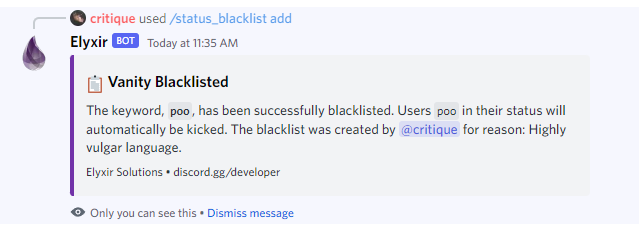
Once you have enabled the module, you just need to run the `/status_blacklist add` command, then use the required parameters to quickly and easily blacklist a keyword from statuses.
{% hint style="info" %}
Our bot automatically recognises common reiterations. If a status includes `.gg/elyxir`, but the blacklisted vanity is `discord.gg/elyxir`, it will be detected anyway.
{% endhint %}
#### Removing a URL from the Blacklist
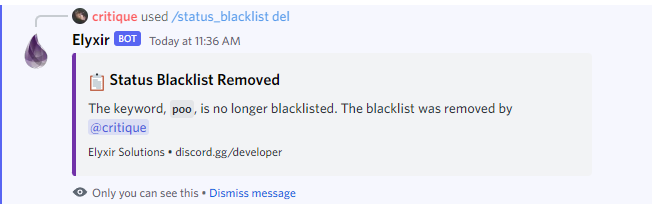
If you decide that people should no longer be banned for representing another server, you can remove the blacklist. To remove the blacklist, run the `/status_blacklist del` command with its required parameter. **Important: This will not unban the users who were already banned for using a blacklisted term in their status**